

Send your store's events to TikTok
Once a TikTok account is connected, Releva can send standard events (ViewContent, AddToCart, Purchase and others) to one of your TikTok pixels from its servers. This guide picks the ad account and pixel, turns on Backend Tracking and trims the event list so you do not double-count events your website already sends. For what each event is and how Releva builds it, read How TikTok tracking works in Releva.
The screenshots show a demo shop with a demo TikTok account (“Demo Store Ads”) and a demo pixel (“Demo Store Pixel”). Yours show the names and ids from your TikTok account.
Before you start
Section titled “Before you start”- A TikTok account is connected: Connect TikTok to Releva.
- You know which pixel is installed on your website (TikTok Events Manager lists them with their id and code) and which events the website already sends through it.
- Releva receives your store’s events: product views, carts, orders, wishlists, searches, registrations and subscribes come from the JS SDK or your platform integration. See How events get into Releva.
-
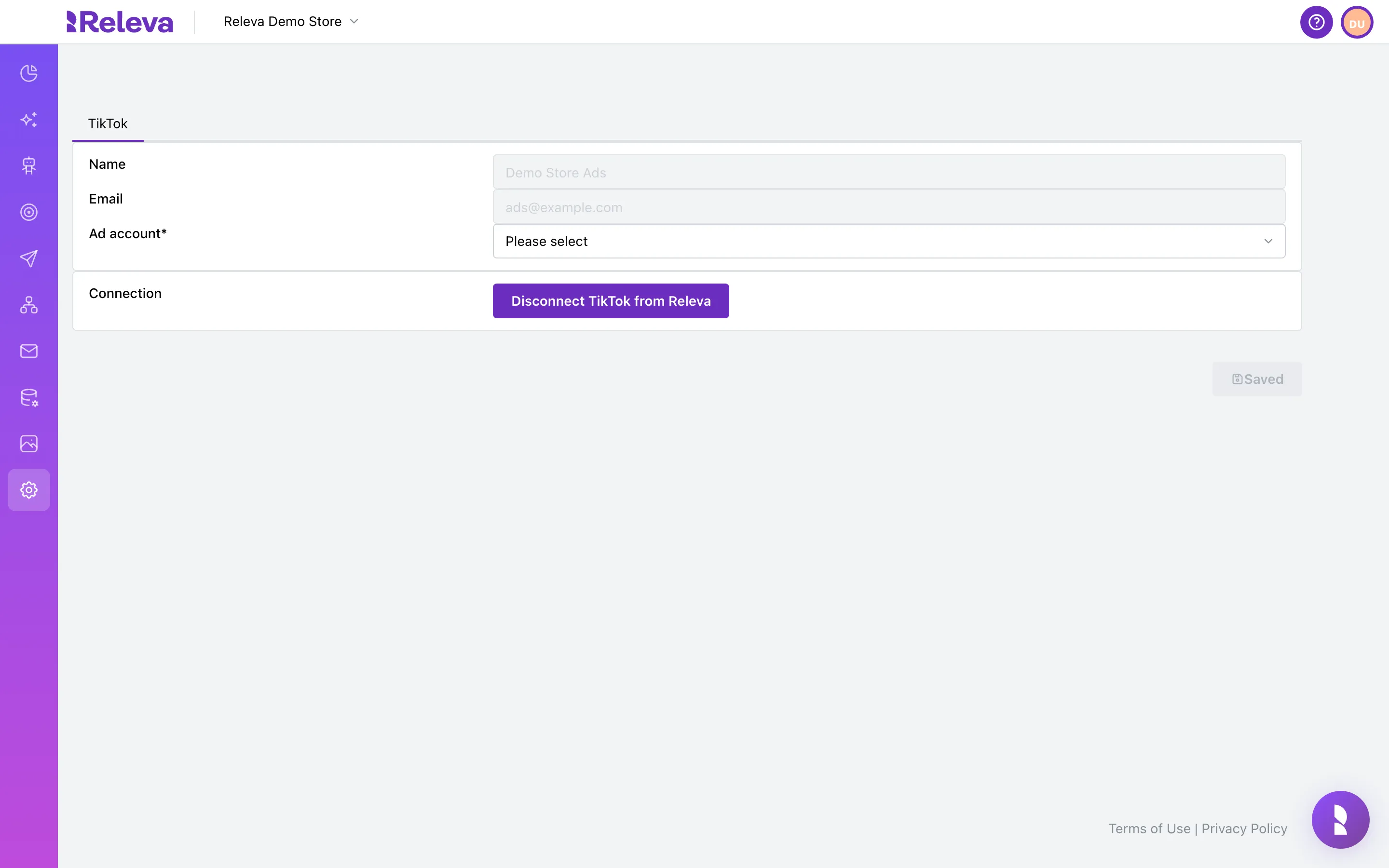
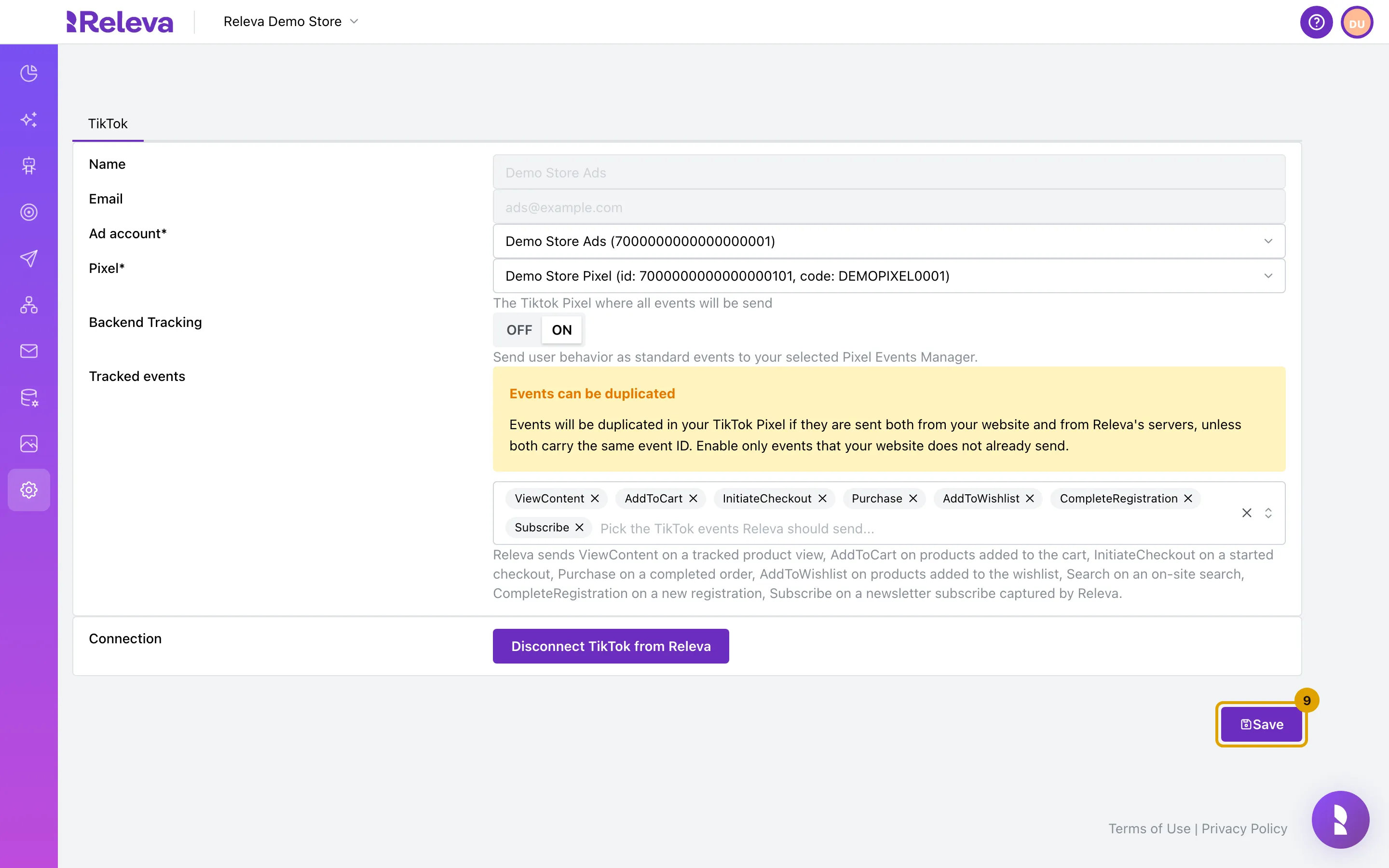
Go to Settings › TikTok. Name and Email show the TikTok account you connected
-
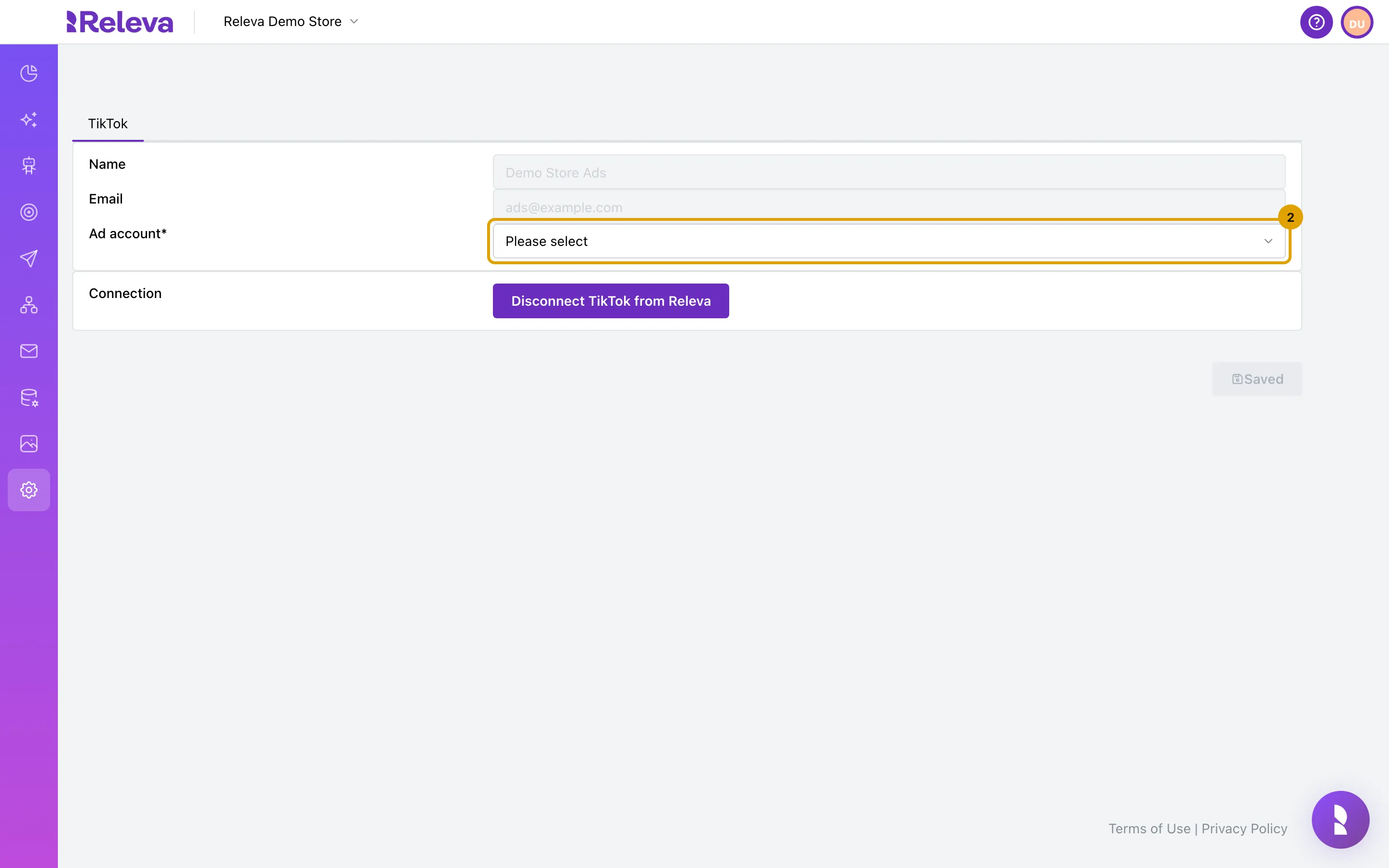
Under Ad account*, open the list
The list holds every ad account the connected TikTok user can see, as name (id). Type in Search… to filter it. No options found means nothing matches.
-
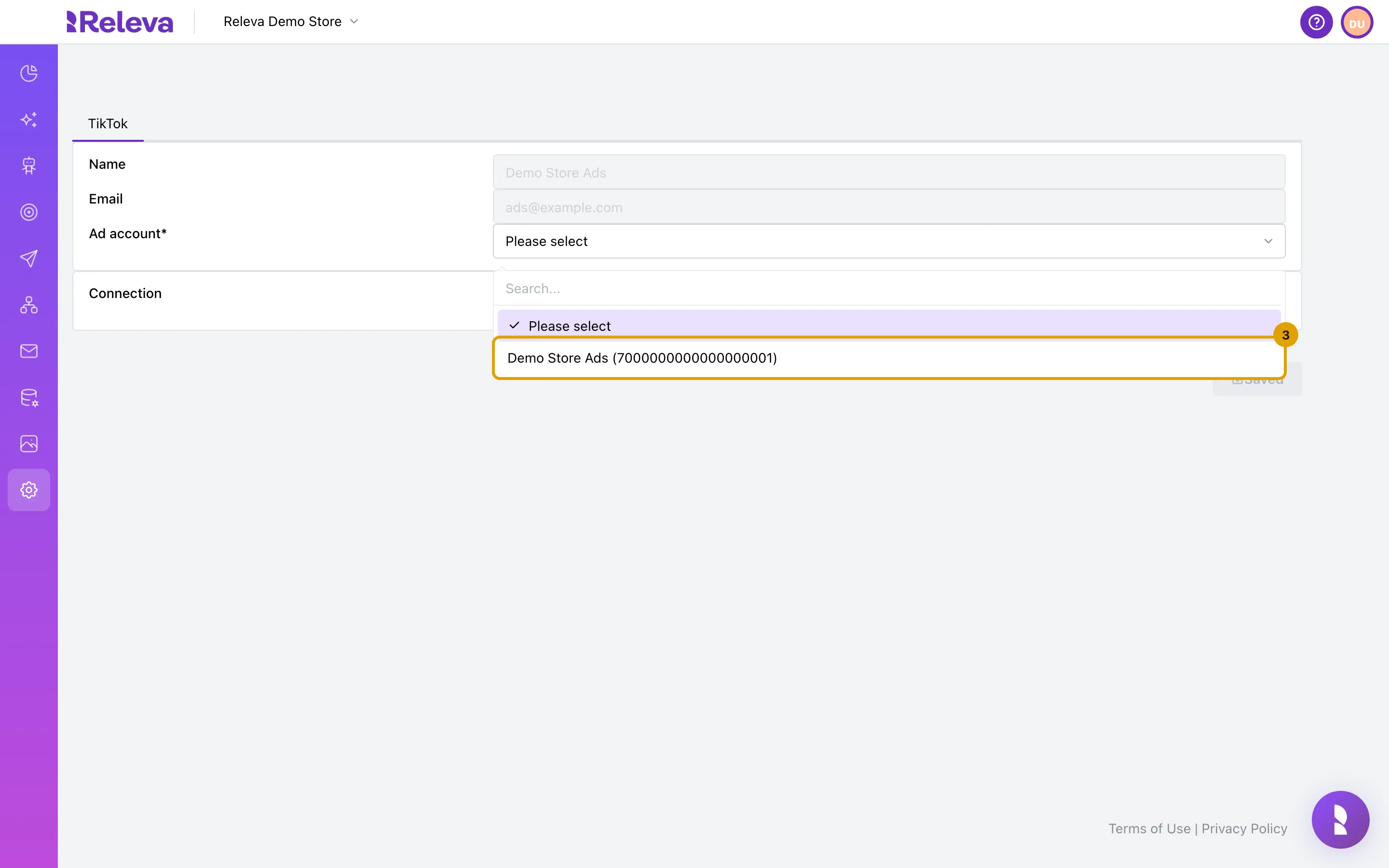
Select the TikTok ad account that runs your store’s ads
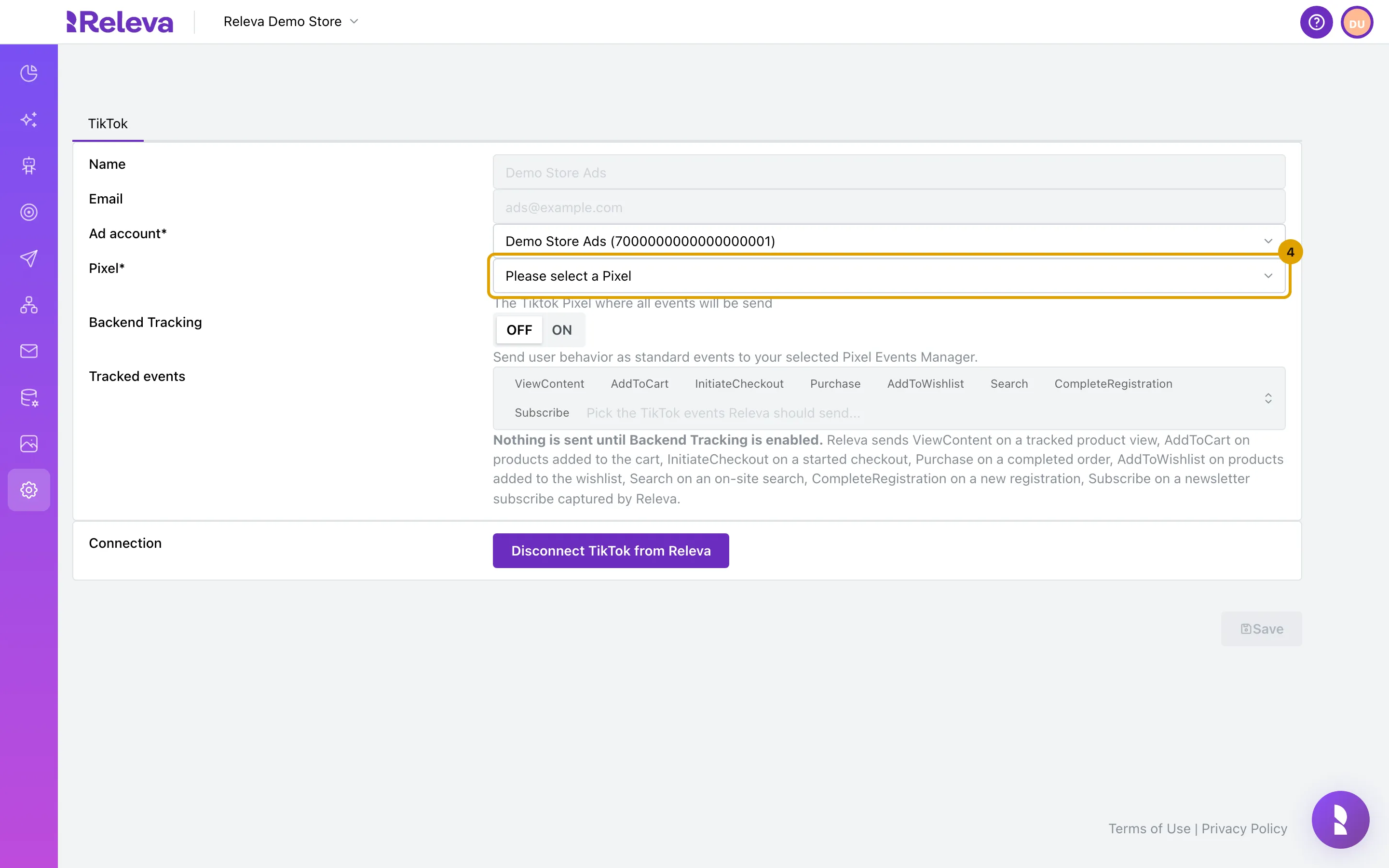
Pixel*, Backend Tracking and Tracked events appear once an ad account is chosen.
-
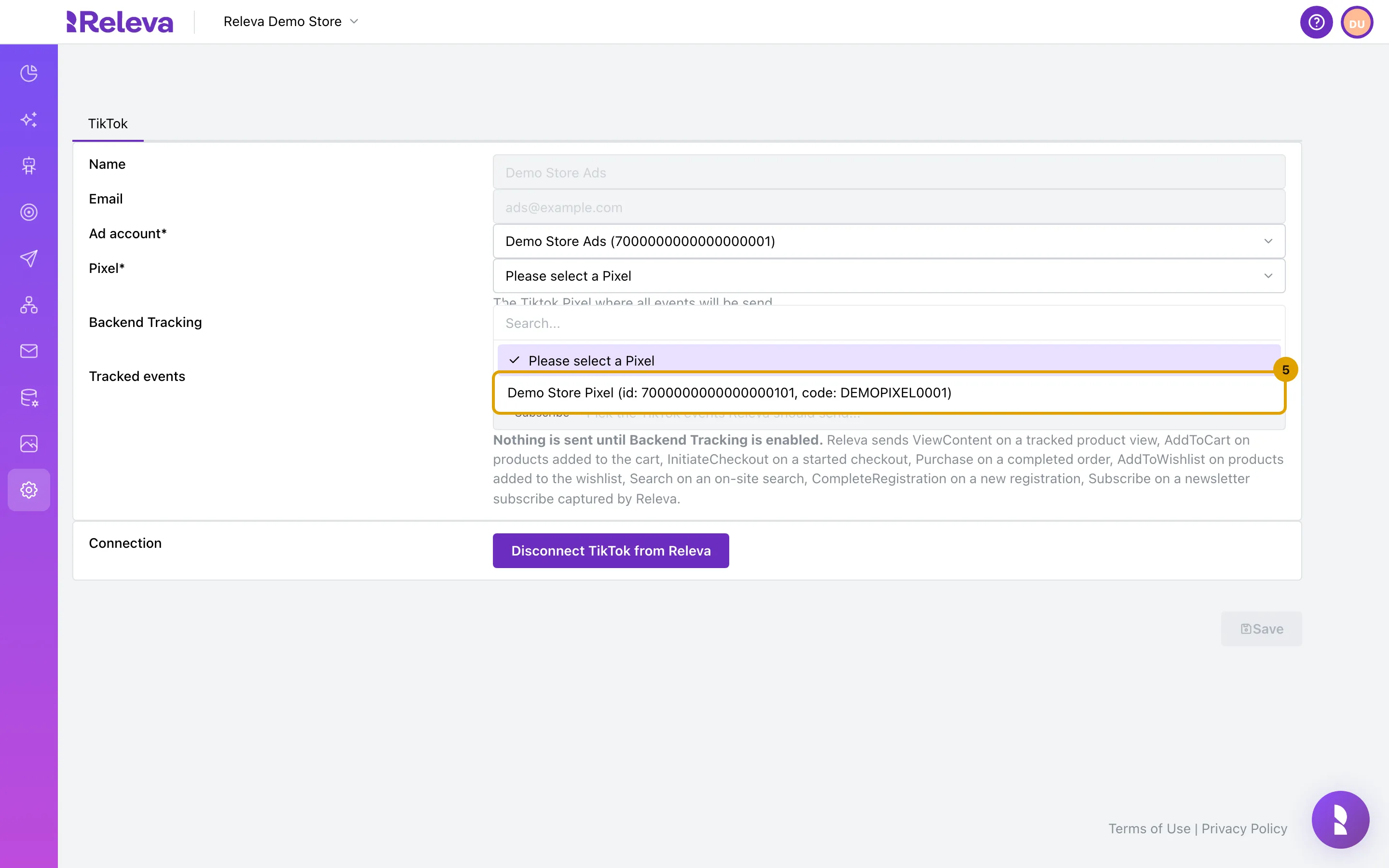
Under Pixel*, open the list
-
Select the pixel that is installed on your website
Pixels are listed as name (id: …, code: …). Releva stores the pixel code and sends every event to that pixel. Save becomes enabled once the pixel is chosen; Backend Tracking is still OFF, so saving at this point sends nothing.
-
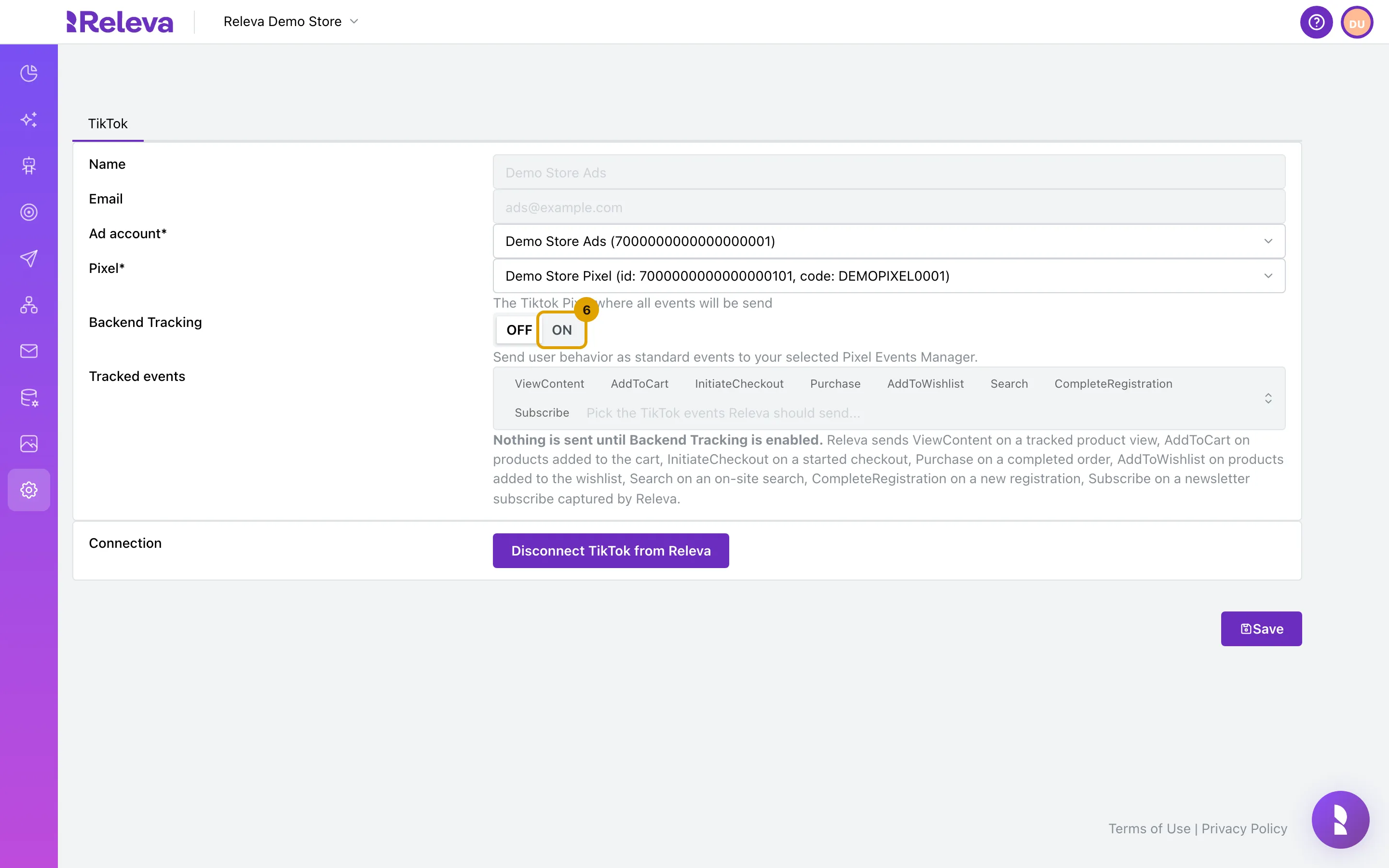
Set Backend Tracking to ON
-
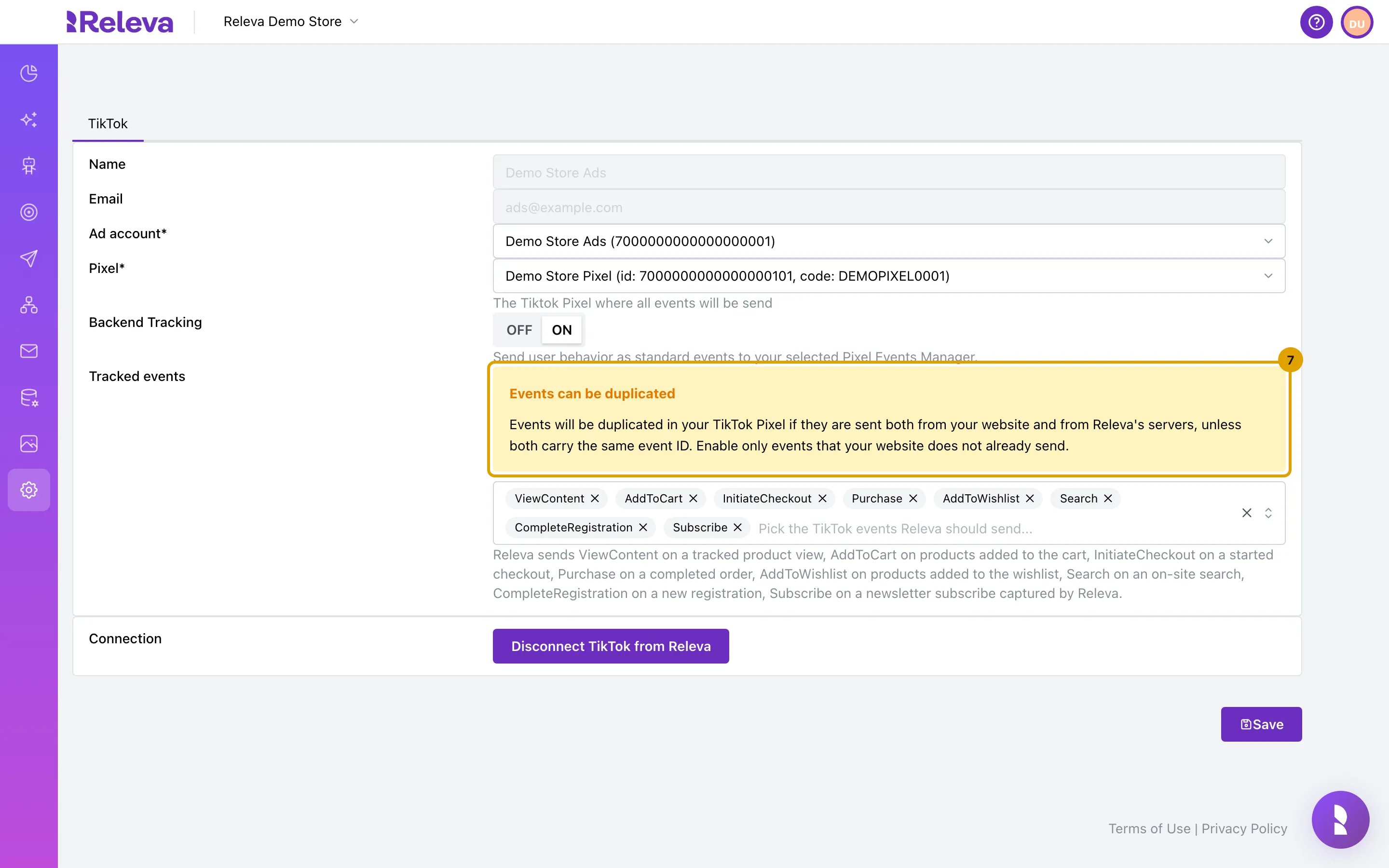
Under Tracked events, all eight events are selected. Read the Events can be duplicated warning
The warning reads: “Events will be duplicated in your TikTok Pixel if they are sent both from your website and from Releva’s servers, unless both carry the same event ID. Enable only events that your website does not already send.”
-
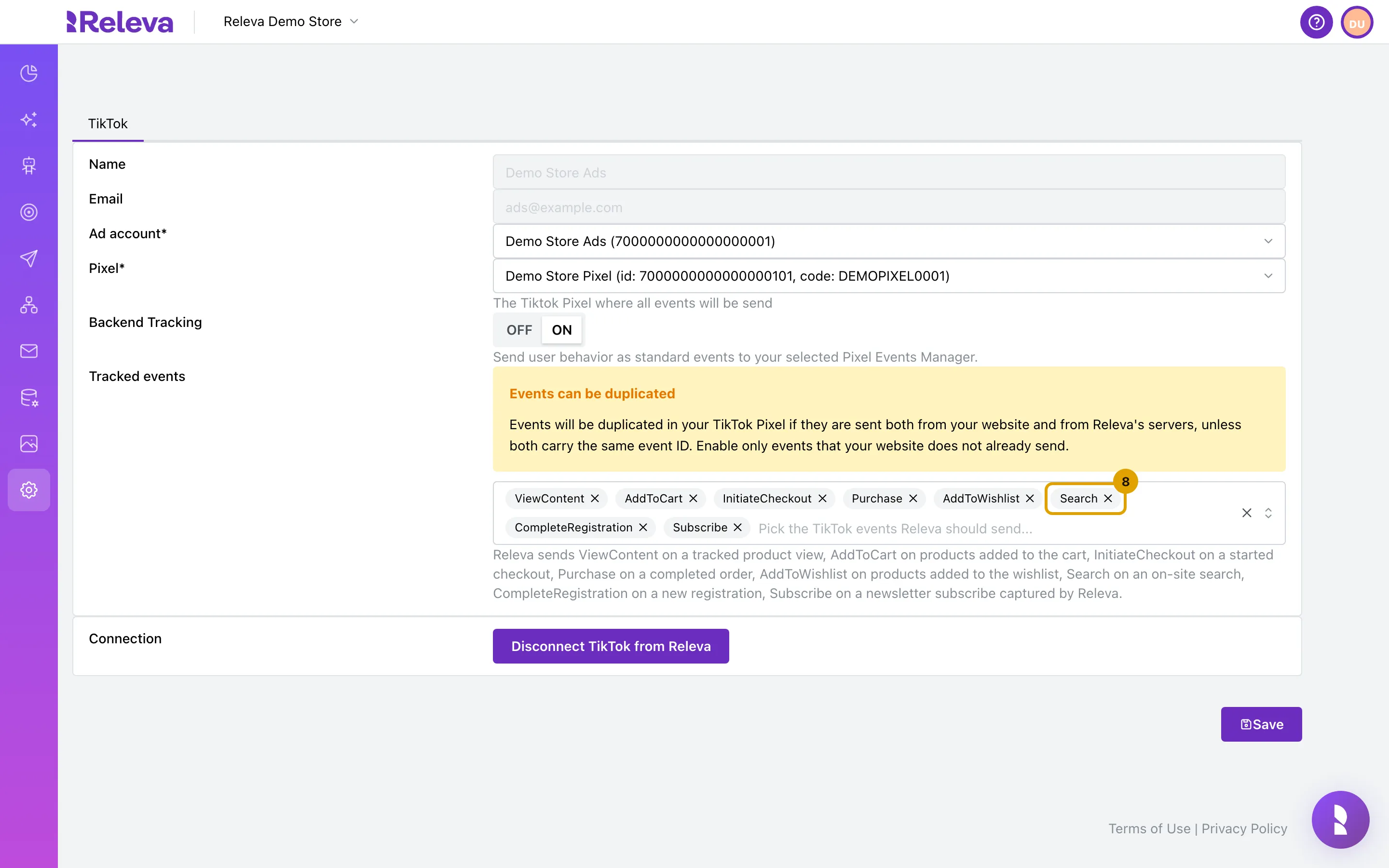
Remove every event your website already sends to the same pixel. For example, select × next to Search
Remove one event with the × on its pill, remove all with the × at the right of the box, or open the list to add events back. An empty list means Releva sends none of the standard events.
-
Select Save. The button changes to Saved
Check it worked
Section titled “Check it worked”- Settings › TikTok shows your ad account and pixel, Backend Tracking is ON, the events you kept are listed under Tracked events, and the button reads Saved.
- In TikTok Events Manager, the pixel starts receiving the kept events from Releva’s servers as your visitors browse and buy. Releva queues the events and sends them in batches, so they do not appear at the same instant as the action on your website.
- To pause server-side sending without losing your event list, set Backend Tracking to OFF and save. Your Tracked events are kept and apply again when you turn it back ON.
Troubleshooting
Section titled “Troubleshooting”Save stays disabled. Both Ad account and Pixel must be chosen, and something must have changed since the last save. Saved (disabled) means the form equals what is stored.
Nothing is sent until Backend Tracking is enabled. This note under Tracked events means Backend Tracking is OFF. The picker is disabled until you turn it ON.
The Ad account list only shows Please select. TikTok returned no ad account for the connected user. Check the user’s access in TikTok For Business, or disconnect and connect with another user.
Unsupported TikTok tracking events: … Supported: ViewContent, AddToCart, Purchase, AddToWishlist, CompleteRegistration, Subscribe, Search, InitiateCheckout. The event list sent to Releva contains a name that is not one of the eight standard events. The picker only offers those eight, so reload the page and try again.
TikTok account not found for this domain. The shop has no TikTok connection any more (it was disconnected in another tab, for example). Reload and connect again.
Events show twice in TikTok Events Manager. Your website and Releva both send that event to the same pixel. Remove it from Tracked events. The alternative, an event ID shared by the browser pixel and the event your integration sends to Releva, needs developer work: see How TikTok tracking works in Releva.
TitTok logout failed, please try again later or contact support! The disconnect request failed. Reload the page and try again.