

How the Sales Agent works
The Sales Agent is an AI shopping assistant that sits in a chat window on your site. Shoppers ask it about products, sizes, delivery or returns, and it answers from your catalog and from the knowledge you publish. You manage it in Agentic › Sales Agent.
This page explains the parts; the guides show the clicks: Set up the Sales Agent welcome message and Turn the Sales Agent on or off.
The Sales Agent is not Lucy. Lucy is the assistant inside the Releva admin that helps you use Releva; the Sales Agent talks to your shoppers.
What shoppers see
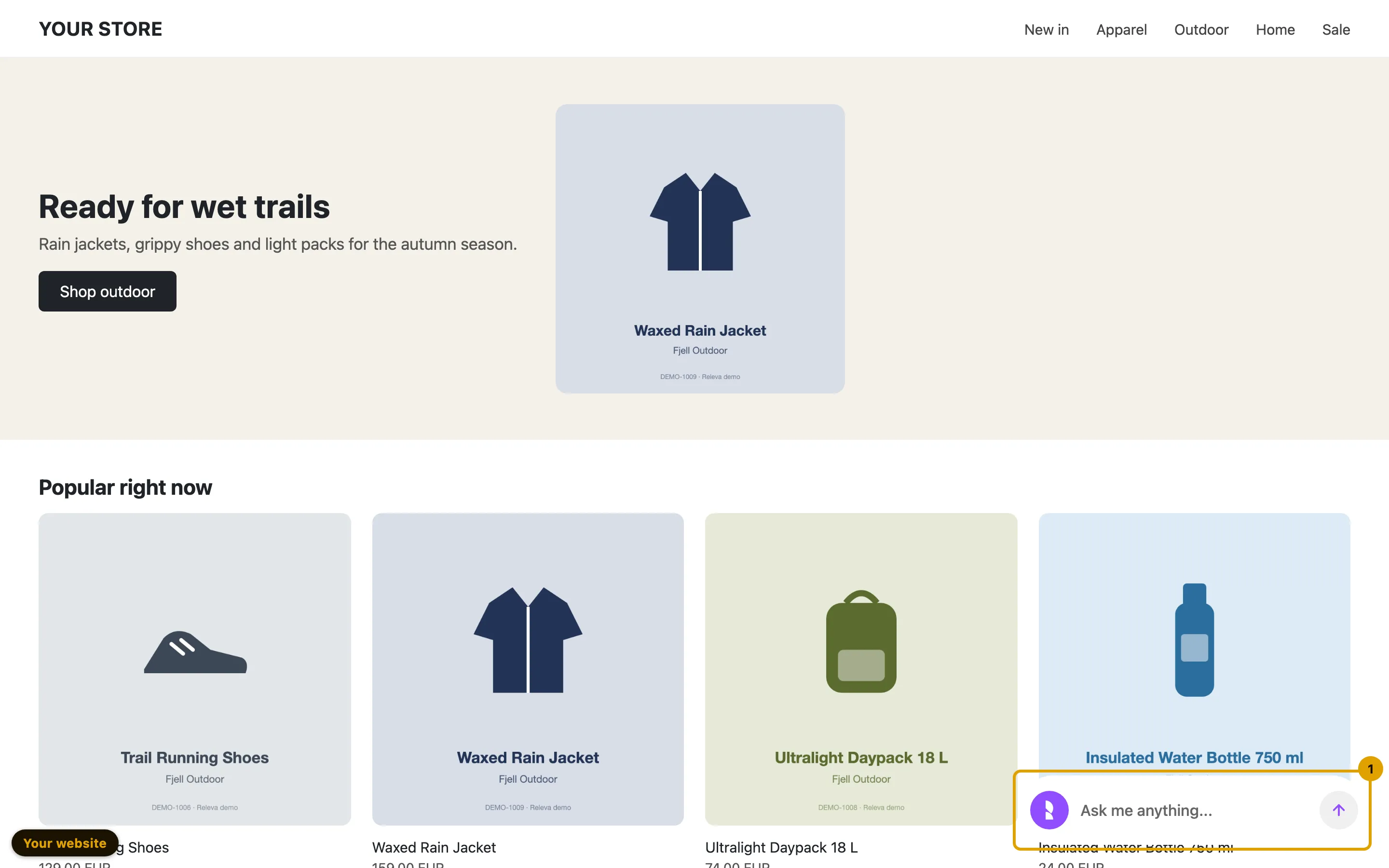
Section titled “What shoppers see”On your site the Sales Agent starts as a launcher at the bottom of the page. It is a line bar with your invite message, or a round bubble.
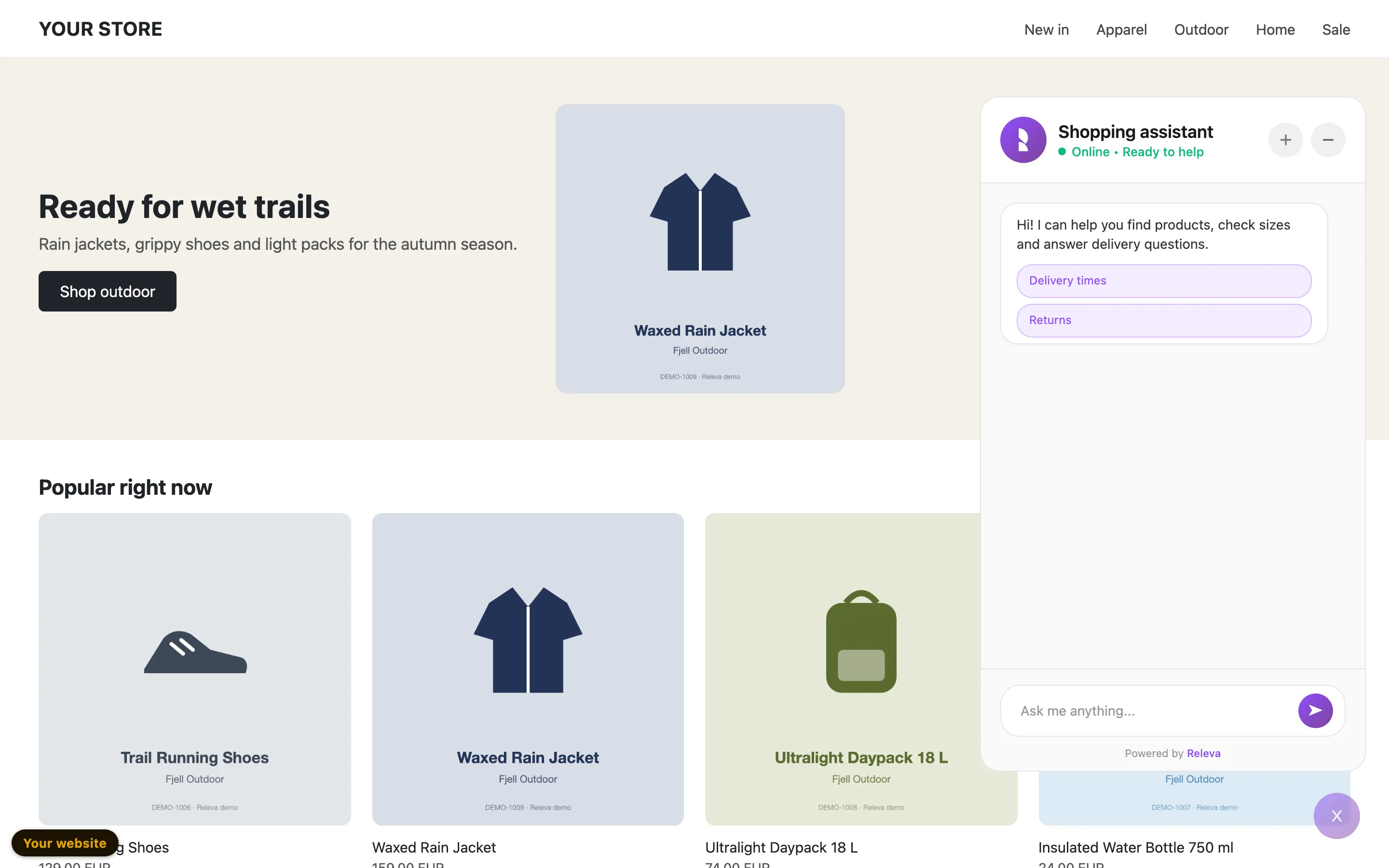
When a shopper opens it, the chat window shows your welcome message. Questions you add to the welcome message appear as quick-reply buttons.
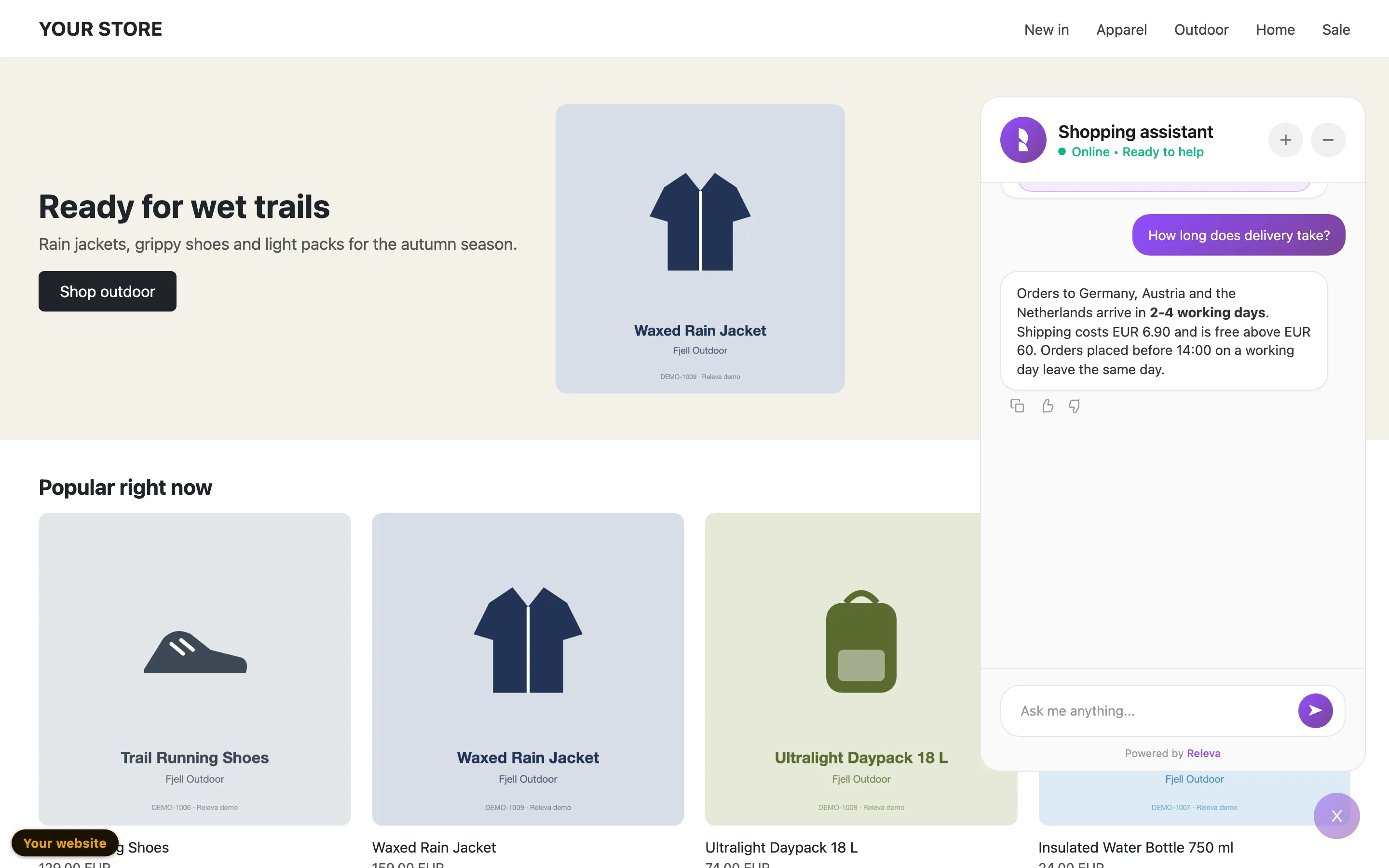
A quick reply sends its question for the shopper. A question about delivery or returns is answered from your published knowledge. Under every answer, shoppers can copy it or vote it helpful or not helpful.
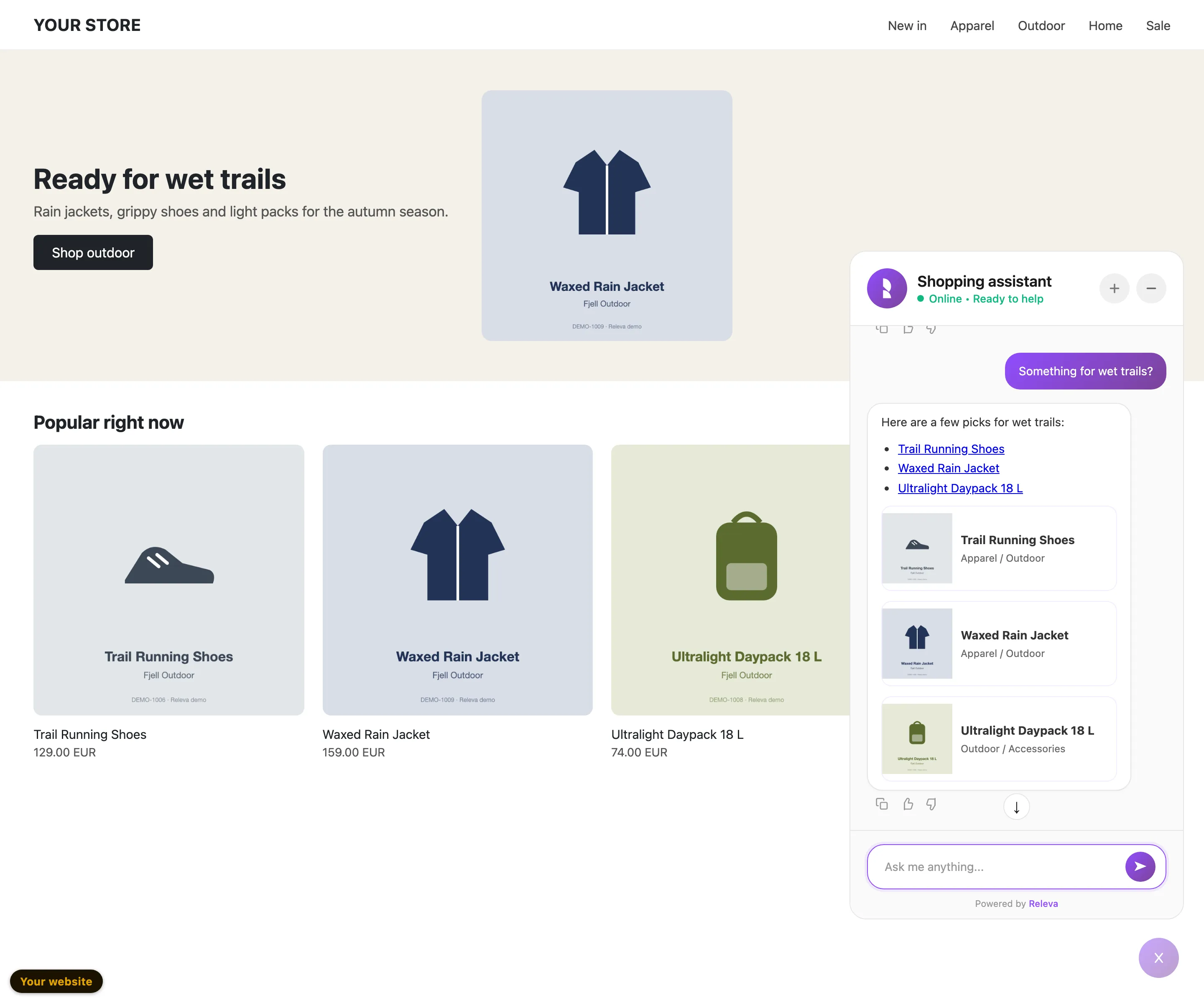
When a shopper asks for products, the answer lists products from your catalog and shows them as cards that link to the product pages.
Where it shows
Section titled “Where it shows”Your site loads the Sales Agent through the Releva JavaScript SDK. A page shows the chat only when all of these are true:
| Rule | Where you set it |
|---|---|
| The Chat Bot switch is on and saved. | Agentic › Sales Agent, at the top of the page |
| The page address passes the URL filter, if you set one (URL contains, URL doesn’t contain). | Customize tab |
| The shopper is not in the control group of an A/B test. Shoppers in the control group never see the chat. | Your A/B test settings |
To check the chat on your own site before shoppers see it, open a page with debug mode (?rlv_mode=debug). Debug mode shows the chat even while the Chat Bot switch is off or the shopper would be in the control group. The URL filter still applies.
What it answers from
Section titled “What it answers from”| Source | What it gives the agent |
|---|---|
| Your product catalog | Product search, prices and links, shown as product cards. |
| Knowledge Base › Documents | Your shipping, returns, size and other policy pages. Only published documents are used. |
| Knowledge Base › Q&A Review | Question and answer pairs. Only approved pairs are used; drafts wait for you and are never shown to shoppers. |
| The shopper’s profile | Personalized product suggestions for shoppers Releva knows. |
The Sales chat: X of Y capabilities card on the Personalization tab lists what the agent can use for your shop, such as product search, knowledge search, personalized feed and order lookup. Green badges are on. Answering order questions (order lookup) needs an order status lookup that Releva turns on for you.
When the agent cannot answer with confidence, it gives your Fallback Message and your Support Email, so the shopper can still reach you.
What you manage in Agentic › Sales Agent
Section titled “What you manage in Agentic › Sales Agent”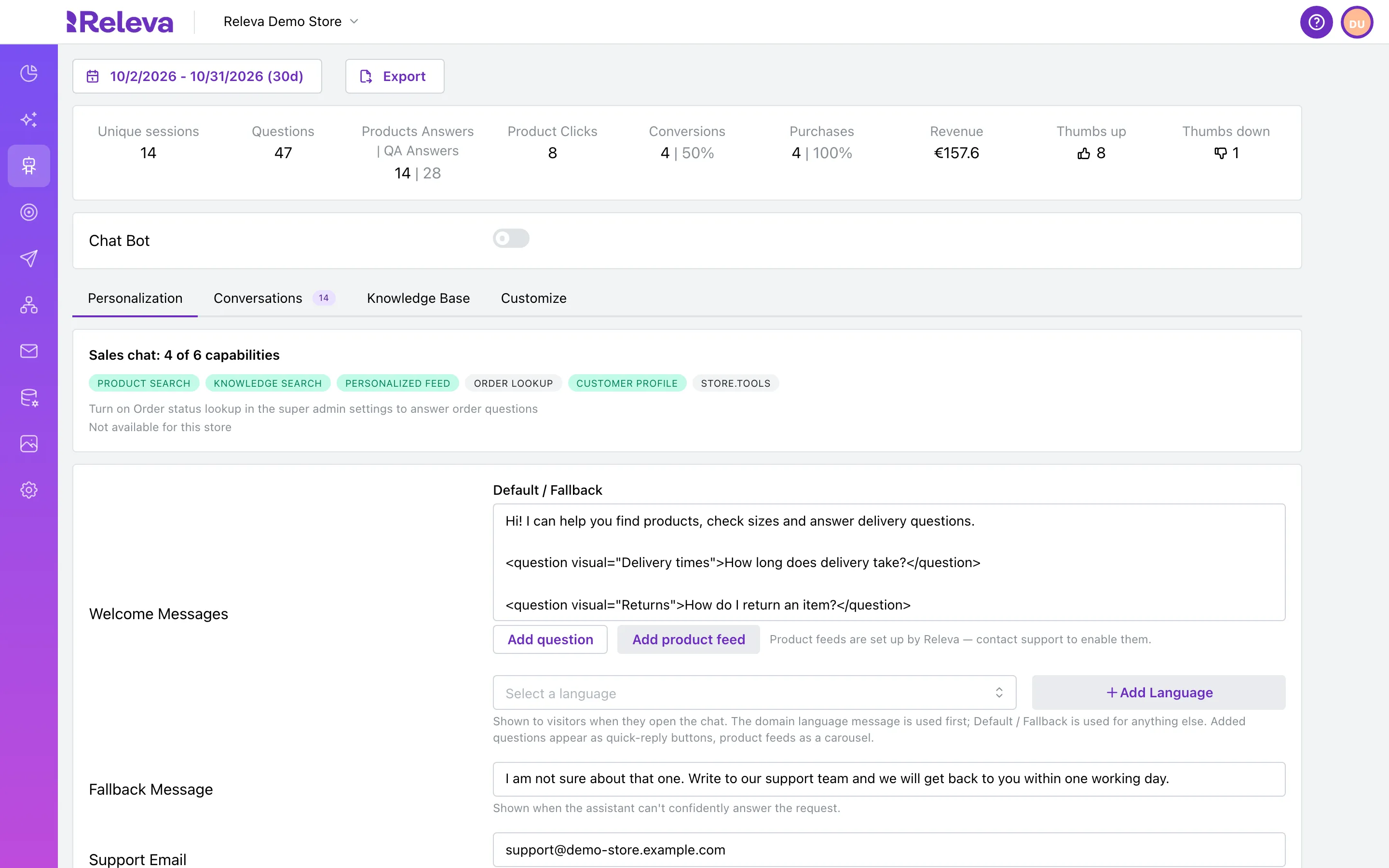
| Part | What it does |
|---|---|
| Stats at the top | Unique sessions, Questions, Products Answers | QA Answers, Product Clicks, Conversions, Chat-sold items, Chat-sold revenue, Thumbs up and Thumbs down for the date range you pick. |
| Chat Bot switch | Turns the chat on or off for your shoppers. Changes apply after Save. |
| Personalization | The welcome message and its quick replies, per language, the Fallback Message and the Support Email. |
| Conversations | Every chat shoppers had, with their votes. From an answer you can send Releva a better answer or a good one to learn from; Releva reviews them with the help of AI. |
| Knowledge Base | The documents and Q&A pairs the agent answers from, and the questions it could not answer. |
| Customize | The chat’s title, invite message, icon, position, launcher, colors and the URL filter. |
Who sets up what
Section titled “Who sets up what”Releva turns the Sales Agent on for your shop the first time: only a Releva super admin can make the first switch-on. Until then, the page shows the stats and a Chat Bot switch you cannot turn on, and no tabs. Contact Releva to have it switched on. Releva also chooses the AI model, connects product feeds for welcome-message carousels, turns on order lookup and reviews, with the help of AI, the answer suggestions you send from Conversations.
Everything else on the four tabs, and the Chat Bot switch after the first setup, is yours to change.
Where it works
Section titled “Where it works”- Admin: Agentic › Sales Agent. See Set up the Sales Agent welcome message.
- Your site: the Releva JavaScript SDK loads the chat on the pages where it shows. See Check Releva on your site with debug mode.
- API: no public API for the Sales Agent settings.