

Embed Releva in your platform
A partner integration is not a plugin you install. It is the contract an e-commerce platform, an app or an agency implements so that its merchants get a Releva shop without talking to Releva first. You create each shop with one signed call, keep the keys Releva answers with, and then integrate the storefront and the server exactly as a custom website would, with those keys. Optionally you also bill the merchant yourself and sign their staff into the Releva admin.
This page walks through the whole setup once. Every endpoint, claim and error message is in the Partner API overview; the concepts (the two credentials, billing modes, the webhooks Releva calls you on) are in How the Partner API works. Neither is repeated here.
If you are a merchant whose shop was created by a platform, read Using Releva through your platform instead.
Before you start
Section titled “Before you start”- A key pair and a partner token. Generate an RSA key pair, send the public key to Releva and receive a partner token (a UUID). There is no self-service sign-up. Steps and commands: Before your first call.
- A billing mode, agreed with Releva. With
internalbilling Releva bills the merchant and shows them billing and payment steps in the Releva admin. Withexternalbilling you bill the merchant; the plan, trial, uninstall and usage-charge endpoints become available to you, and you implement the webhooks Releva calls back. The other endpoints answer400withPartner <name> it not allowed to use this API because it is not configured for external billing management. Actual value: internaluntil your partner is set to external. See Internal or external billing. - Optional URLs that Releva stores on your partner record: a subscribe and an unsubscribe URL for consent write-back, the billing webhooks (external billing only), the coupon URLs for generated coupons, and a
pricingUrl. The pricing URL is where the Pricing Policy link in the merchant’s onboarding points; without it the link goes tohttps://releva.ai/pricing/. - HTTPS only. Every request to
https://releva.aimust arrive over HTTPS; Releva’s edge marks it as such and the API answers400withWe do not support non-HTTPS requests.otherwise. The JSON body limit is 800 KB. - A stable, unique account name per merchant. The
nameyou send when provisioning is the key of the merchant’s account and is unique across all of Releva. Include the shop domain in it. See The name is the key.
Install
Section titled “Install”“Installing” Releva for a merchant means one call per shop: POST https://releva.ai/api/v0/partners/domains with your partner token in x-rlv-partner-token and a body {"payload": "<JWT>"} signed with your private key (RS512, short expiry). The claims are the shop’s url (host without protocol), name, platform, currencyCode, contactEmail, timezoneOffset and locale, plus optional productSyncType, productSyncApiUrl and subscriberSyncApiUrl. The full claims table, the 201 (created) and 200 (already existed) responses and every error are in Provision a shop.
Releva’s own Shopify connector is the reference implementation. It provisions the shop in the OAuth callback of the app install, with name and url both set to the store’s myshopify.com host, platform: "shopify" and the store’s primary locale without its region. When a merchant reinstalls, it sends PUT /partners/domains with running: true instead of creating a second shop.
Choose the platform value
Section titled “Choose the platform value”platform decides which default sync URLs Releva fills in for the shop. Accepted values: magento1, magento2, opencart, cloudcart, woocommerce, shopify, cscart, merchantpro, gombashop, prestashop, valival, custom, shopiko, gomag, xxsale. Anything else answers 400 with Unsupported platform "…".
platform |
Catalog pull URL Releva sets | Customer pull URL Releva sets |
|---|---|---|
custom, and any value not listed below |
https://<shop>/api/releva/products, only if you did not send one |
https://<shop>/api/releva/subscribers, only if you did not send one |
woocommerce, cscart |
https://<shop>/?rest_route=/releva/integration/products |
…/?rest_route=/releva/integration/subscribers |
magento1, magento2 |
https://<shop>/releva/integration/products |
…/releva/integration/subscribers |
opencart |
https://<shop>/index.php?route=extension/module/releva_products |
…route=extension/module/releva_subscribers |
prestashop |
https://<shop>/index.php?fc=module&module=releva&controller=products&id_lang=1&ajax=true |
none |
shopify |
Releva’s Shopify connector, with a random nightly sync schedule | Releva’s Shopify connector |
cloudcart, gombashop, shopiko |
a Releva-hosted bridge | none |
For every platform except the default branch, the platform default overwrites a productSyncApiUrl or subscriberSyncApiUrl you send on create. If your platform is in the list but you serve the catalog from your own URL, send platform: "custom", or change the URLs afterwards with PUT /partners/domains, which accepts both fields. Only shopify and valival get a sync schedule by default; for other platforms the merchant (or you, on their behalf) sets one on Settings › Shop & Integration › Catalog Sync.
A new shop is also created with e-mail and SMS sending disabled and quiet hours from 22:00 to 09:00 in the shop’s time zone. Releva enables the channels when the merchant’s contract allows it.
Configure
Section titled “Configure”Nothing is typed into the Releva admin for a partner shop. The configuration is on your side.
1. Store the keys from the provision response
Section titled “1. Store the keys from the provision response”The response holds domain.accessToken, domain.secretKey and domain.pages[], each page with its token. Keep all three per shop:
| Value | Used for |
|---|---|
accessToken |
The storefront: the first argument of Releva.push() in the JavaScript SDK and the token in the mobile SDKs. Public by design. |
secretKey |
Your server: authorization: Bearer <secretKey> on every call to the catalog, orders, events, profiles and consent APIs. It is also the bearer Releva sends to you when it pulls the catalog or customers and when it calls your billing webhooks, so it is how you identify the shop on incoming requests. Never expose it to a browser. |
pages[].token |
One token per Releva page (home, product, category, search, cart). Goes into page.token of the push for that page type. |
You can re-read them at any time with GET https://releva.ai/api/v0/domains and authorization: Bearer <secretKey>: it returns id, accessToken, secretKey, locale, integrationActive, appEmbedActive, the pages with their product-block and banner-block tokens, and the active plans. The Shopify connector calls it from its integration and billing-webhook jobs whenever it needs the shop’s current keys, plans or app-embed state.
The merchant sees the same Access Token and Secret Key on Settings › Shop & Integration › General, but does not have to copy them anywhere. What is different for them: the URL field on that tab and Account Name on the account page are read-only, because you own the shop address (the Partner API looks shops up by it) and the account name (your provisioning key).
2. Integrate the storefront and the server
Section titled “2. Integrate the storefront and the server”From here on a partner shop is a custom-website integration done with the keys above. Follow Connect your custom website for the snippet, the page context, the catalog push and the orders API, and the mobile SDKs if your platform has apps. The one partner-specific choice is customers: you can send them through the standard profiles API with the shop’s secret key, or in batches through POST /partners/domains/profiles with your partner credentials, which is what the Shopify connector does for its customer import and for customers/* webhooks. See What syncs.
When the storefront integration is live, send PUT /partners/domains with integrationActive: true (and appEmbedActive: true on Shopify). Until then a Shopify merchant who opens the admin from your app is sent back to the activation wizard.
3. Sign merchants into the Releva admin
Section titled “3. Sign merchants into the Releva admin”Build the single sign-on link https://releva.ai/api/admin/users/partnerSignin/<partner token>/<JWT> with the shop, the user (email, firstName, lastName) and, after the merchant picked a plan in your store, subscriptionsToConfirm. Opening it creates the user if needed, grants access to the shop’s account, signs the browser in and redirects:
- to the plan confirmation page when
subscriptionsToConfirmis set; - otherwise to the activation wizard for a Shopify shop whose app embed is not confirmed and that is not live yet;
- otherwise to the shop’s Analytics dashboard.
Generate the link when the merchant clicks, give it a few minutes of validity and never cache or e-mail it. Claims, example and errors: Single sign-on link. What the merchant sees on each landing page, with screenshots: Using Releva through your platform.
4. External billing only: plans, confirmation, uninstall, usage
Section titled “4. External billing only: plans, confirmation, uninstall, usage”If you bill the merchant, Releva asks your webhooks to confirm plan changes and usage charges, and you report an uninstall. The loop, the bodies and their order are described once, in Plans, selections and billing periods and Webhooks Releva calls.
Verify
Section titled “Verify”Three checks, from the API out to the merchant’s screens.
- The provision call answered
201or200withdomain.accessToken,domain.secretKeyand a non-emptydomain.pages. A second identical call answers200and the same keys: provisioning is idempotent onnameandurl. - The keys work.
curl -sS https://releva.ai/api/v0/domains -H "authorization: Bearer $RELEVA_SECRET_KEY" -H 'content-type: application/json'answers200with the shop’sid. A push from the storefront answers200onPOST /api/v0/push/<accessToken>; see the tracking snippet check. - Data arrives in the merchant’s admin. Open a sign-on link for a test user and check the screens below. There is no partner-specific “connected” badge in Releva; the generic Events, Products and Profiles screens are the proof.
The recorded steps show the Releva demo shop as a merchant sees it when it belongs to a fictional partner with external billing. The keys are masked.
-
Open Settings › Shop & Integration. On the General tab, URL is greyed out because your platform manages the shop address.
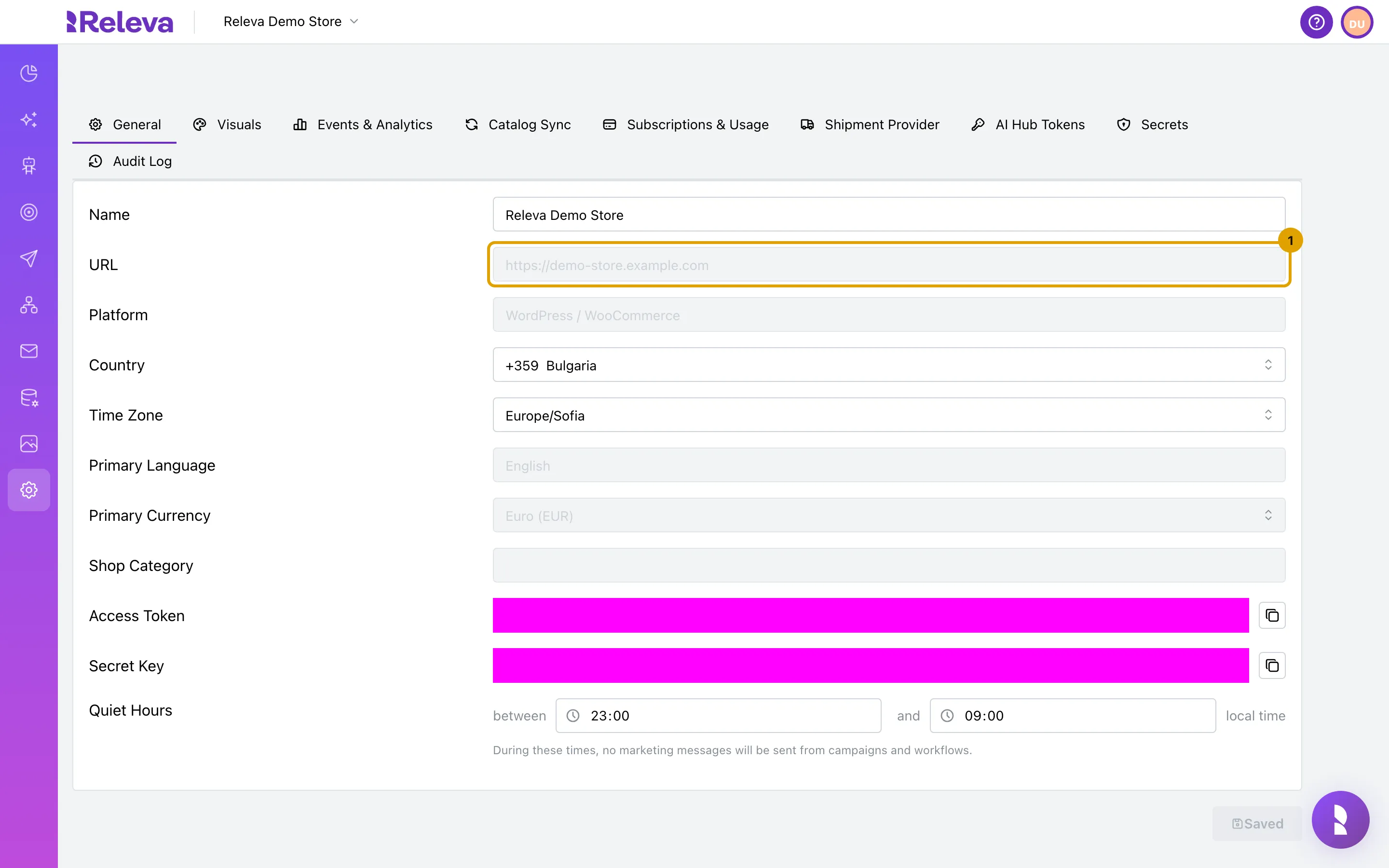
-
Access Token and Secret Key are already stored by your platform. You need them only if you add your own tracking code or API calls.
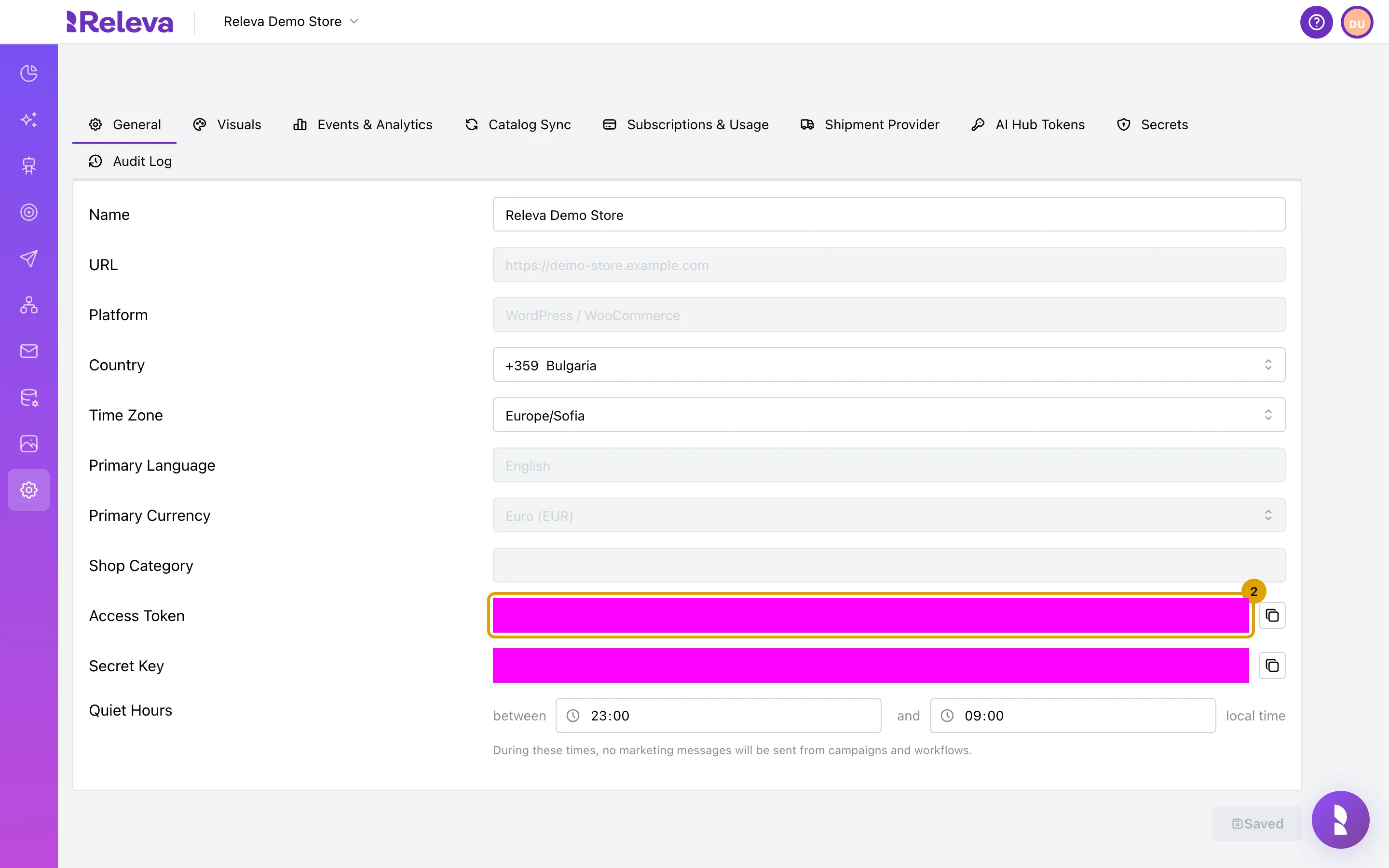
-
Select the Subscriptions & Usage tab.
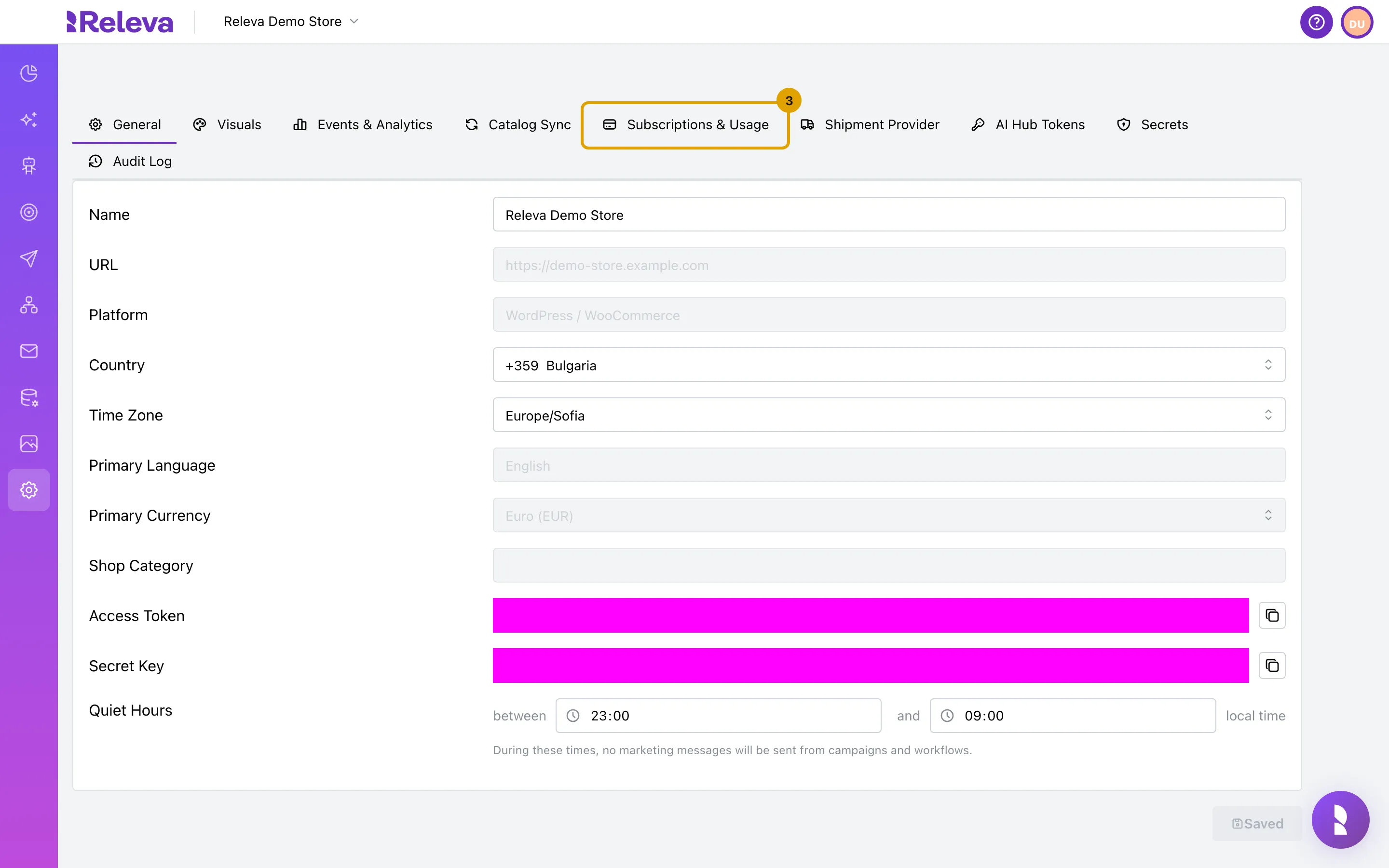
-
Your plan and this period’s usage appear here. If no Releva plan is active, for example because your platform bills you, you see You are on a custom subscription instead.
Early in a billing period the usage part reads There is no usage information yet. Check back later the same day or the next day: the figures appear once Releva has counted the first usage of the period.
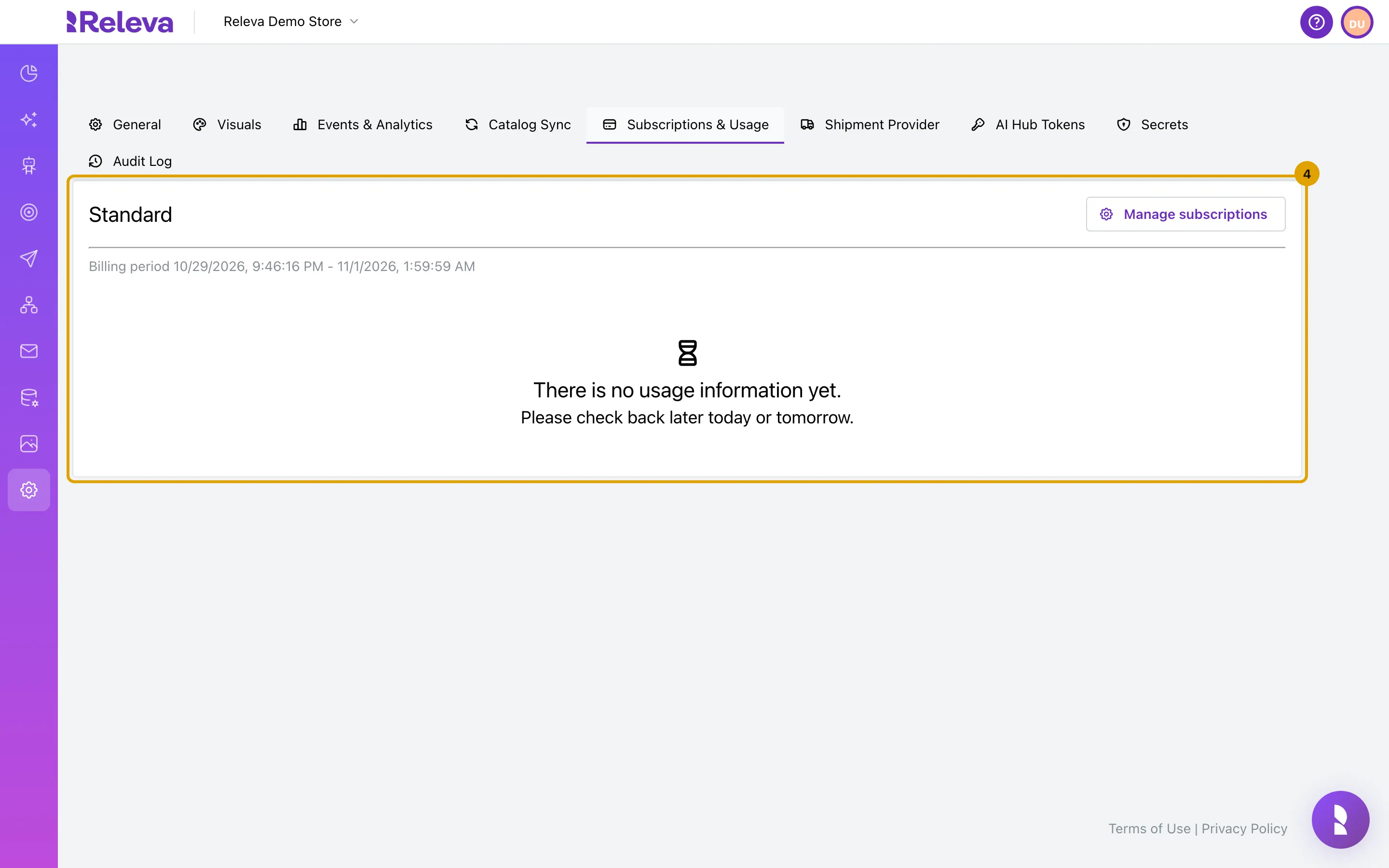
Then check that the merchant’s storefront events, products and customers arrive on Data Platform › Events, Data Platform › Products and Data Platform › Profiles. The screens are the same for every integration: Check that your store data arrives.
Profiles you send through POST /partners/domains/profiles appear on Data Platform › Profiles like any other profile. For a row-by-row check of a single event, see Check that an event reached Releva.
Troubleshooting
Section titled “Troubleshooting”400 with Partner identification is missing! or Partner identification is invalid! The x-rlv-partner-token header is absent, or the token is not the one Releva issued to you. On the sign-on link the token is the first path segment.
500 with An internal error occurred. on every partner call. The payload could not be verified: wrong private key, a payload that is not a JWT, or an expired exp. Releva does not distinguish these; sign again with the key whose public half you registered.
422 with An account named "…" already exists. Another partner, or a Releva-created account, owns that name. Send a name that includes the shop domain.
400 with We do not support non-HTTPS requests. You called http:// or a proxy in front of Releva lost the HTTPS marker. Call https://releva.ai directly.
Releva never pulls your catalog, or pulls the wrong URL. Check productSyncApiUrl in GET /api/v0/domains. If you sent your own URL with a listed platform, the platform default replaced it; send platform: "custom" or update it with PUT /partners/domains. A shop without a schedule only syncs when someone selects Sync Now on Settings › Shop & Integration › Catalog Sync; see Schedule a full catalog sync.
The merchant sees “We could not confirm your subscription”. The plan confirmation page waited a minute without the selection turning active. Either your subscriptions/confirm call has not reached Releva yet, or it failed, or the ids in subscriptionsToConfirm are not the ones Releva created. The merchant can select Return to setup and try again; the alert text currently names Shopify even for other partners.
The merchant’s shop shows a red “Shop is disabled” banner. You paused it with PUT /partners/domains and running: false, or Releva did. Send running: true to resume. The banner tells the merchant to contact Releva support; if you paused the shop, only you can resume it.
The merchant cannot change the shop URL or account name. Expected. Both are read-only for partner accounts; change the URL with PUT /partners/domains.
Releva calls your subscribe or unsubscribe URL and you cannot verify the signature. Those calls are signed by Releva with its own key, not yours. Ask Releva for the matching public key.
What syncs
Section titled “What syncs”The Partner API itself only provisions shops, manages billing and syncs profiles. Everything else goes through the standard /api/v0 endpoints with the shop’s own keys. The table lists each data flow, which side initiates it, the endpoint and when the reference implementation (Releva’s Shopify connector) triggers it.
| Data | Direction | Endpoint and auth | When (Shopify connector) |
|---|---|---|---|
| Products, push | you → Releva | POST /api/v0/products, DELETE /api/v0/products/{id}, Bearer <secretKey> |
Initial import and products/* webhooks |
| Products, pull | Releva → you | GET <productSyncApiUrl>?page=&cursor= with authorization and x-rlv-authorization, both Bearer <secretKey>; you answer {"products": [...], "pageCount": N} or {"products": [...], "nextCursor": "..."} |
Nightly schedule or Sync Now. Contract: the catalog pull-sync endpoint you build |
| Customers, push | you → Releva | POST /api/v0/partners/domains/profiles (batch, signed), DELETE /api/v0/partners/domains/profiles?profileId= with partner token and JWT. Or POST /api/v0/register, POST /api/v0/profiles with the secret key |
Import, customers/* webhooks, GDPR redact |
| Customers, pull | Releva → you | GET <subscriberSyncApiUrl>?page=&cursor=, same headers as the catalog pull; you answer {"subscribers": [...], "pageCount": N} or {"subscribers": [...], "nextCursor": "..."}; each item is upserted as a profile and subscribedAt is passed through as you send it |
Sync Now next to Subscriber Sync API on Settings › Messaging › General, or POST /api/v0/subscribers/sync with the secret key |
| Orders and carts | you → Releva | POST /api/v0/carts, Bearer <secretKey> |
Import and orders/create |
| Order status, refunds | you → Releva | POST /api/v0/events (orderStatusChanged), POST /api/v0/refunds |
Cancel, refund and fulfilment webhooks |
| Storefront events | browser → Releva | POST /api/v0/push/{accessToken} through the JavaScript SDK or your own pixel, with the page tokens |
Every page view, through the web pixel. Context fields: JavaScript SDK reference |
| Consent, write-back | Releva → you | POST <subscribeLink> / POST <unsubscribeLink> with {"payload": "<JWT signed by Releva, RS512, 1 h>"} and claims email, shop, optional firstName, lastName; 5 s timeout, failures ignored |
Any subscribe or unsubscribe in Releva; the connector writes the marketing state back to the customer |
| Billing | Releva → you | Usage charges, subscription change link, spending limit, delivery suspended, each Bearer <secretKey> of the shop; you answer 202 (201 with confirmationUrl for the change link) |
External billing only |
| Generated coupons | Releva → you | couponCodesCreateUrl, couponCodesUpdateUrl, couponCodesDeleteUrl, couponTargetsSearchUrl, couponsStatusUrl |
When a dynamic coupon list is generated or used. No reference implementation: the Shopify connector does not implement these. See generated coupons |
| GDPR data request | you → Releva | POST /api/v0/profiles/exports with {"email": "…", "sendToEmail": "…"} (or profileId / phoneNumber), Bearer <secretKey>; see Export a profile’s data |
customers/data_request. The connector still sends the retired GET /api/v0/profiles?email=&sendToEmail= form, which the API now answers with 400; do not copy it |
Identifiers: profile.id is your platform’s customer id, with email and phoneNumber as the other keys; product id is your platform’s product id and must be the same in the catalog, in product.id on product pages and in cart.products[].id; the shop is identified by shop (its host without protocol) on partner endpoints and by its secret key everywhere else.
Retries: the Shopify connector wraps every call to Releva in ten retries with exponential backoff on network errors and on errors of idempotent requests. Partner endpoints have no rate limit.