

Add a company
Use the Add Company form to create a single B2B company by hand. If your shop already knows its companies, send them through the B2B API instead; the API also accepts custom fields, which the form does not.
Before you start
Section titled “Before you start”- You know the Company Id: the id your own systems use for this company. Events, orders and roles your shop sends with a
companyIdare linked to the company through this id, so it has to be the same value. - You have a contact email for the company. The form requires it.
- Your plan includes the Companies page.
-
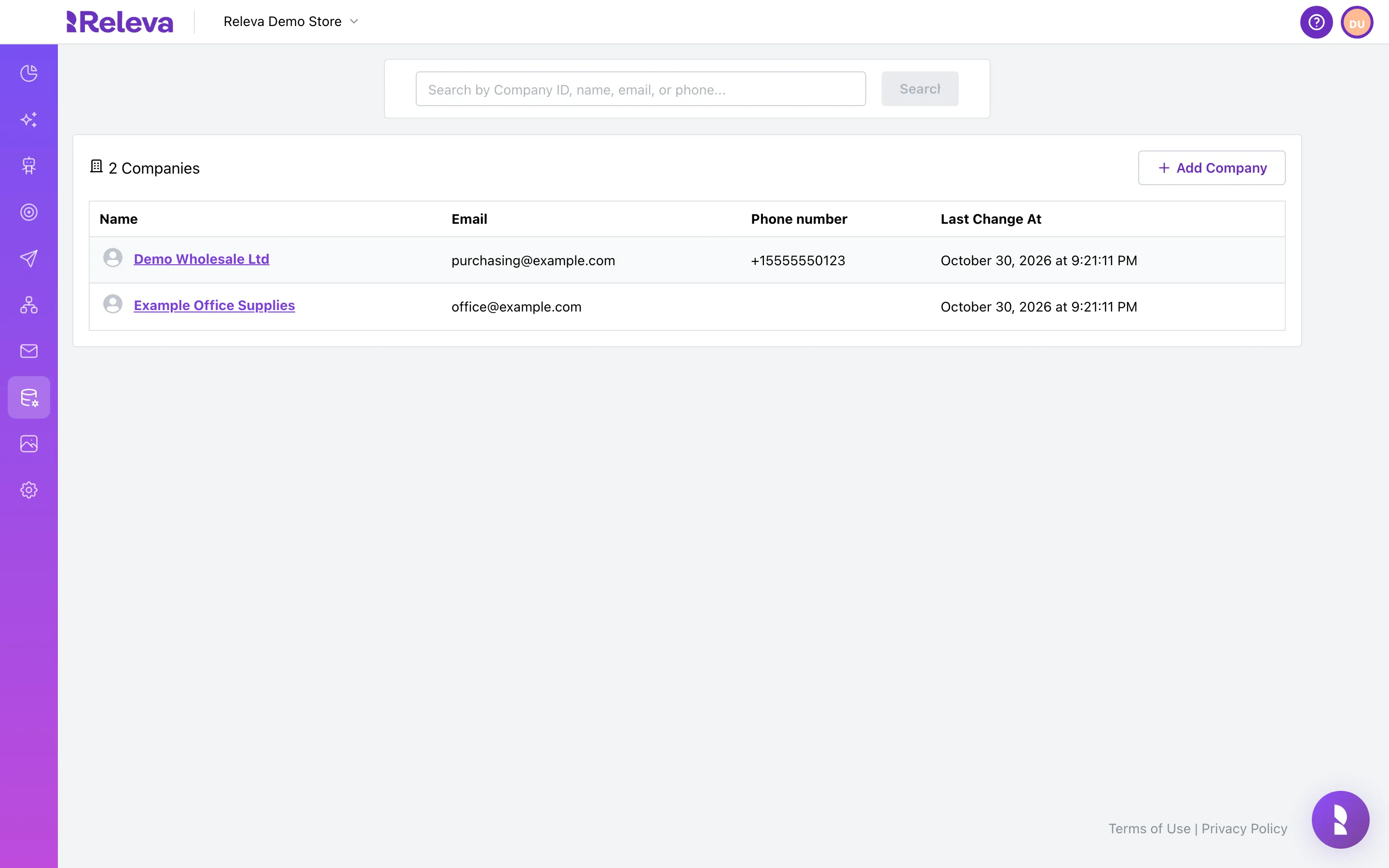
In the left menu, select Data Platform › Companies.
-
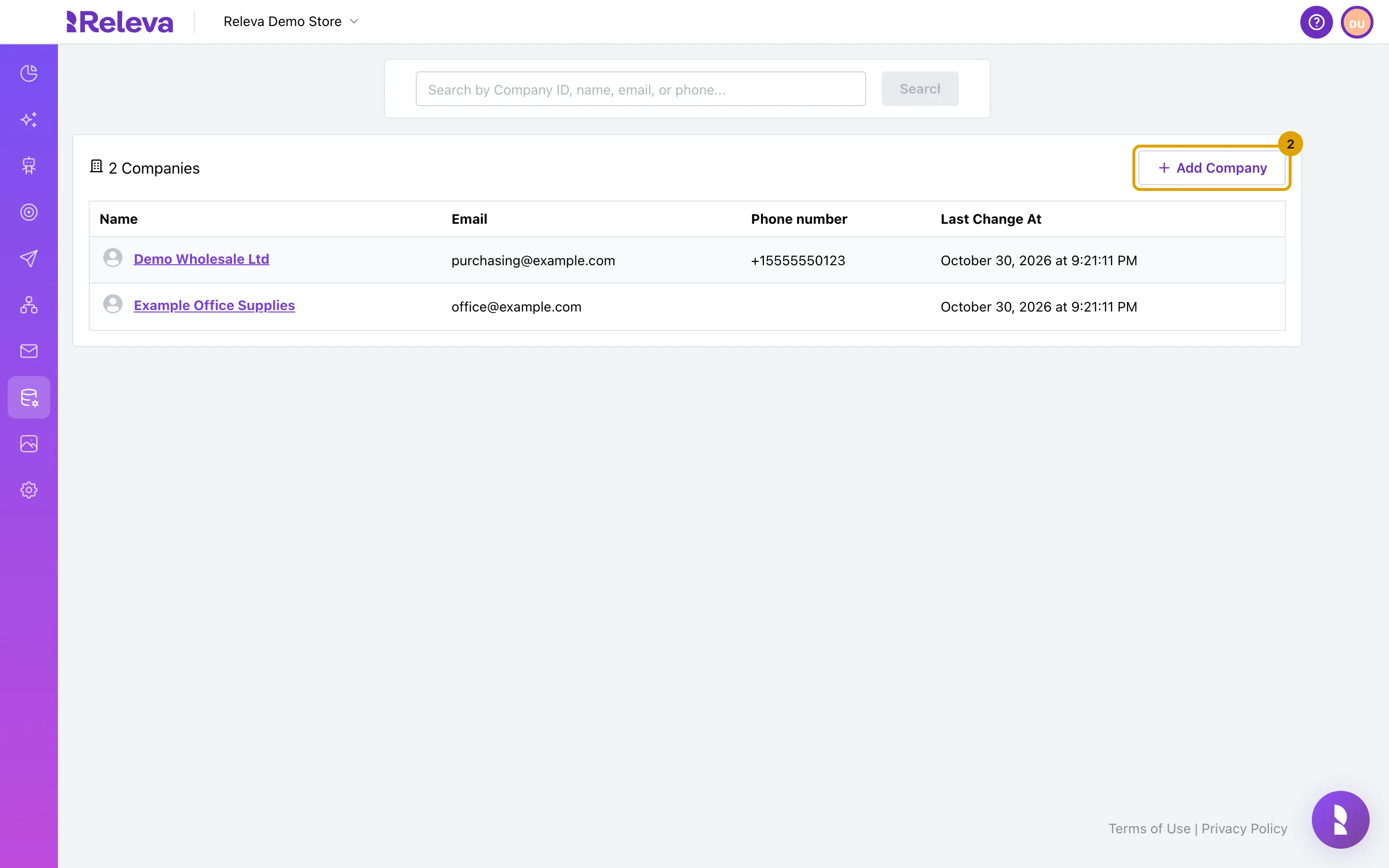
Select Add Company.
The button is disabled until the list has loaded.
-
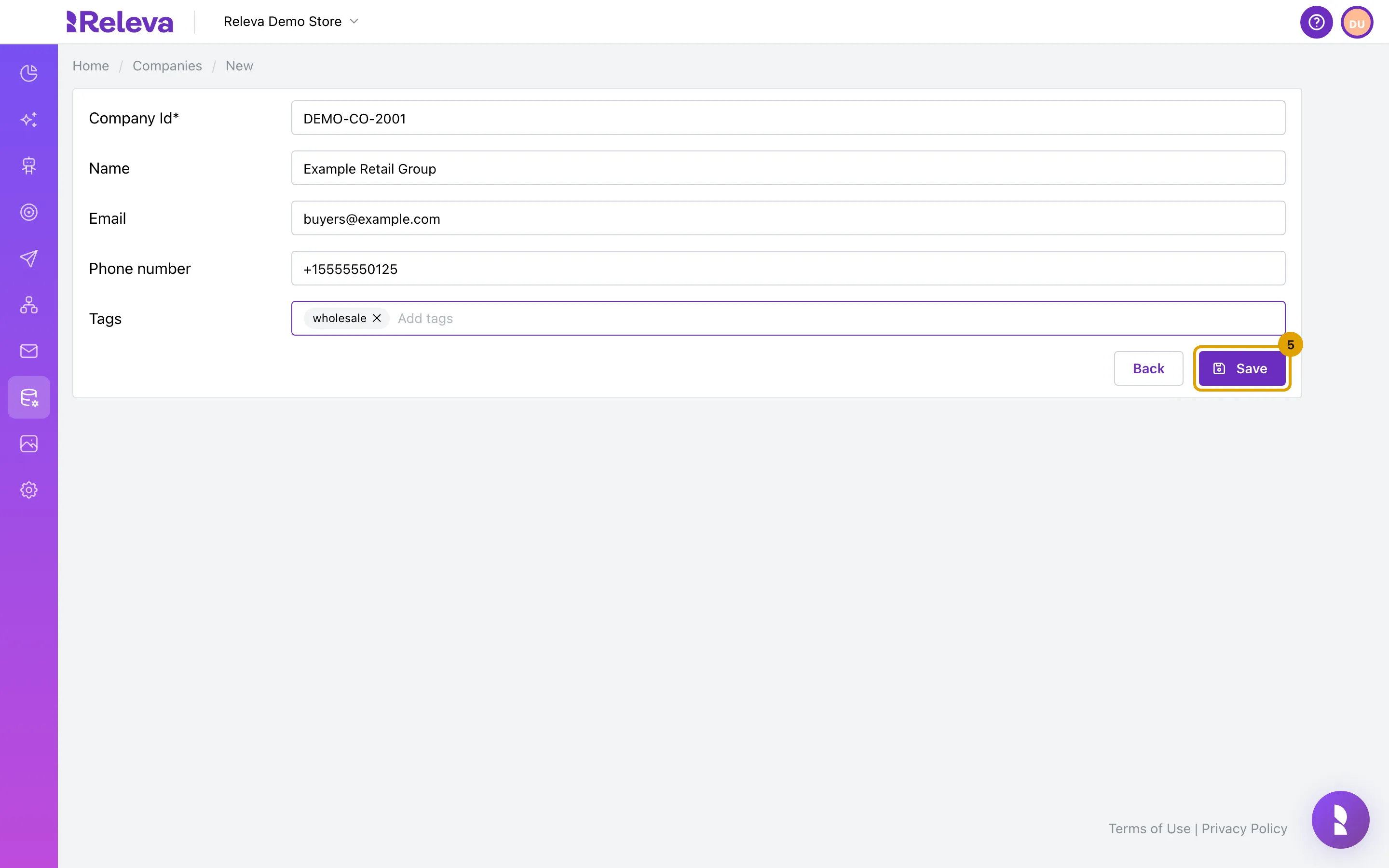
Enter the Company Id (the ID your own systems use for this company), Name, Email and, optionally, Phone number.
Company Id and Email are required, although only Company Id has an asterisk. Save stays disabled until Company Id has a value. Enter the phone number with the country code, for example
+15555550125; the form does not check or change the number.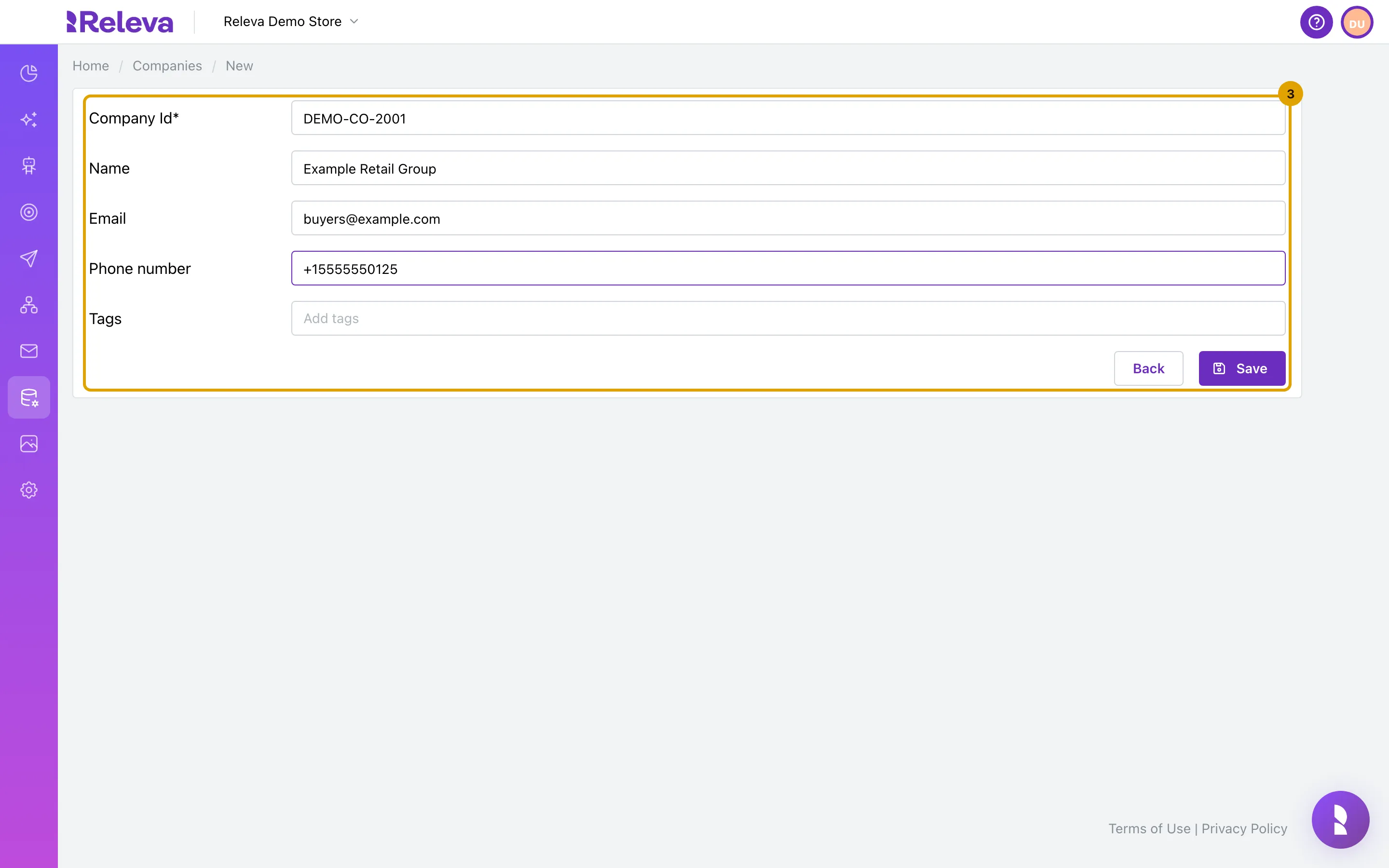
-
Optionally, type a tag in Tags and press Enter.
Repeat for each tag. Select the
×on a tag to remove it.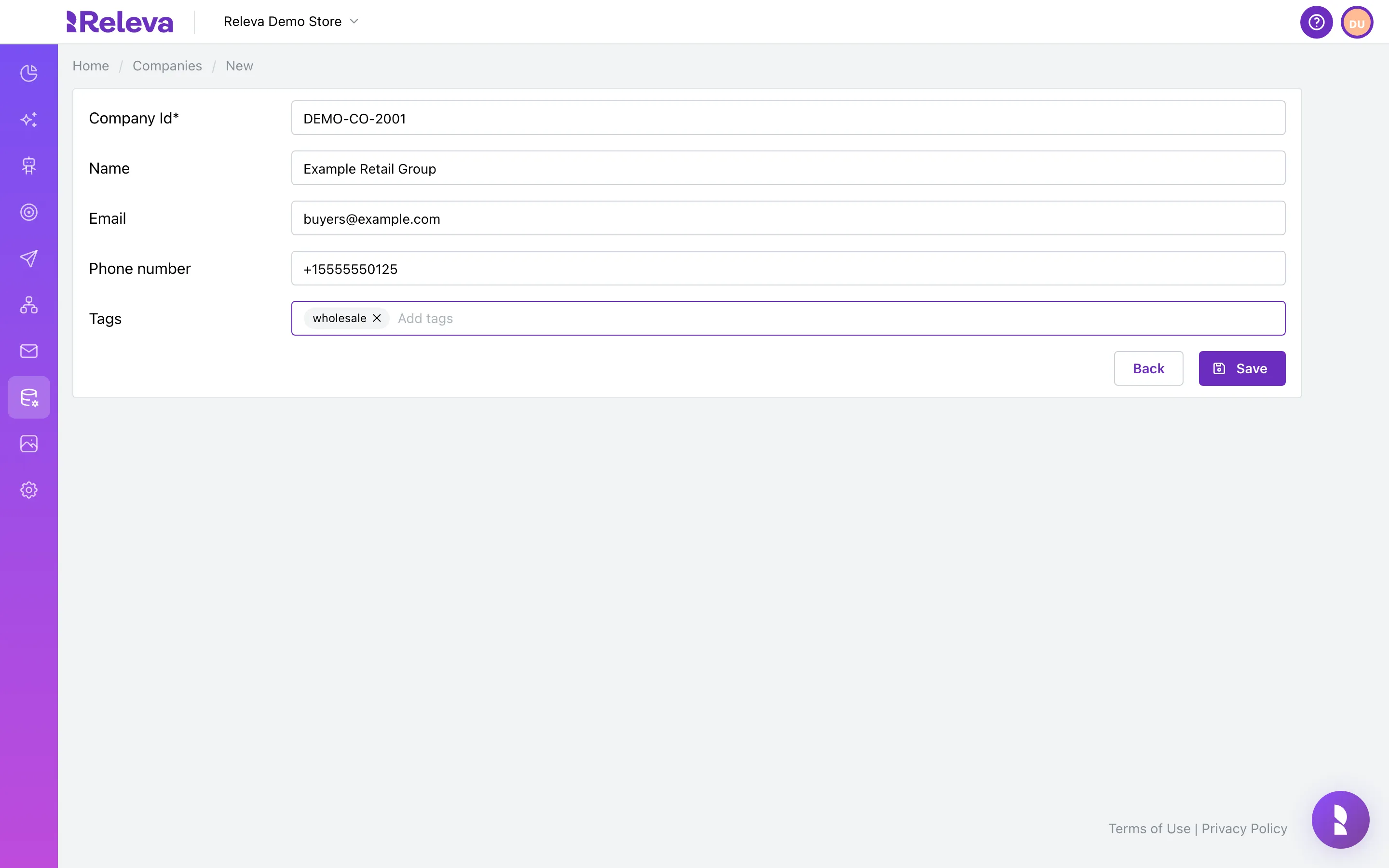
-
Select Save.
Releva returns to the Companies list.
-
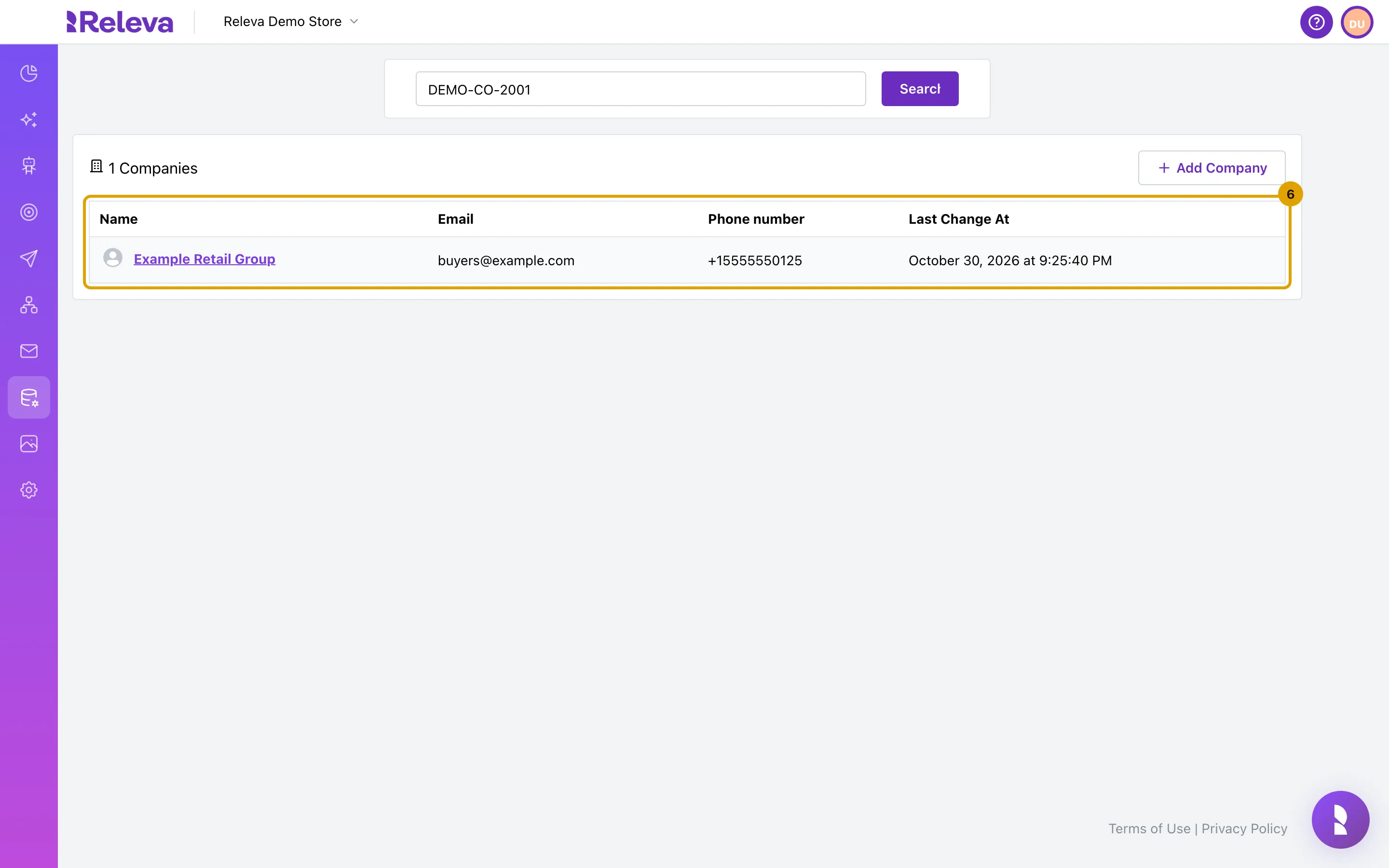
Search for the Company ID to check that the company was added.
The company can take a few seconds to appear.
Check it worked
Section titled “Check it worked”- A search for the Company ID shows the new company with the name, email and phone number you entered.
- Open the company: the
#line on the card shows the Company Id. - The browser tab title on the form reads Releva | Companies | New.
Troubleshooting
Section titled “Troubleshooting”Save is disabled. Company Id is empty. Enter the id first.
The browser says “Please fill out this field” or asks for an @ in the email. The form requires an email address. Enter a valid address and select Save again.
The company is not in the list after Save. Companies are written a few seconds after you save. Open Companies again or search for the Company ID a few seconds later.
I used a Company Id that already exists. Saving replaces the existing company with what you entered; there is no warning. Custom fields that were sent through the API are removed. Search for the id before you add a company.
I need custom fields on the company. The form has no custom fields. Send the company through the API with a custom object. See Create or update companies.
I need to link people to the company. There is no form for that. Use the roles API. See Link profiles to companies.