

Sync a segment to Google or Facebook
A segment sync pushes the profiles of one Releva segment to an ad platform as an audience and keeps that audience updated. Choose Google to create an audience in your Google Analytics 4 property, or Facebook to create a custom audience in your Meta ad account. A Facebook sync can also ask Meta to build a lookalike audience. For what happens after you select Create, read How segment syncs work.
A segment sync is not the same as a segment with scope Google or Facebook under Data Platform › Segments. Those segments are rule sets that the ad platform evaluates itself. A segment sync takes a behavior segment that Releva calculates and sends its profiles to the platform.
Before you start
Section titled “Before you start”-
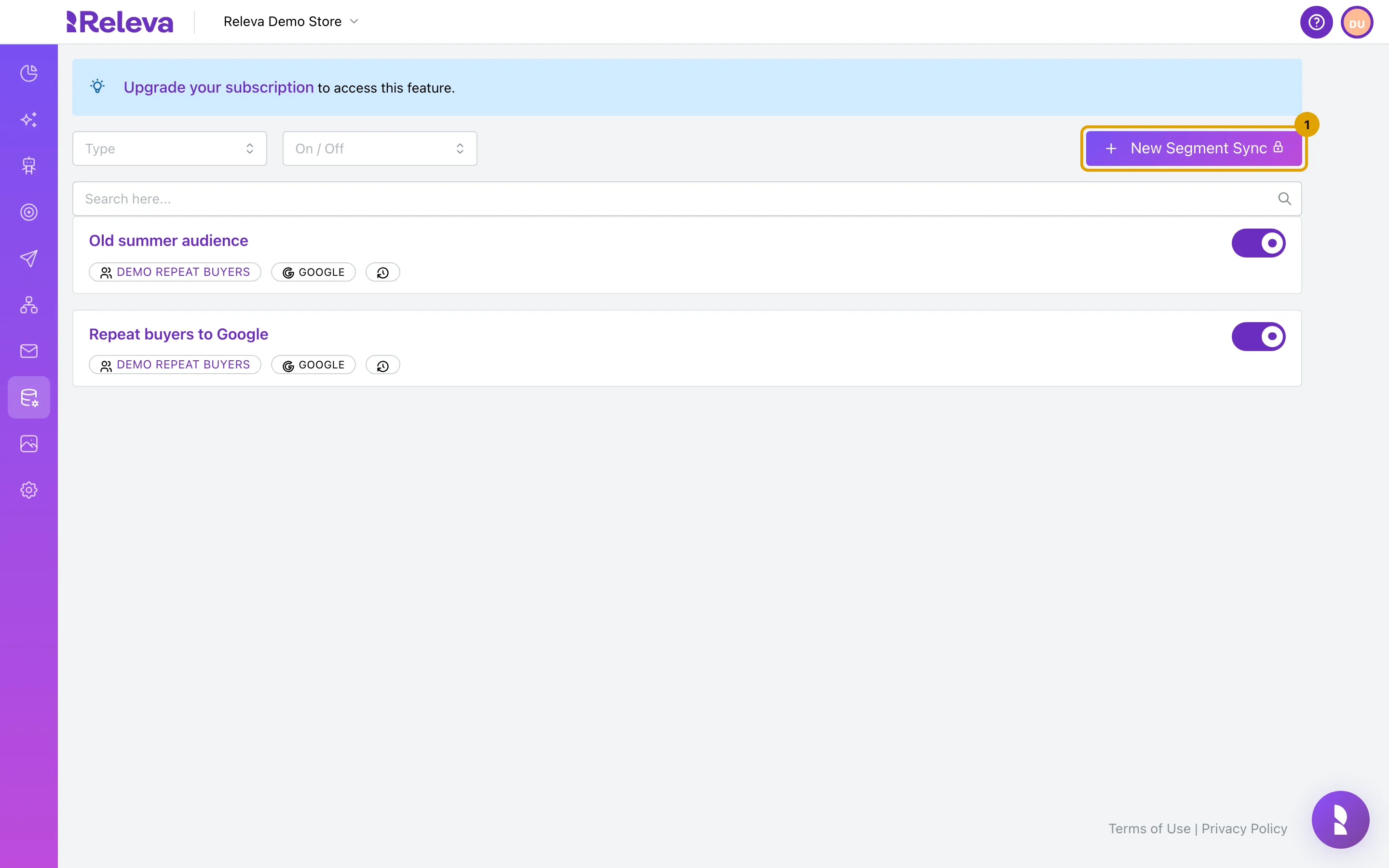
Your plan includes Sync Segments. If it does not, the page shows Upgrade your subscription to access this feature. and New Segment Sync shows a lock icon. Ask your account owner to upgrade.
-
The segment you want to sync has the scope behavior. Segments with the scope Facebook, Google or profile filter are not listed.
-
For Google: a Google account with a Google Analytics 4 property is connected under Settings › Google.
-
For Facebook:
- Meta is connected under Settings › Facebook & Whatsapp, with an ad account selected. Read Connect your Meta account to Releva.
- Facebook is switched on for your shop. Releva’s team does this when your Meta connection is set up.
- The ad account has accepted both the Custom Audience and the Value Based Custom Audience terms of service in Meta Business Manager. The form tells you if it has not (step 9 under If you chose Facebook).
-
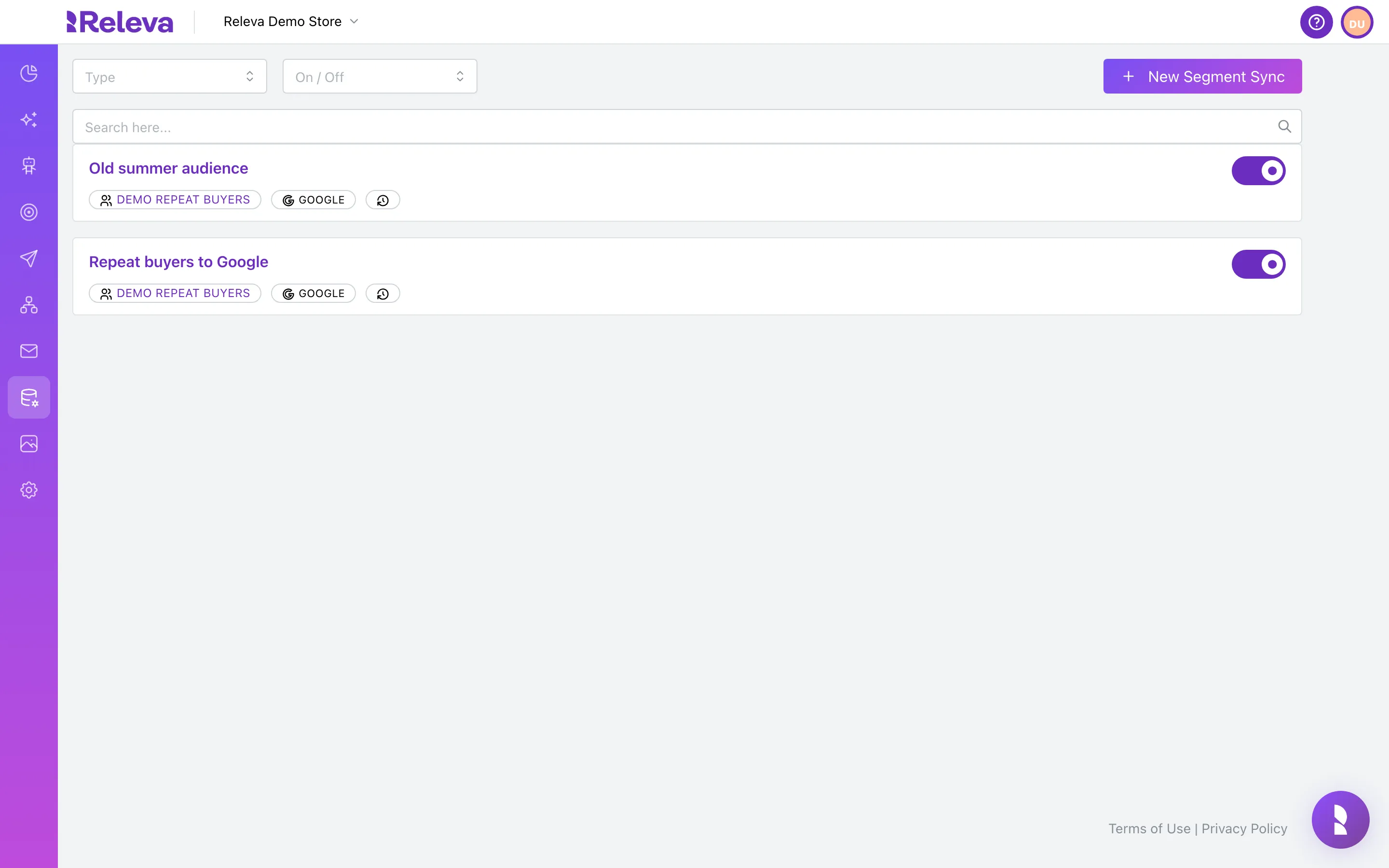
Go to Data Platform › Sync Segments.
-
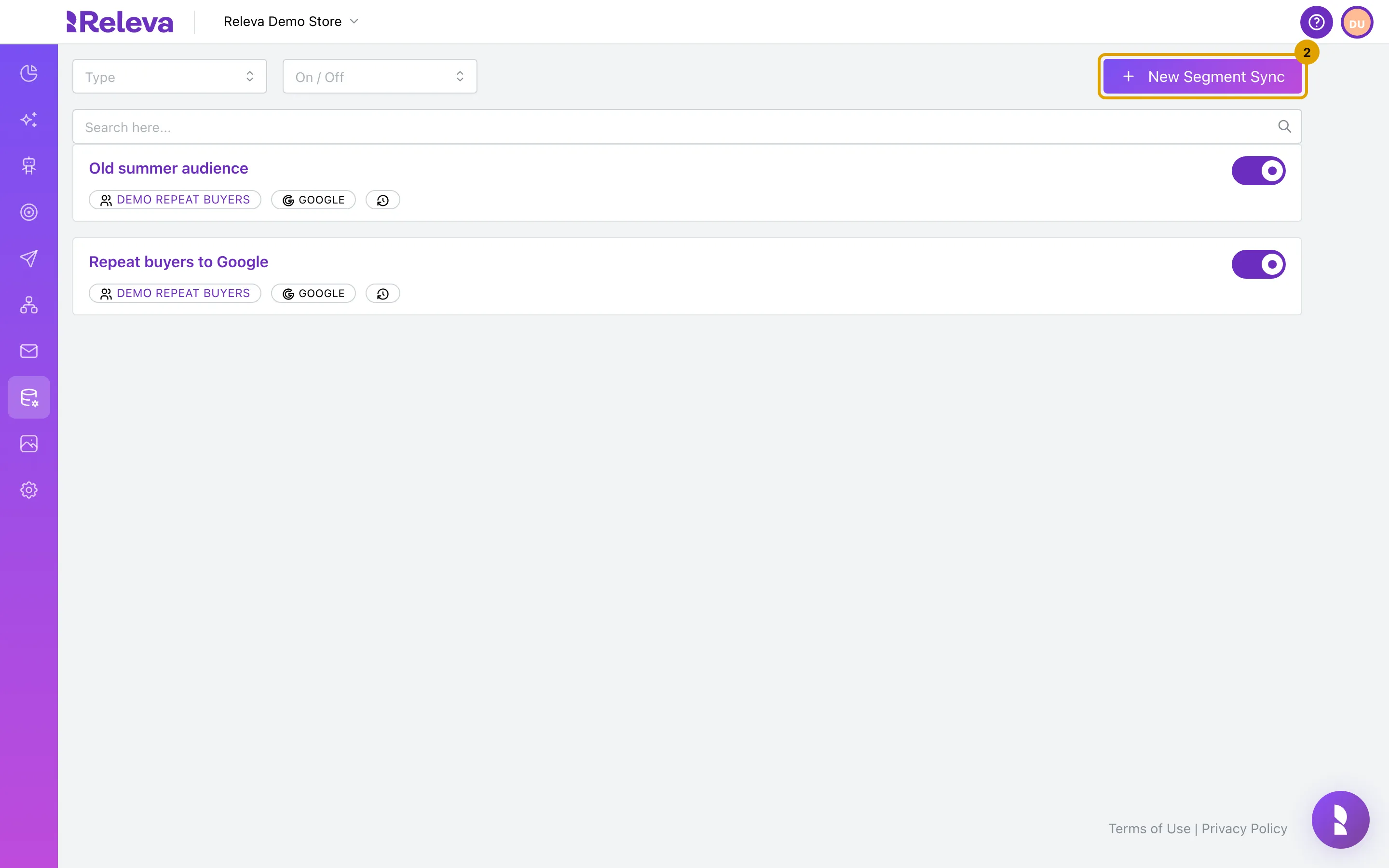
Select New Segment Sync.
-
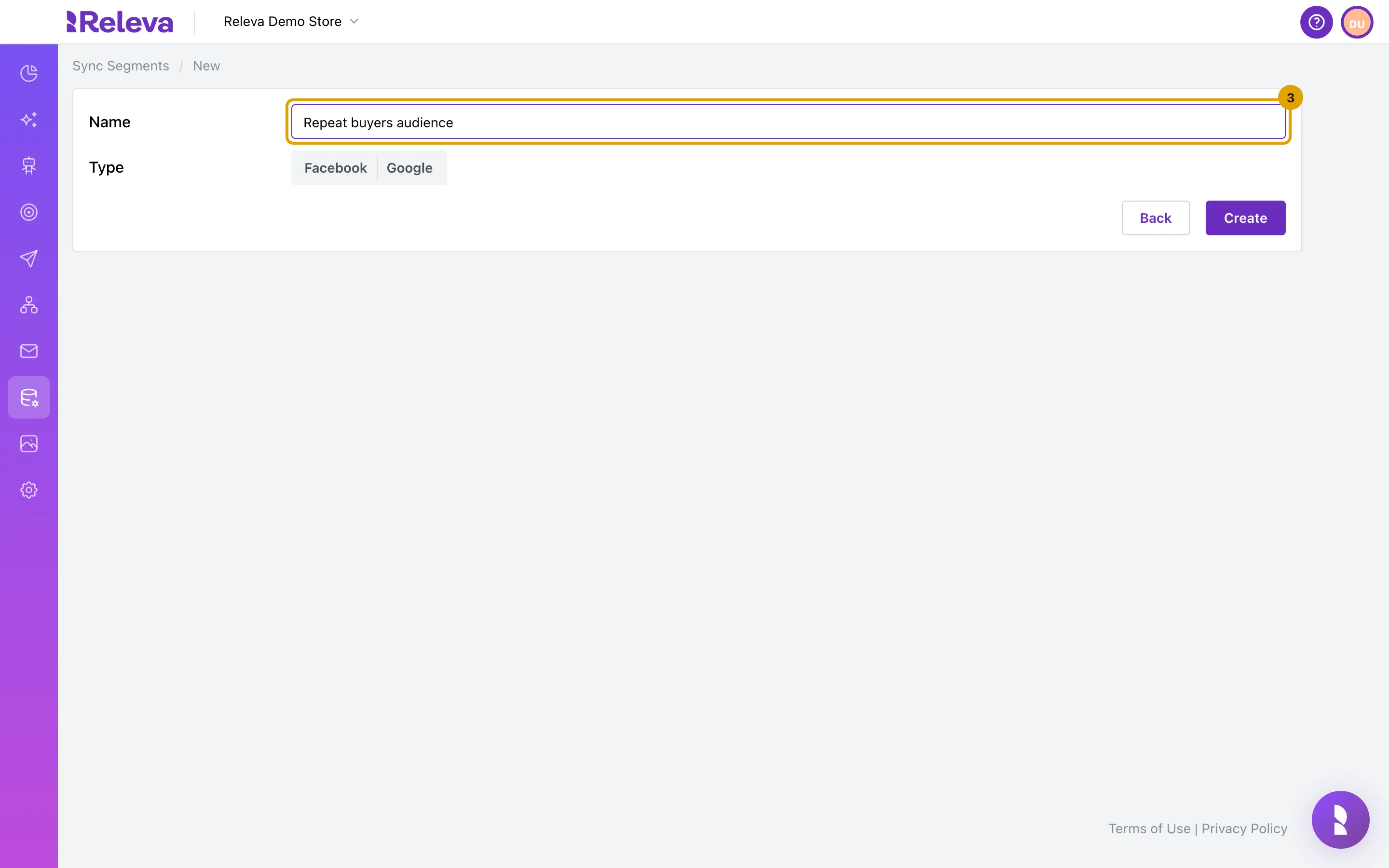
In Name, replace
New segment syncwith a name for the audience.The name must be unique within your shop. For a Facebook sync, Meta shows this name at the start of the audience name.
-
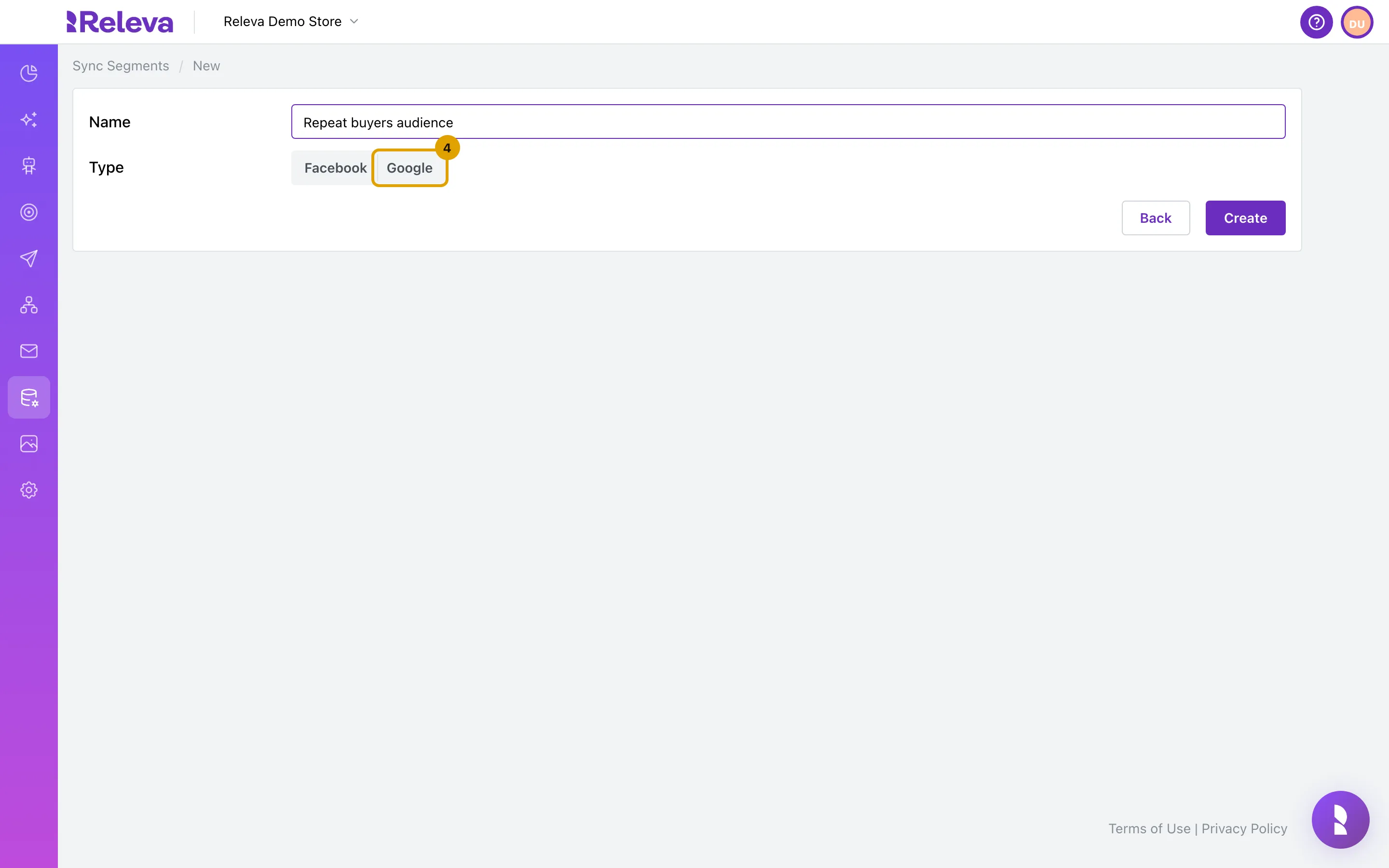
In Type, select Google or Facebook.
The Segment field appears once you choose a type. Changing the type later clears the segment.
-
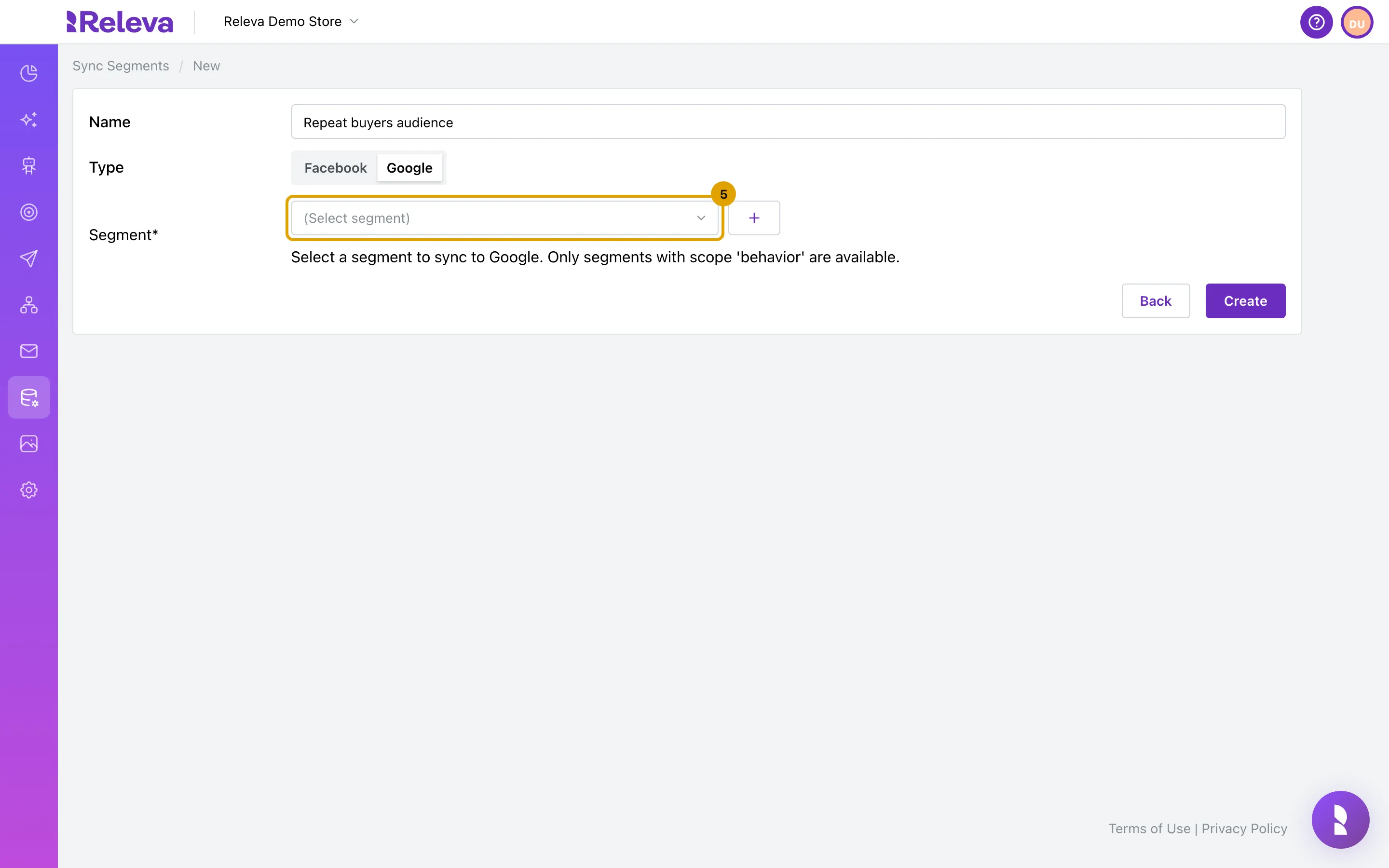
Open the Segment list.
-
Select the segment to sync.
Use Search segments… to narrow the list. The + button creates a new segment in a modal without leaving the form.
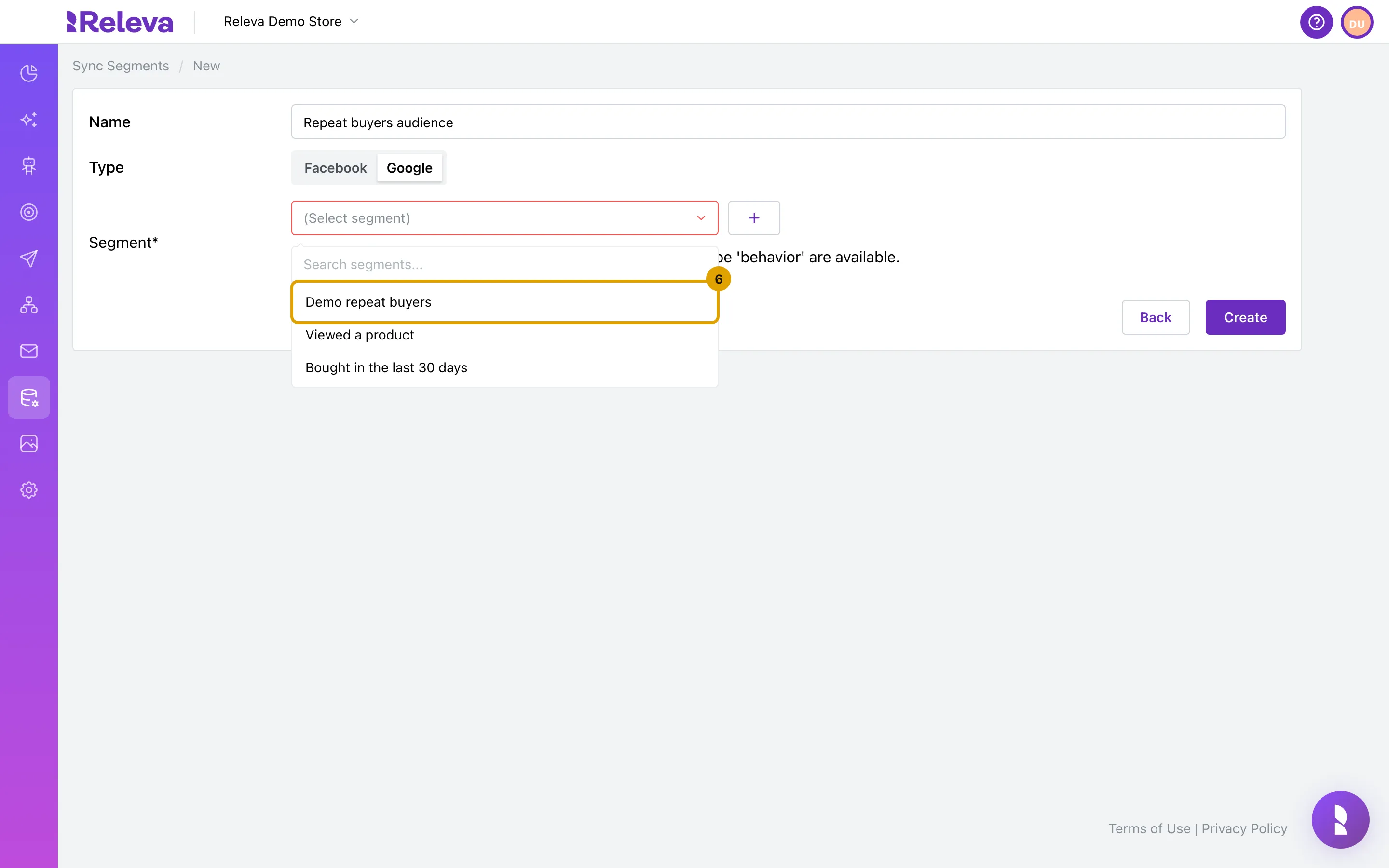
After you choose a segment, the form shows how many profiles it holds, then the number of profiles that can be reached by email, SMS, push, Facebook and Google. The Facebook and Google numbers show how many profiles the platform can match.
Then follow the part for the type you chose.
If you chose Google
Section titled “If you chose Google”-
Check the name, type and segment, then select Create.
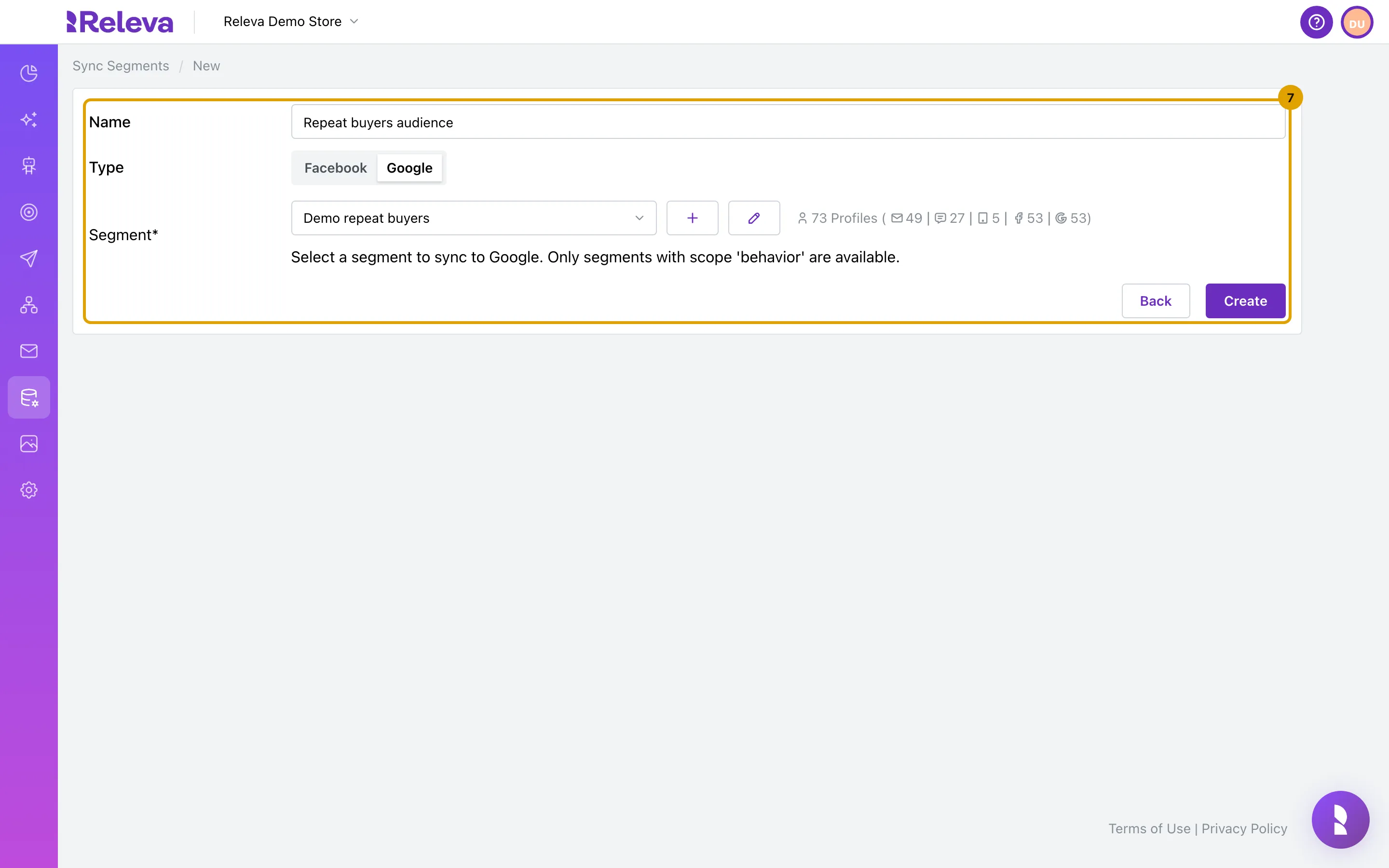
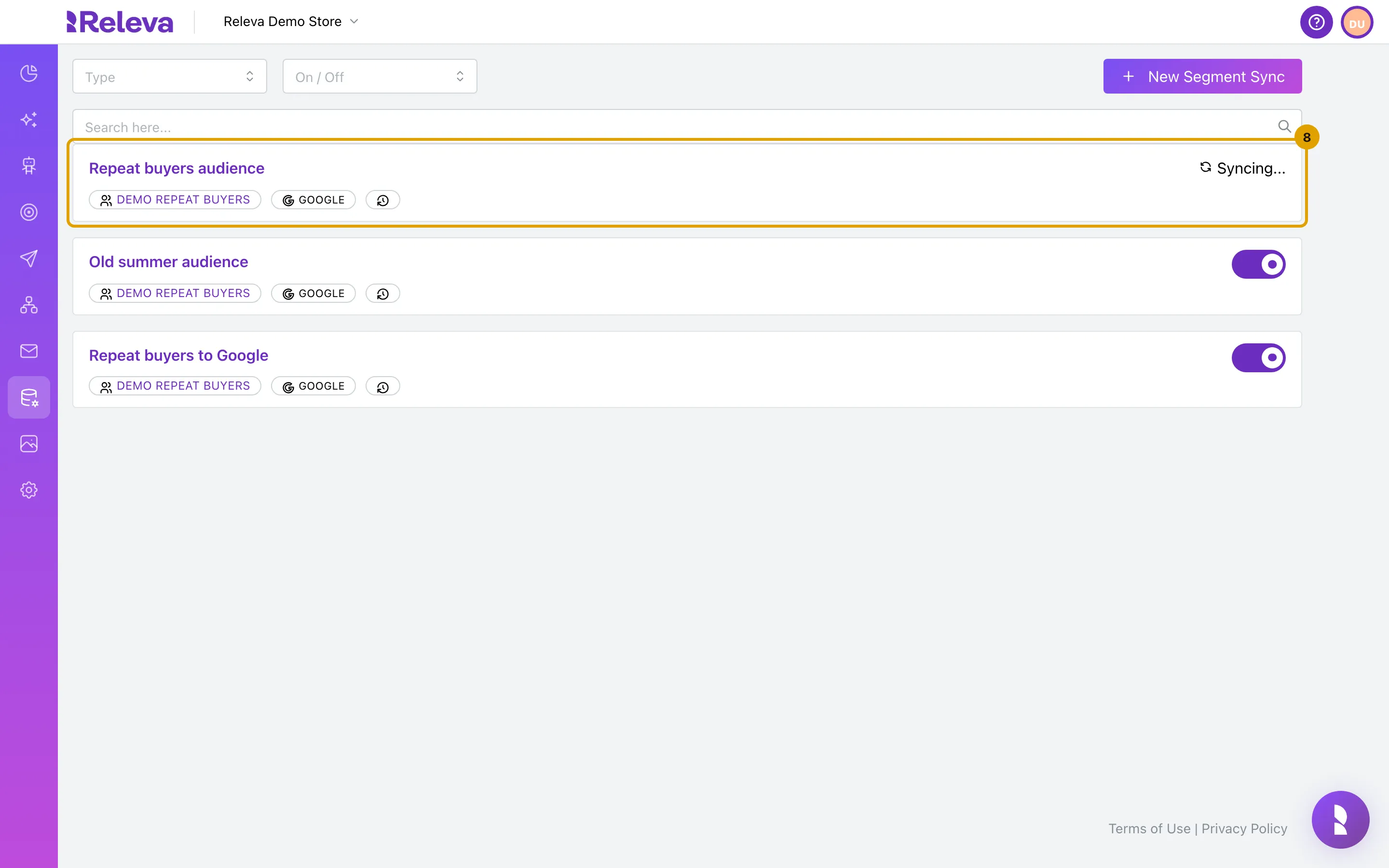
The new sync appears at the top of the Sync Segments list. The sync starts On and queues its first sync right away. While that runs, the card shows Syncing… instead of the On/Off switch.
If you chose Facebook
Section titled “If you chose Facebook”After you select Facebook in Type and choose the segment, the form shows two more options: Sync to another Facebook Ad account and Create Lookalike Audience.
-
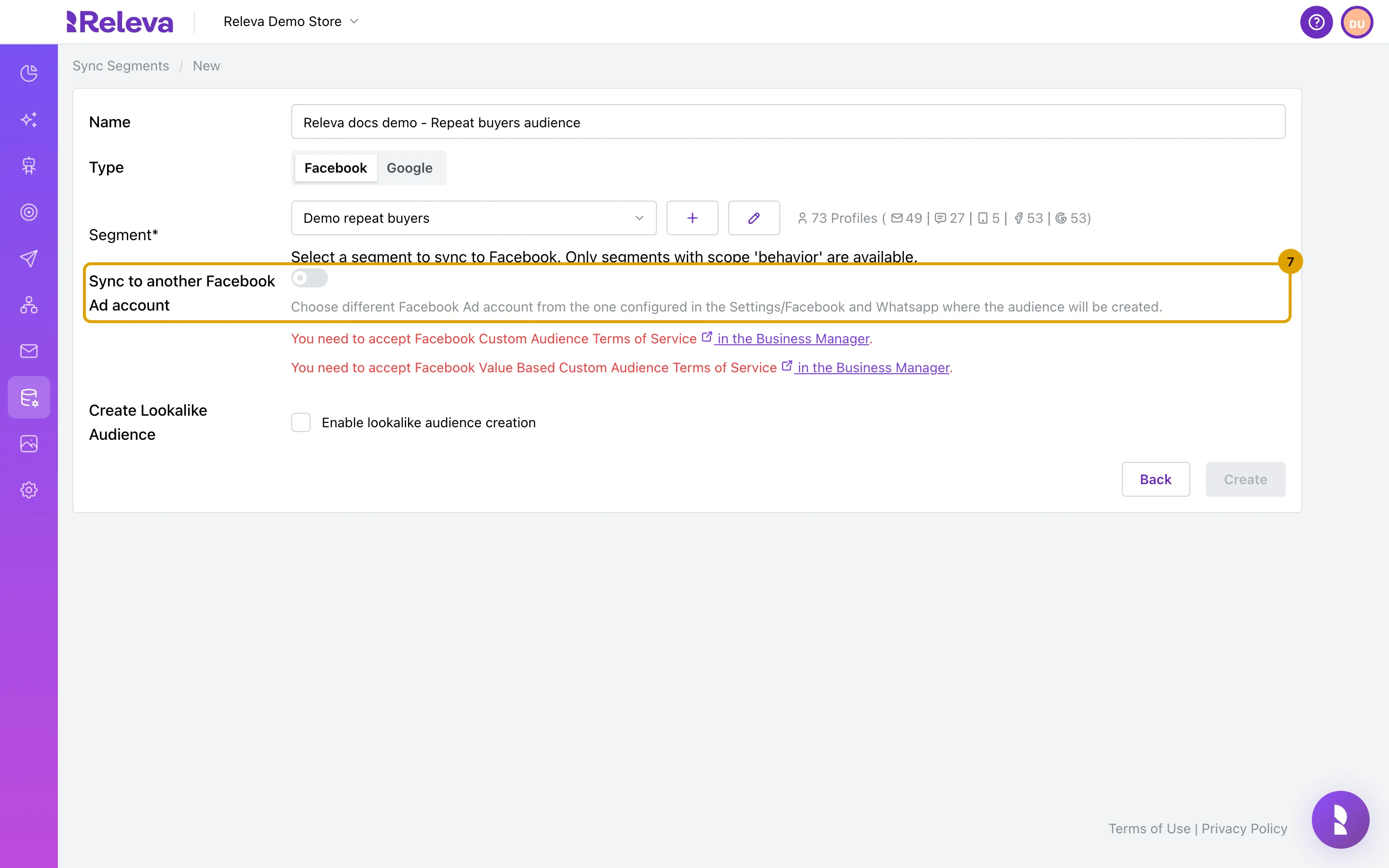
Optional: to create the audience in a different ad account, turn on Sync to another Facebook Ad account.
Leave it off to use the ad account selected under Settings › Facebook & Whatsapp.
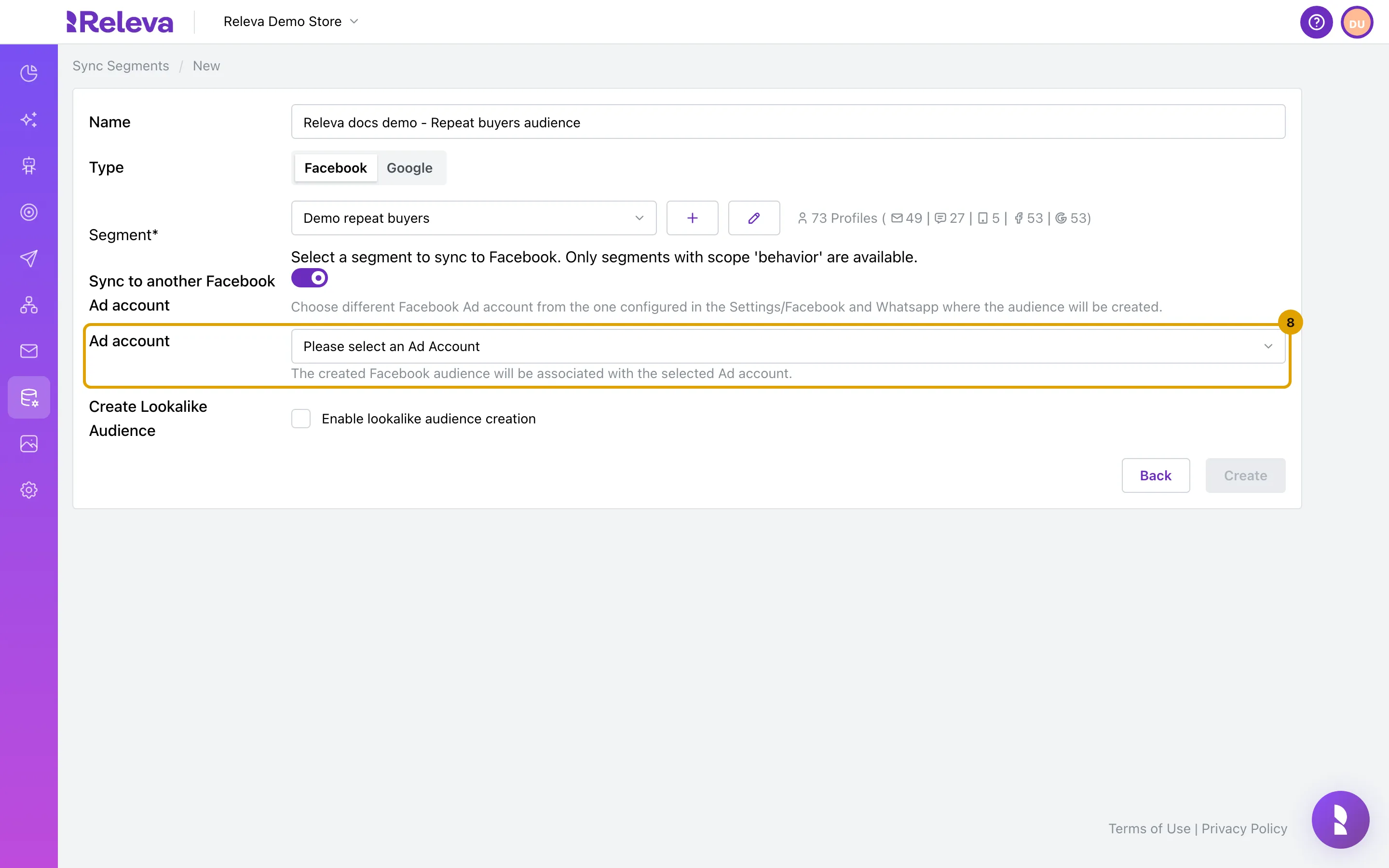
When it is on, select the account in Ad account. The list shows the ad accounts of the Meta business connected to Releva. Create stays disabled until you choose one.
-
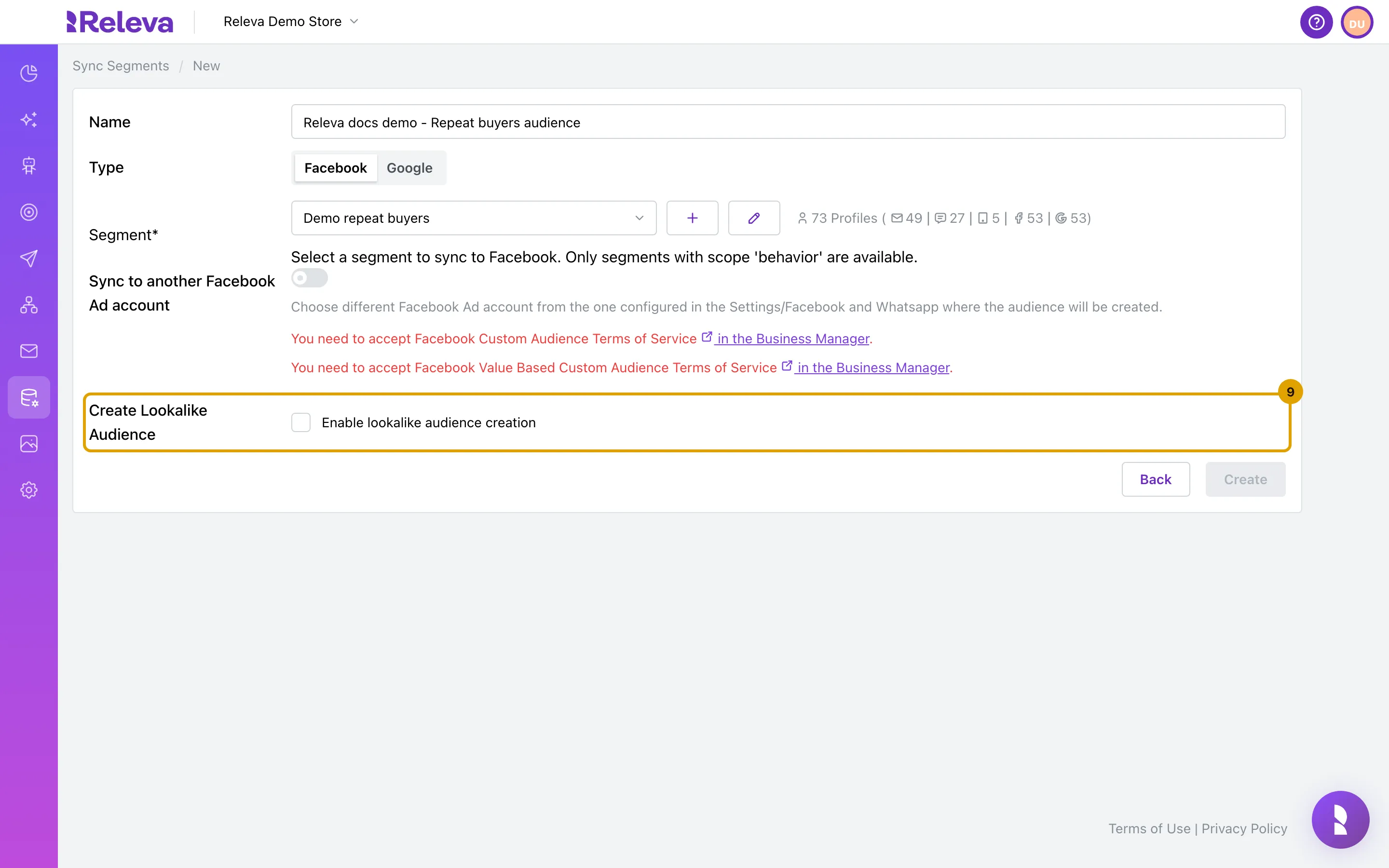
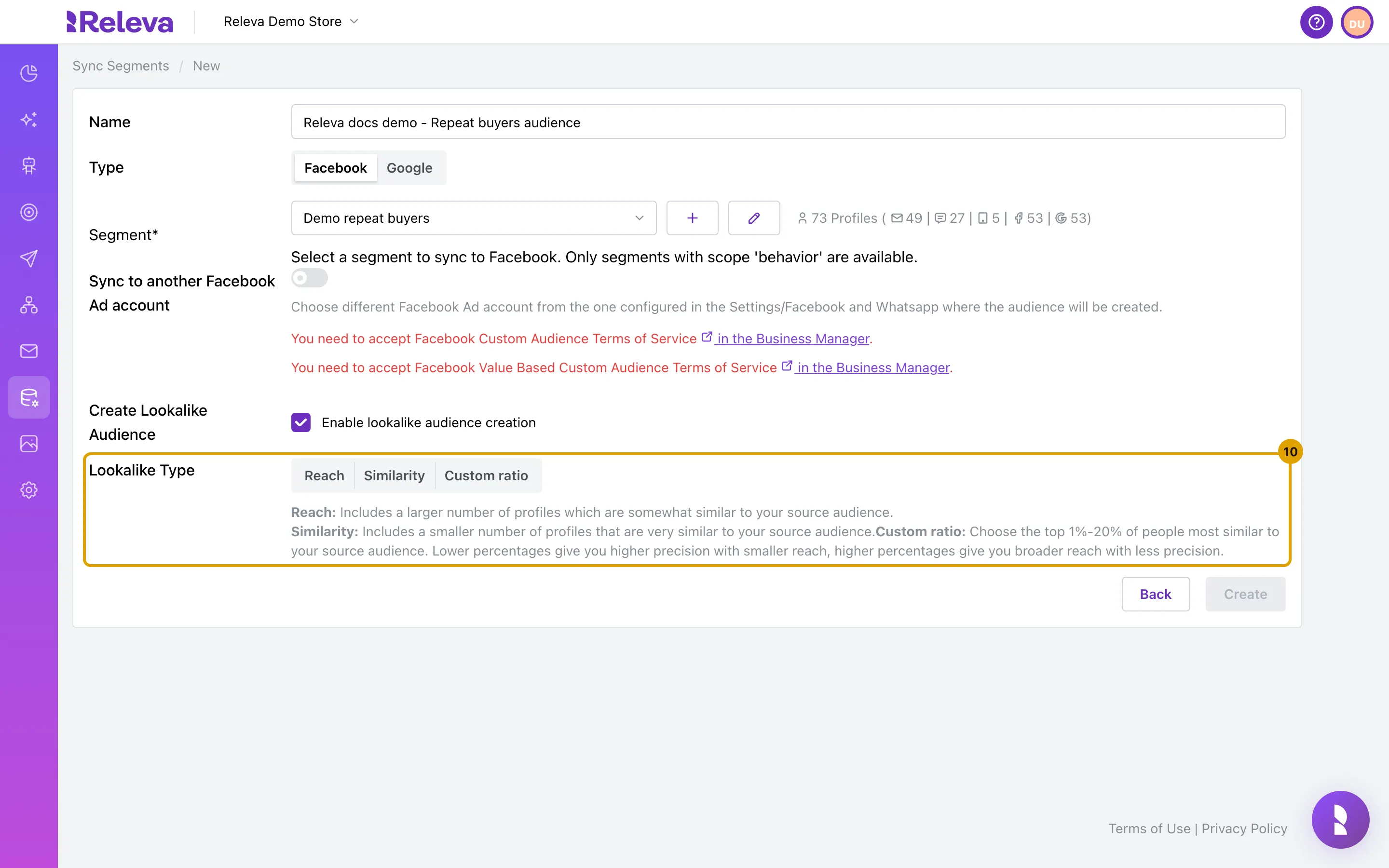
Optional: to let Meta build a lookalike audience from the synced profiles, select Enable lookalike audience creation.
Then choose a Lookalike Type:
- Reach: more people, somewhat similar to your segment.
- Similarity: fewer people, very similar to your segment.
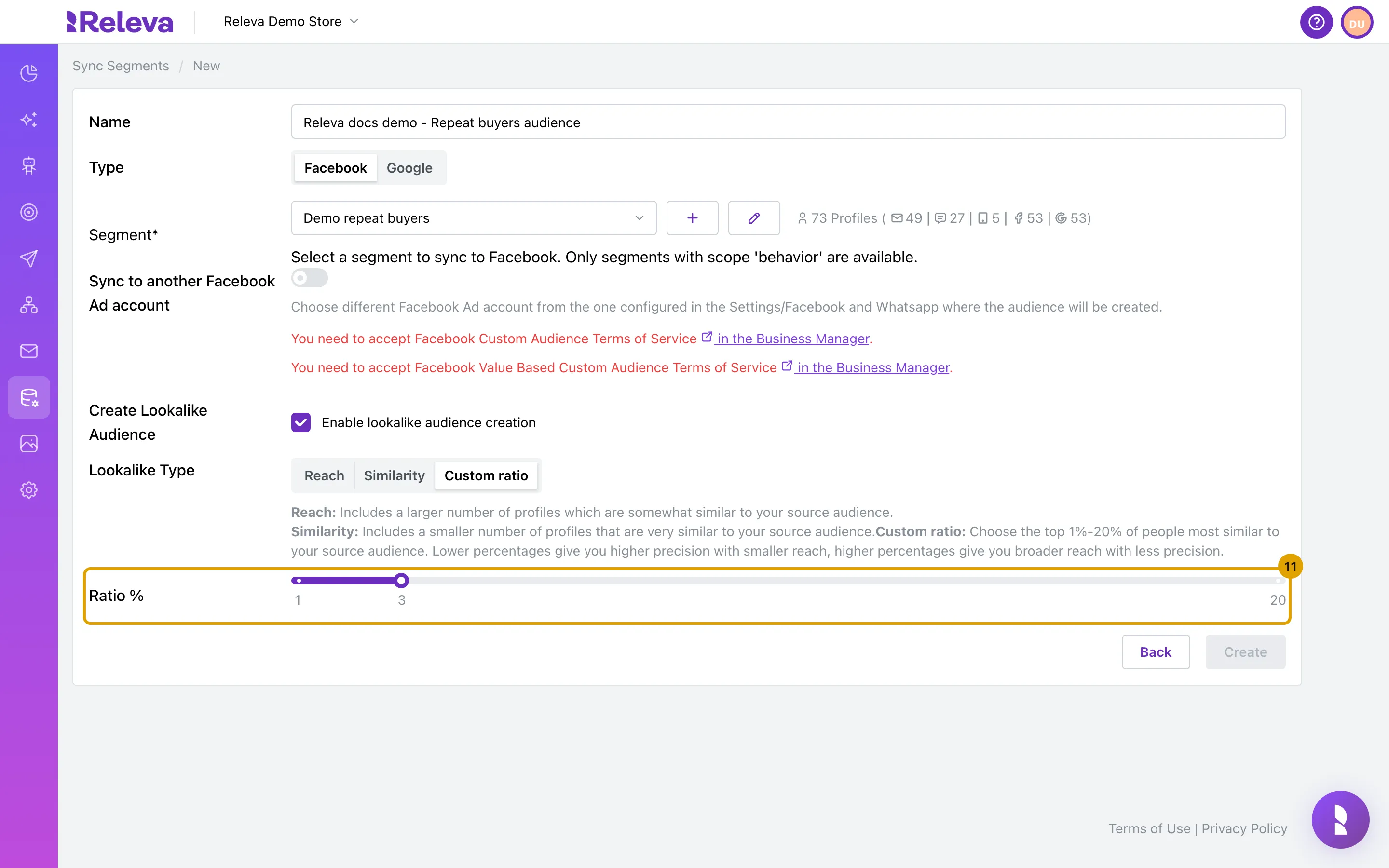
- Custom ratio: the top 1% to 20% of people most similar to your segment.
For Custom ratio, set Ratio % with the slider. It starts at 3. A lower percentage is more precise; a higher one reaches more people.
Meta only builds the lookalike when at least 100 profiles were synced. You cannot turn the lookalike off after you save the sync.
-
If the form shows You need to accept Facebook Custom Audience Terms of Service in the Business Manager. or You need to accept Facebook Value Based Custom Audience Terms of Service in the Business Manager., accept the terms in Meta.
Create stays disabled while either note is shown.
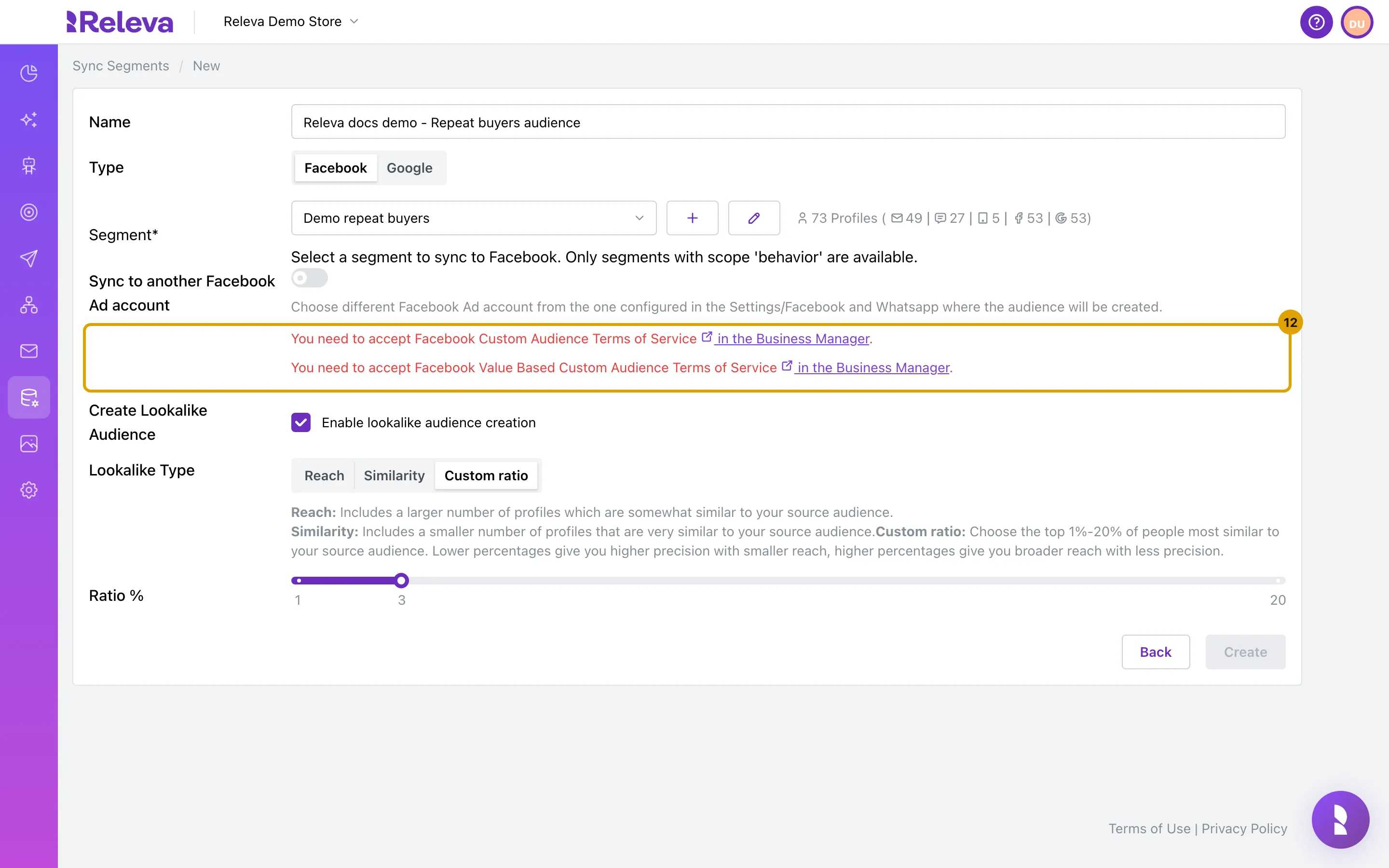
- Select in the Business Manager in the first note. Meta’s Custom Audience terms open in a new tab.
- Accept the terms in Meta.
- Do the same with the link in the second note.
- Return to Releva and reload the page. Fill in the form again; the notes are gone and Create is available.
You need permission to accept terms for the ad account in Meta Business Manager. If you do not have it, ask the person who manages your Meta business.
-
Select Create.
You return to the Sync Segments list. The new sync is at the top with a FACEBOOK badge and Syncing… in place of the On/Off switch while Releva creates the audience in Meta and uploads the profiles.
Check it worked
Section titled “Check it worked”- The card shows the sync name, a badge with the segment name, and a GOOGLE or FACEBOOK badge.
- After the first successful sync the card gains two more badges:
- Google: Google ID: properties/…/audiences/… and Google Audience Name: <name> - <id>. In Google Analytics the audience is listed as Releva audience for segment sync: <id>.
- Facebook: Facebook ID: <audience id> and Facebook Audience Name: <name> - <id>. In Meta Ads Manager under Audiences, the audience is named <name> - <id> (custom file audience method). The card does not show the
(custom file audience method)ending.
- If you turned on a lookalike, Meta also lists Lookalike (<type>) - <name> - <id> (custom file audience method), where
<type>isreach,similarityorcustom_ratio.
<id> is the same identifier in Releva and on the platform.
Troubleshooting
Section titled “Troubleshooting”New Segment Sync shows a lock icon and the page says “Upgrade your subscription to access this feature.” Your plan does not include Sync Segments. Select Upgrade your subscription, or ask your account owner.
Create is greyed out on a Facebook sync. Either the ad account has not accepted Meta’s terms of service (follow step 9), or Sync to another Facebook Ad account is on and no Ad account or segment is chosen.
The form shows “Failed to create segment sync”. The form was submitted without a segment, or the segment no longer belongs to this shop. Select a segment in Segment and try again.
The form shows “Segment Sync Name must be unique within the domain!”. Another sync already uses this name. Change Name. The message stays on screen until you submit again.
The segment I want is not in the list. Only segments with the scope behavior can be synced. Open Data Platform › Segments and check the segment’s scope, or create a behavior segment with the + button next to the Segment field.
The card returns to the switch but no audience appears in Google. The sync could not reach your Google Analytics property. Check that a Google account with a GA4 property is connected under Settings › Google. The page shows no error for a failed sync.
The card returns to the switch but no audience appears in Meta. Releva skips a Facebook sync without showing an error when Facebook is not switched on for your shop, no ad account is set, or the ad account has not accepted both terms of service. Check Connect your Meta account to Releva and the terms in step 9. Releva tries again on the next run of the Audience Sync Schedule under Settings › Facebook & Whatsapp, by default once a day at midnight UTC.
The Facebook audience exists but there is no lookalike audience. Fewer than 100 profiles were synced, so Meta was not asked to build one. Releva tries again on each scheduled run while the sync is On, so the lookalike appears once the segment matches enough people.