

Send events to a webhook with a pipeline
A pipeline streams Releva events or profile changes out of Releva, one by one, to a destination you own: an Amazon S3 bucket, a Google Cloud Storage bucket or a webhook. This guide creates an Event pipeline that sends every Cart Item Added event to a webhook. For what pipelines can do, what the payload looks like and how retries work, read How pipelines work.
Before you start
Section titled “Before you start”- Your plan includes pipelines. If New pipeline shows a lock, ask your account owner to unlock it.
- You have an HTTPS endpoint that accepts
POSTrequests with a JSON body and answers with a2xxstatus. Anything else counts as a failed delivery. - You know which events to forward. The Events list offers every tracked action except the high-volume ones (page views, page engagement, product views, searches, UTM session starts, campaign entries, and message sends and deliveries). To forward those too, use Exclude instead of Include, as explained in step 4.
- Pick a name for the pipeline. Names must be unique within your shop.
-
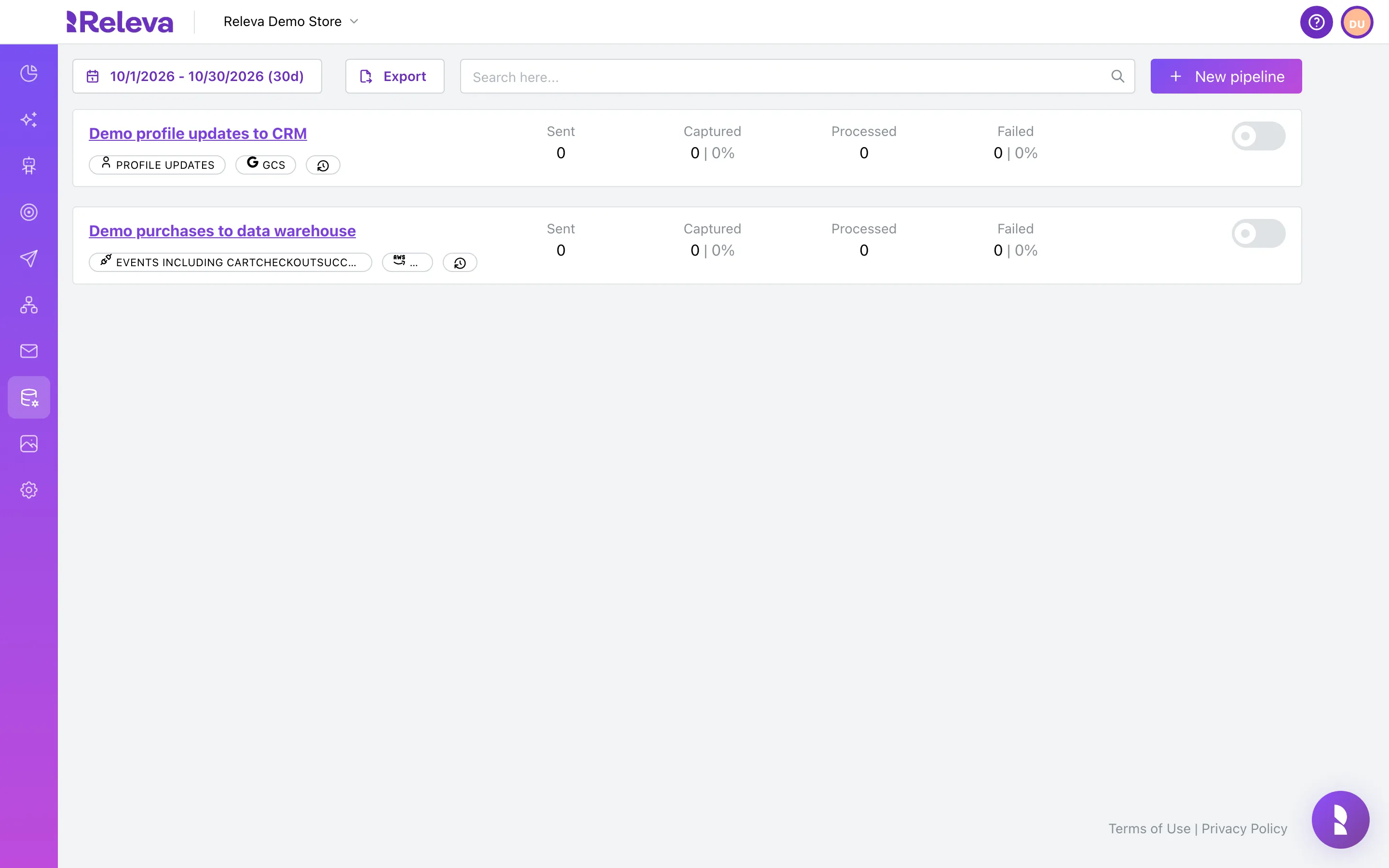
Go to Data Platform › Pipelines.
Each card shows the pipeline’s type, output and the Sent, Captured, Processed and Failed counts for the period in the date picker. The switch on the right starts and stops the pipeline.
-
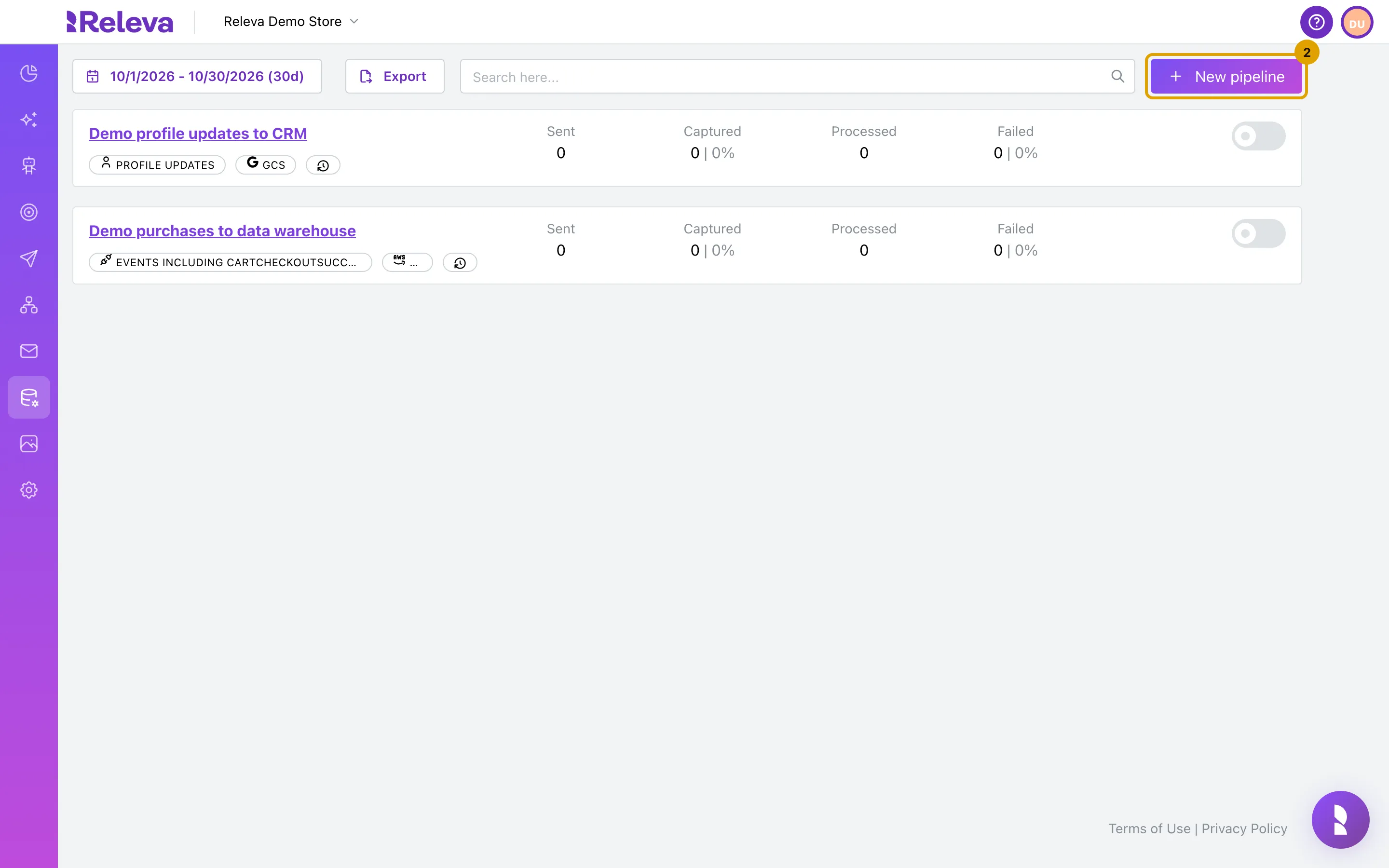
Select New pipeline.
-
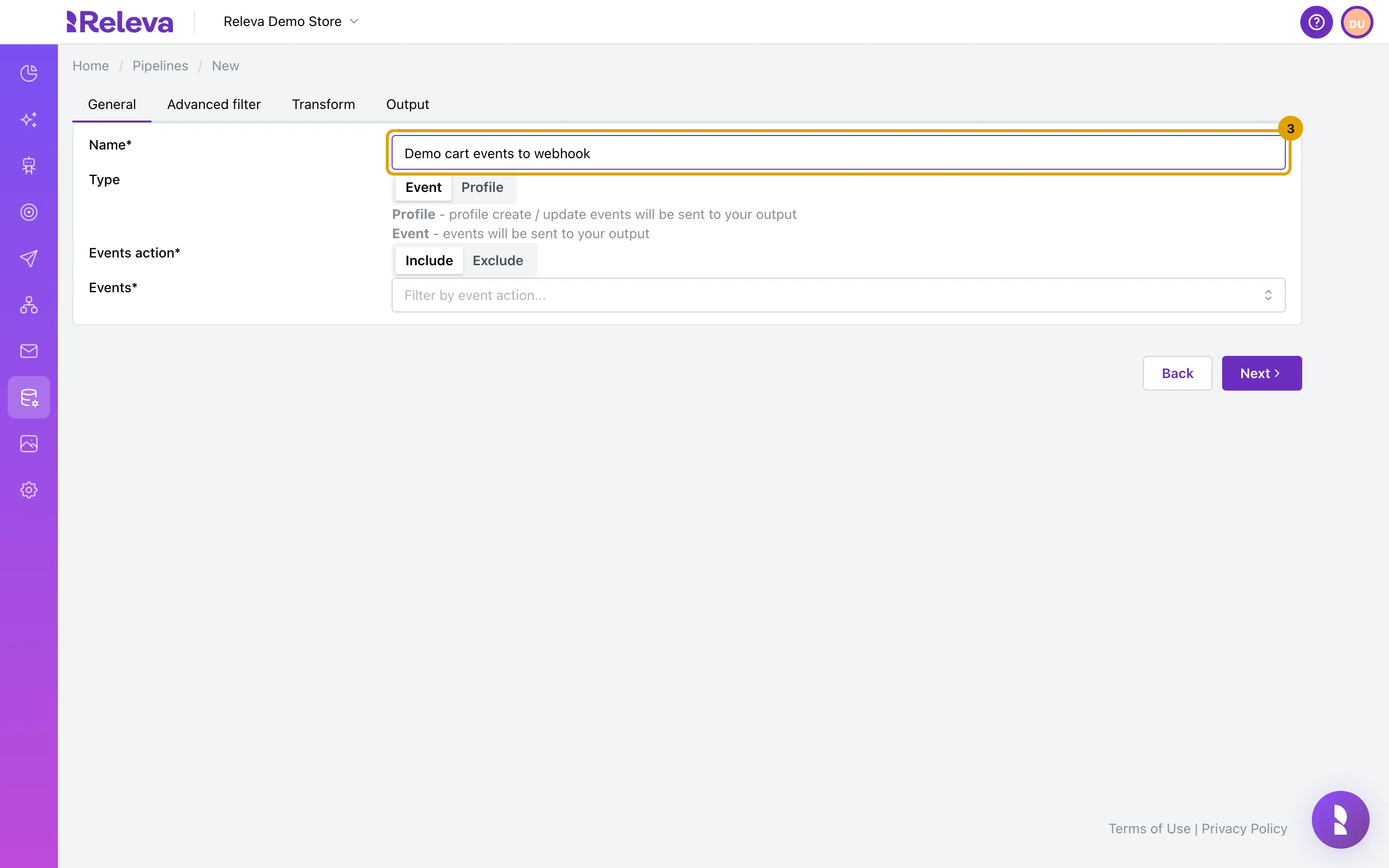
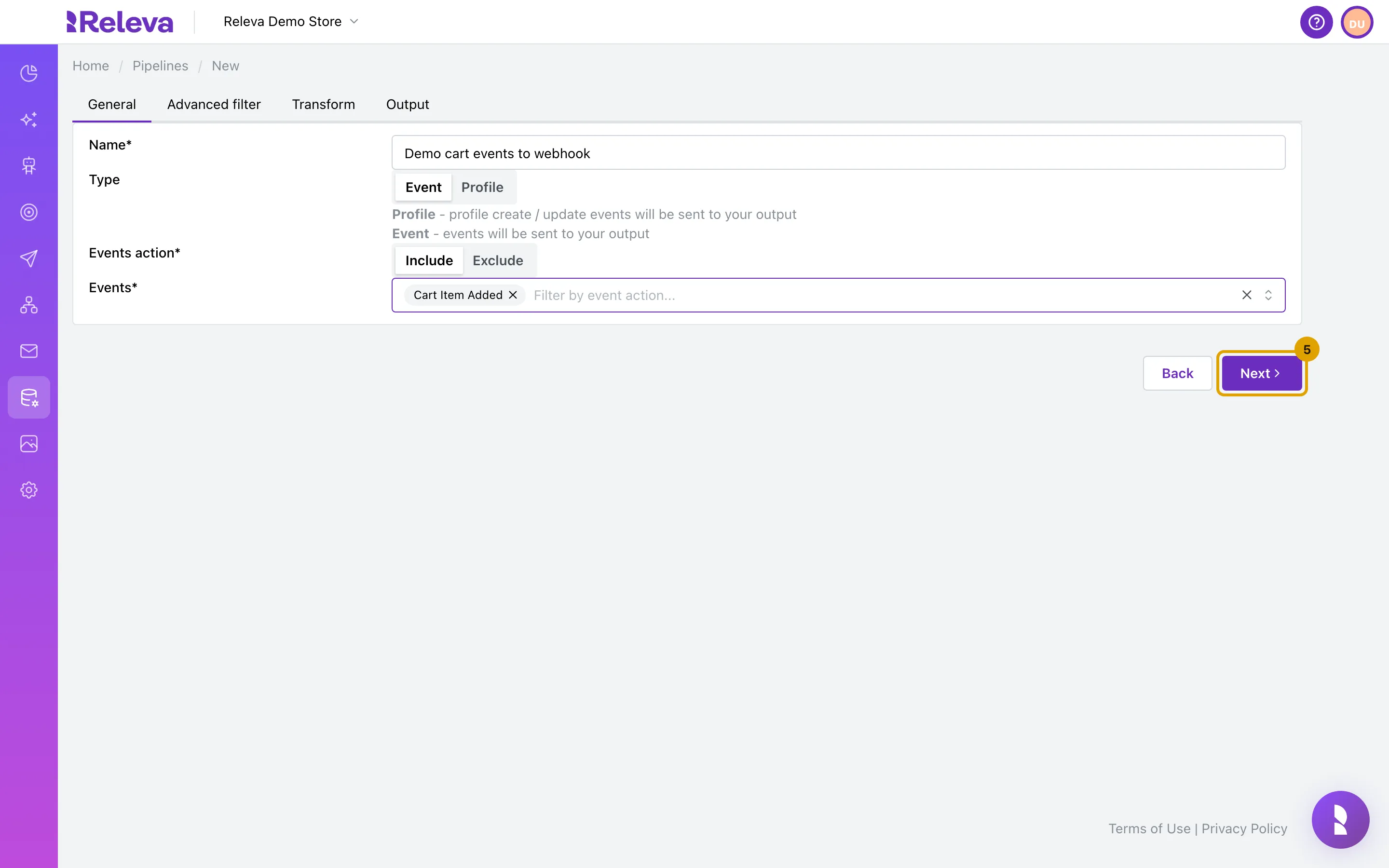
In Name, enter a name for the pipeline. Names must be unique in your store.
-
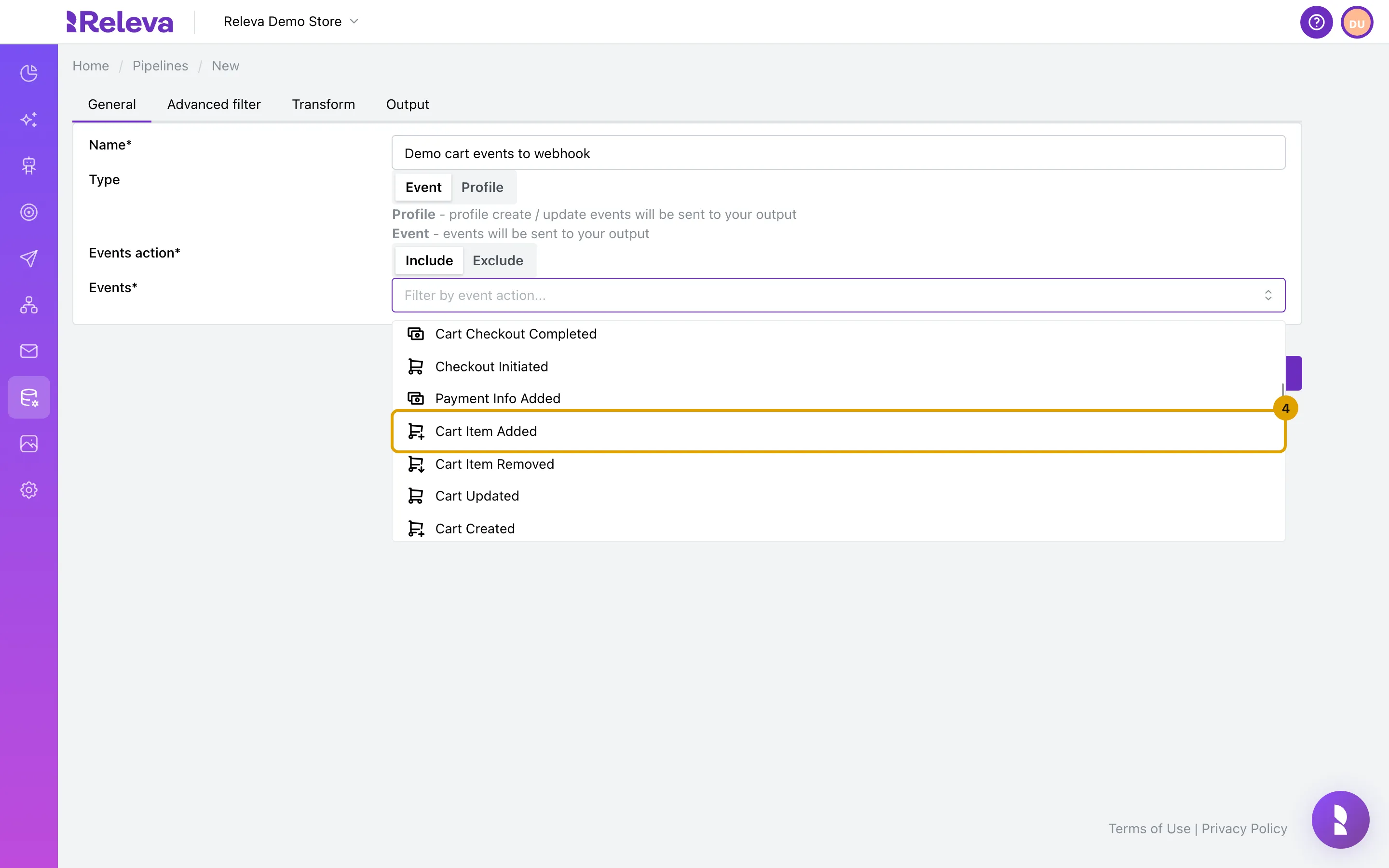
Keep Type set to Event and Events action set to Include. In Events, select the events to forward, for example Cart Item Added.
Type cannot be changed once the pipeline is saved. Profile forwards every profile create and update instead of events.
With Include, only the listed events are forwarded. With Exclude, every event except the listed ones is forwarded, including the high-volume events that the list does not offer. Do not leave Events empty with Include: the pipeline then forwards nothing, even though its card reads “Events including all”.
-
Select Next.
Next stays disabled until the tab is complete. On Output, Save stays disabled until Output URL is filled in.
-
On Advanced filter, keep the default Filter function to forward every selected event, or change it. Then select Next.
The filter is a JavaScript function that receives the
payloadand returnstrueto keep it orfalseto drop it. The default keeps everything. For example, to forward only events that carry at least one product:(payload) => payload.products.length > 0.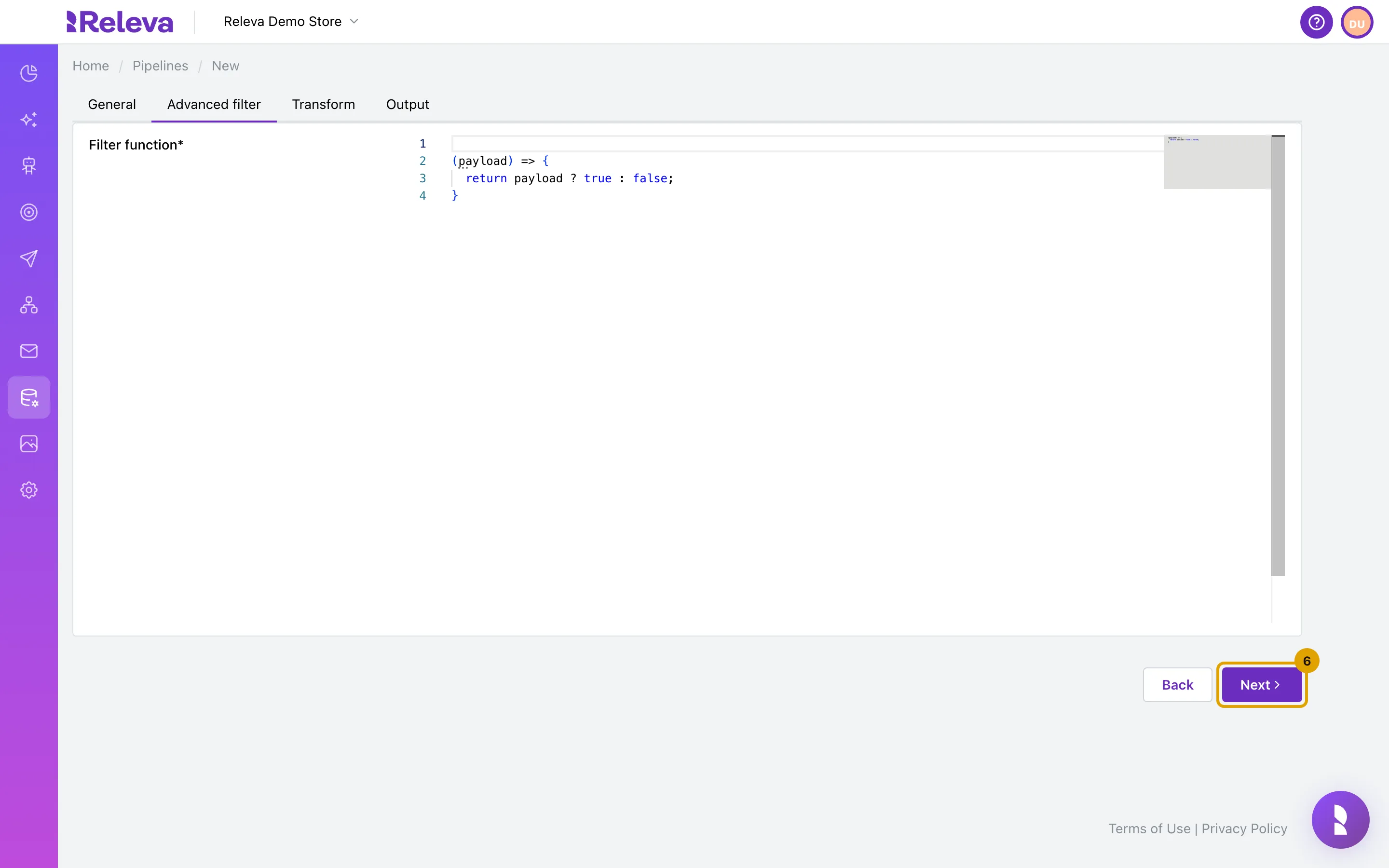
-
On Transform, keep the default Transform function to send each payload unchanged, or change it. Then select Next.
The transform returns what is sent to your endpoint. The default returns the payload as it is. Return a smaller object to send only the fields you need, for example
(payload) => ({ action: payload.action, profileId: payload.profileId, timestamp: payload.timestamp }).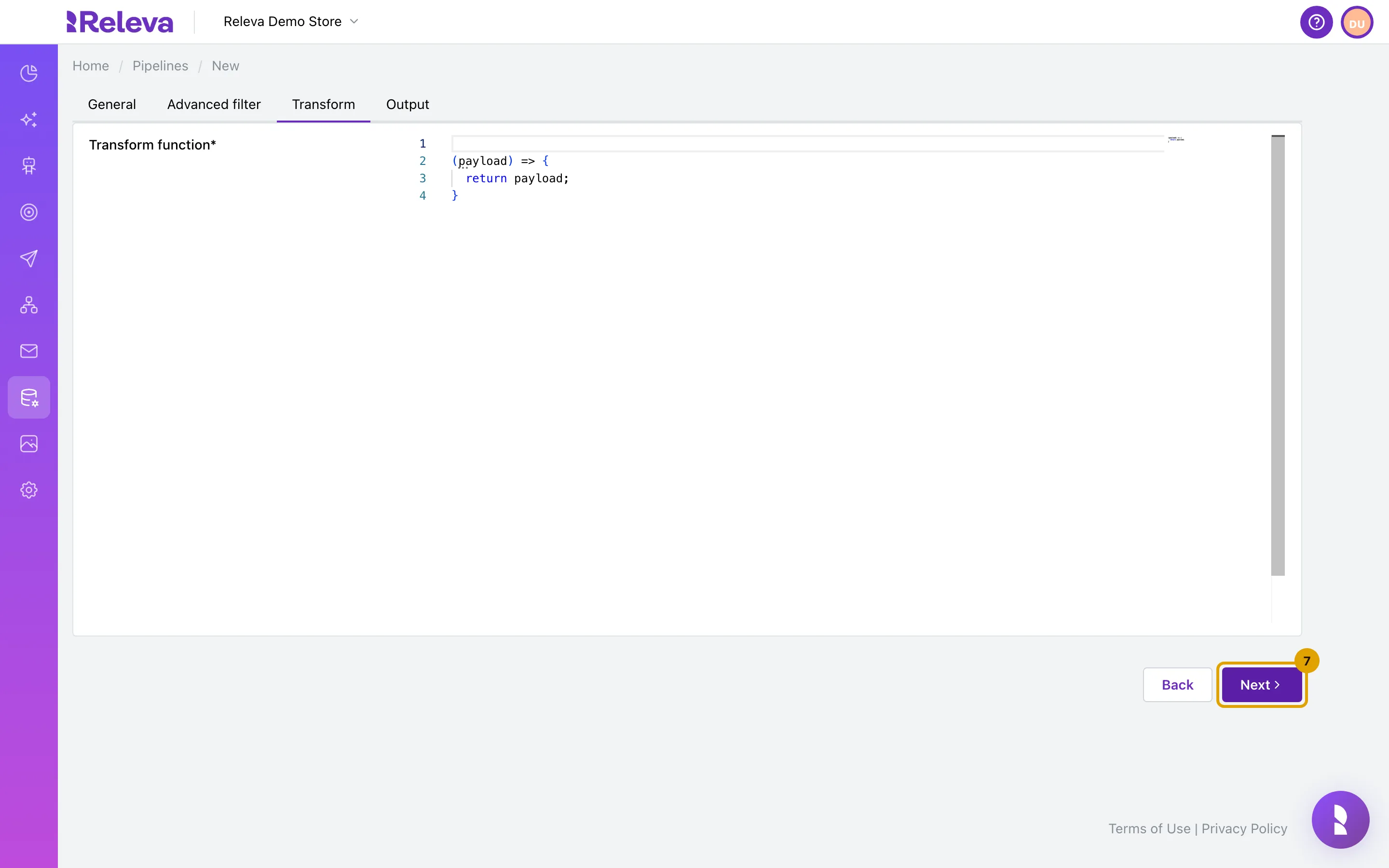
-
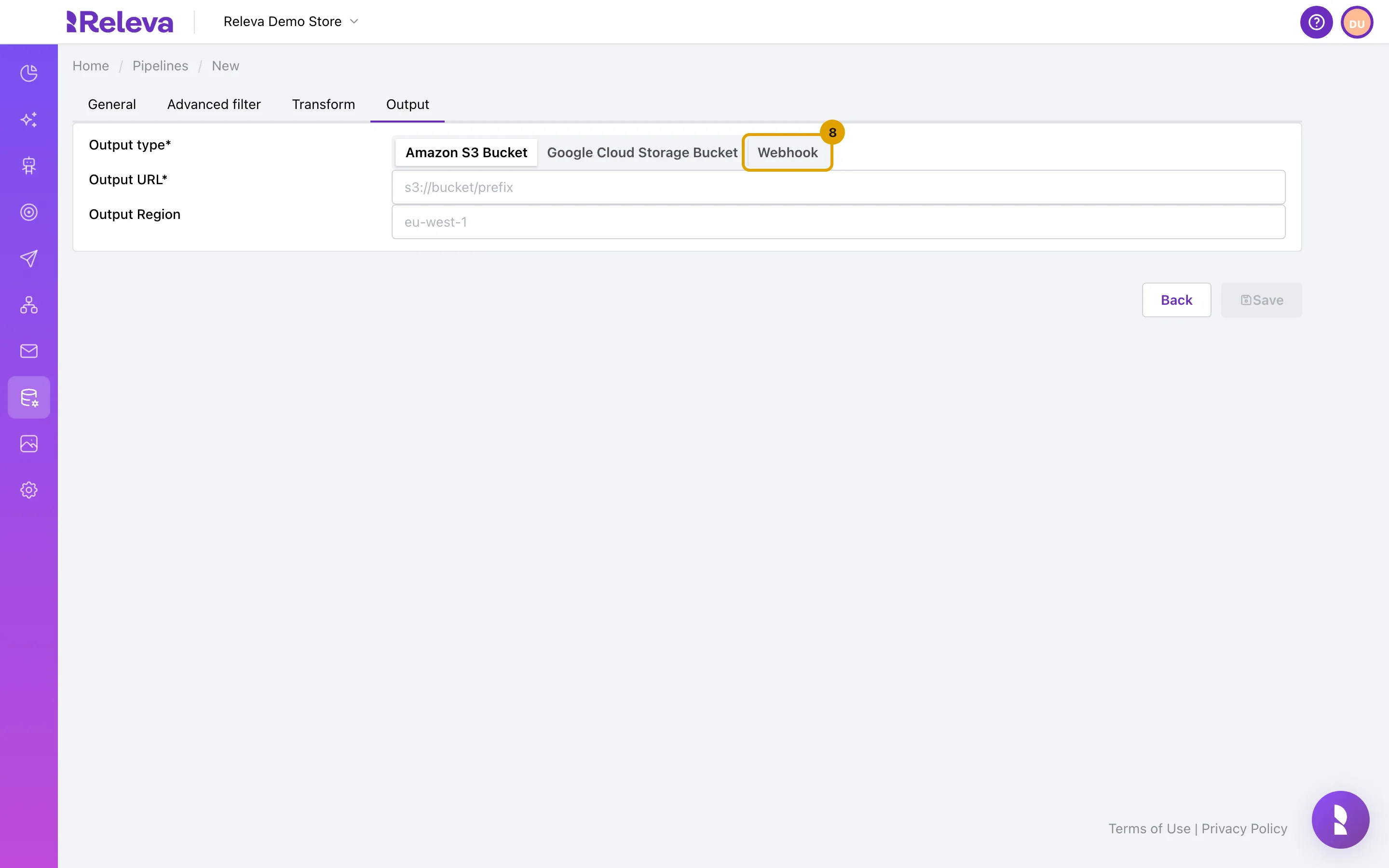
In Output type, select Webhook.
Amazon S3 Bucket and Google Cloud Storage Bucket write compressed JSON Lines files instead of calling an endpoint. They need the shop’s AWS account or Google service account to be configured in Settings; see How pipelines work.
-
In Output URL, enter the HTTPS address that should receive the events.
Under Headers, select Add Variable to add a Key and Value pair that is sent with every request, for example an API key your endpoint expects. Auth Secret sends a domain secret from Settings › Shop & Integration › Secrets as the
Authorizationheader; token-refresh secrets are refreshed before each call.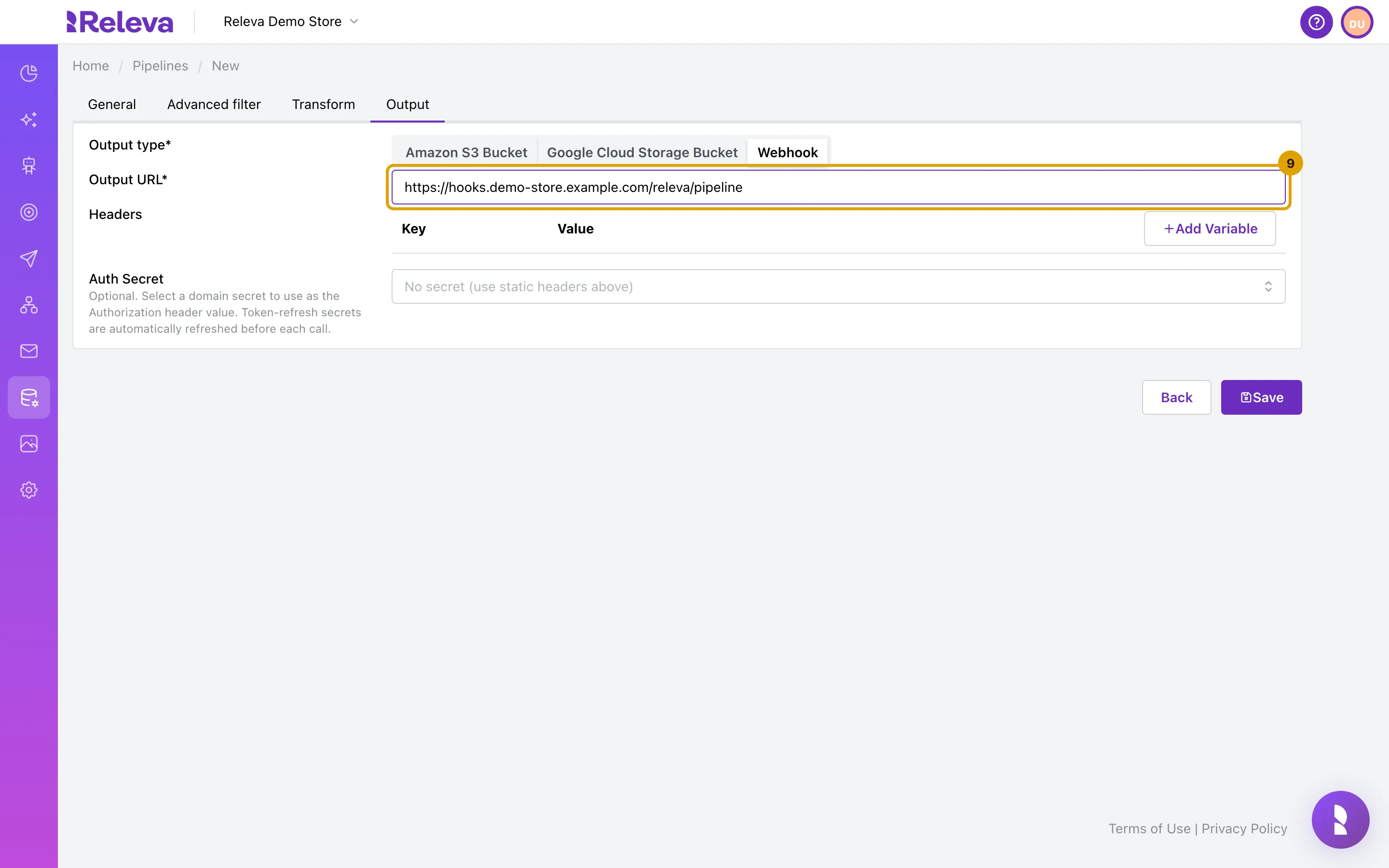
-
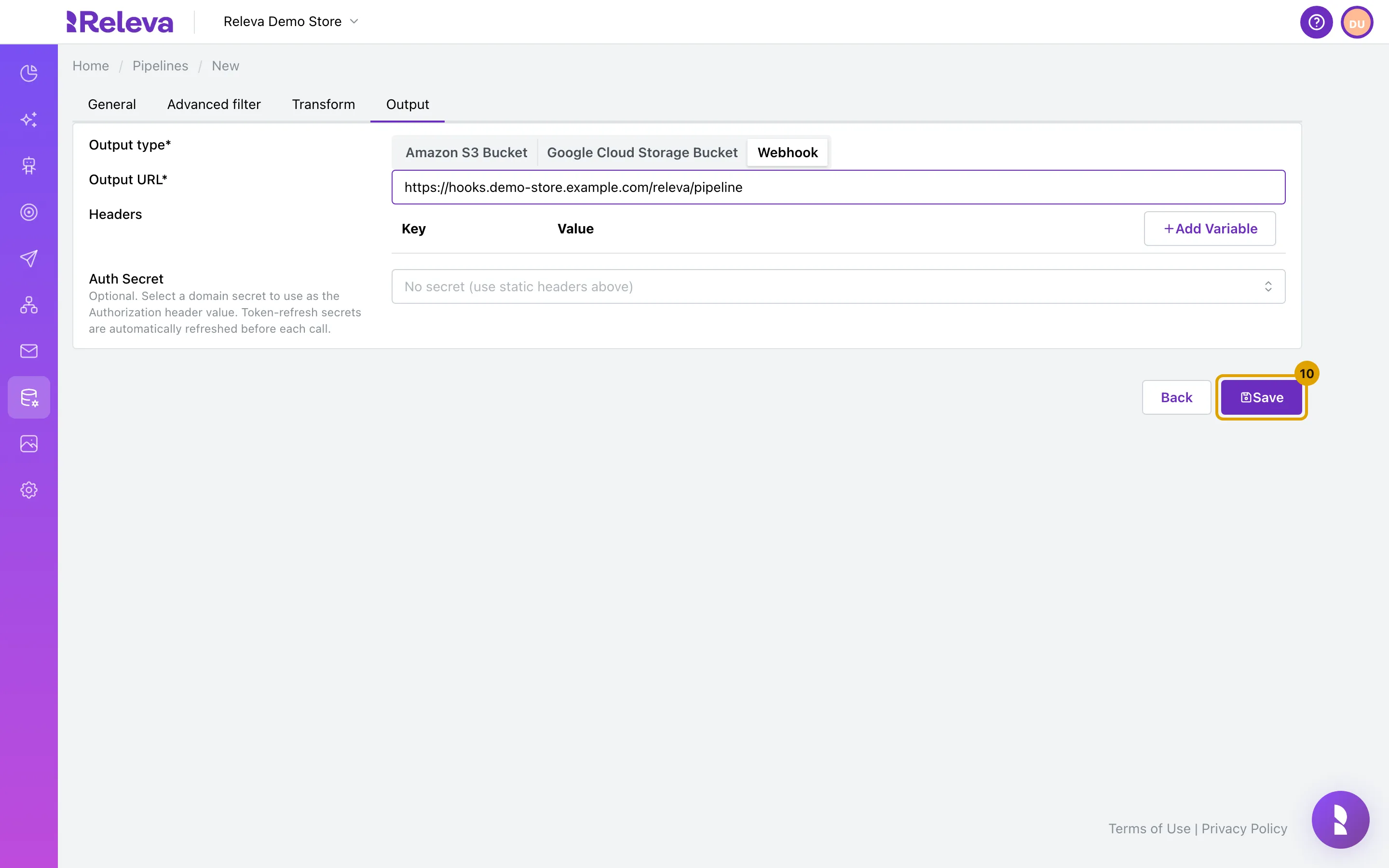
Select Save. The pipeline is created switched off.
-
On the Pipelines list, turn on the switch on the pipeline’s card when you are ready to receive data.
Starting, stopping or editing a pipeline takes up to one minute to take effect.
Check it worked
Section titled “Check it worked”- The new pipeline is the first card on Data Platform › Pipelines, with the badges EVENTS INCLUDING CARTADD (the event’s internal code) and WEBHOOK. Its switch is off.
- Open the card: the four tabs show what you saved, and Type is greyed out.
- After you turn the switch on and the shop records a matching event, the card’s Sent and Captured counts rise and your endpoint receives a
POSTwith the headersContent-Type: application/json,X-Pipeline-ID,X-Message-ID,X-Releva-Delivery-IdandX-Releva-Attempt.
Troubleshooting
Section titled “Troubleshooting”Save fails with “Name must be unique!”. Another pipeline in this shop has the same name. Change the name and save again. The message shows under the form.
Next or Save is disabled. The current tab is incomplete: Name is empty, or on Output the Output URL is empty. The Advanced filter and Transform tabs need a non-empty function.
The card says “Events including all” but nothing arrives. The pipeline uses Include with no events selected, which matches nothing. Select the events to forward, or switch to Exclude to forward everything.
Nothing arrives, and Sent stays at 0. The pipeline is switched off, or you turned it on less than a minute ago. Switch it on from the list; saving the form does not start it.
Sent rises but Captured stays at 0. No event passed the event list and the filter. Check the Events selection and that the Filter function returns true for the events you expect.
Failed rises. Your endpoint did not answer 2xx or the filter or transform threw an error. Releva retries timeouts, connection errors and 408, 429 and 5xx responses for up to 8 attempts; other responses (400, 401, 404, …) and unresolvable hostnames are not retried. See How pipelines work.
I cannot change the type. The type is fixed after the first save. Create a new pipeline, or open the pipeline and select Make a copy to start from its settings.