

Add codes to a coupon list
When a list is nearly used up, upload a new file to the same list. The merge tag stays the same, so campaigns and workflows that use it keep working.
Before you start
Section titled “Before you start”- The new codes exist in your shop and give the same discount as the rest of the list.
- The file meets the same requirements as for a new list:
.txt, one code per line, UTF-8, ASCII or ISO-8859-1. See Upload a list of coupon codes. - The file contains only new codes. If it repeats a code that is already in the list and was already sent, that code is marked unused again and can be sent to a second customer.
- Your plan includes updating coupons. If Save shows a lock icon, ask your account owner to unlock it.
-
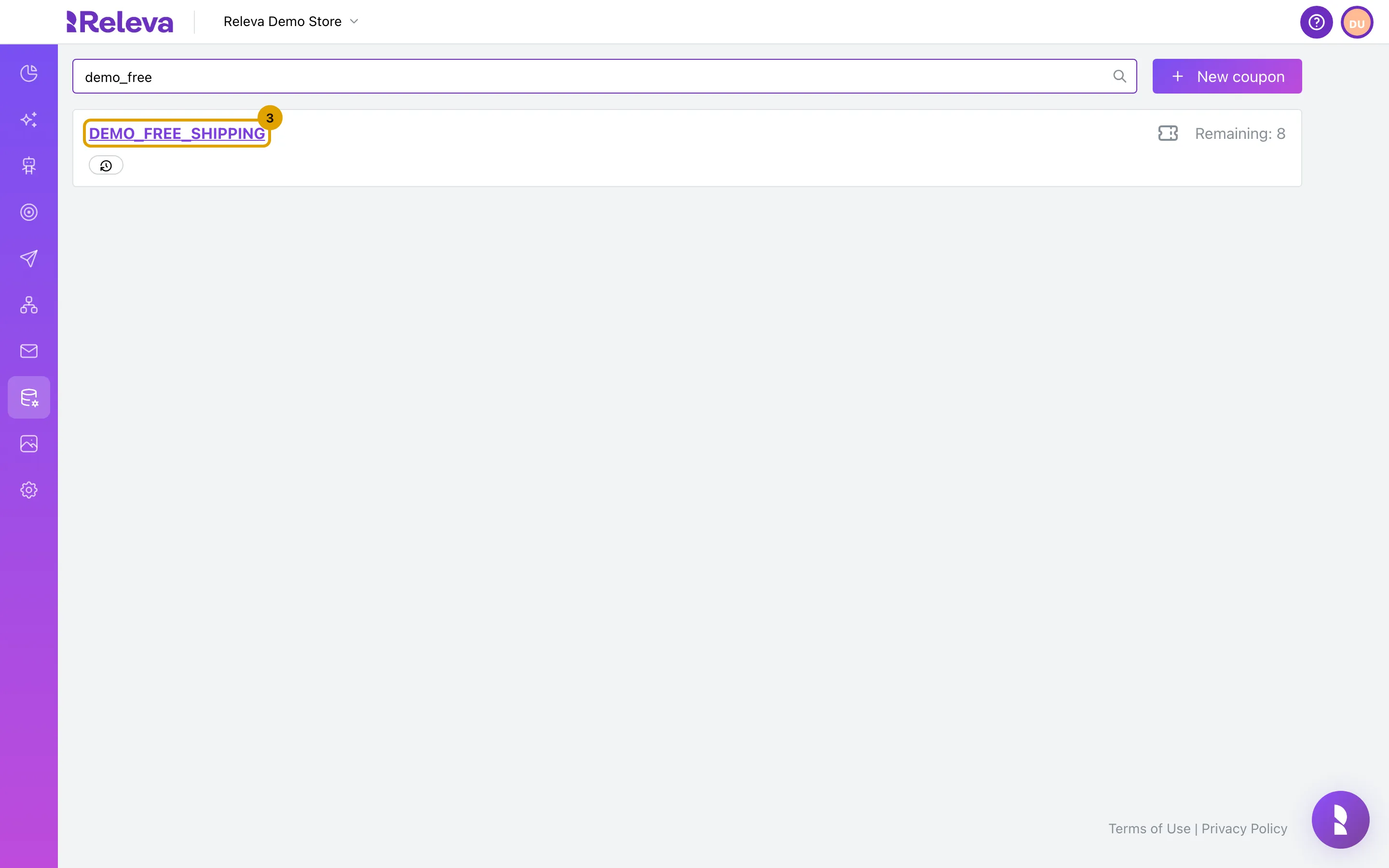
Go to Data Platform › Dynamic Coupons and select the name of the list.
-
Leave Name as it is.
Renaming changes the merge tag, so every message that uses
{{dynamicCoupons.<old name>}}stops getting codes. A list cannot be renamed without a file: Save without a file answers No file uploaded.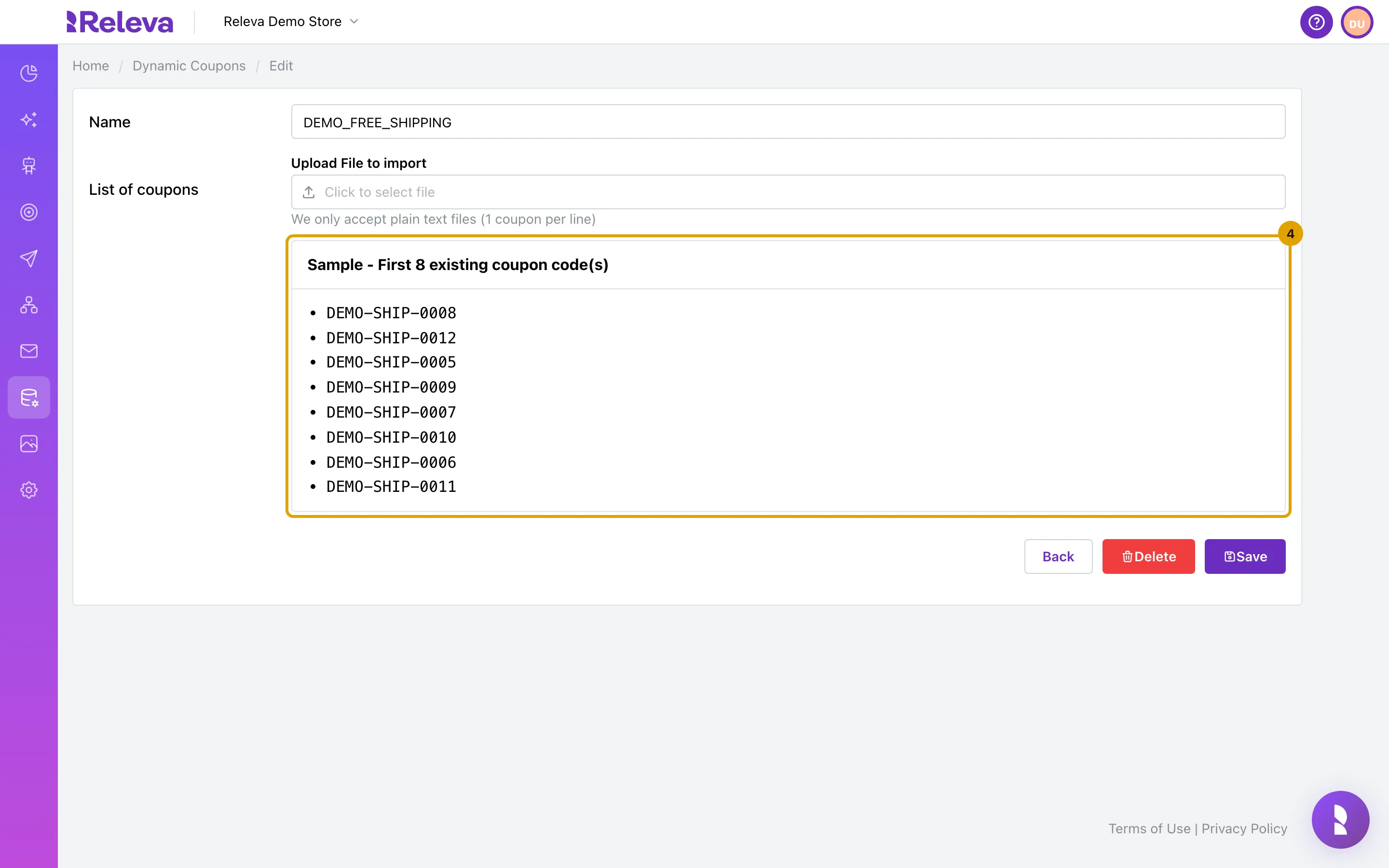
-
Under List of coupons, select Click to select file and choose the .txt file with the new codes.
The Sample card is replaced by Preview - First N coupon code(s) from uploaded file.
-
Select Save.
You return to Dynamic Coupons. The file is processed in the background.
Check it worked
Section titled “Check it worked”- You receive the e-mail Your dynamic coupons import has been processed successfully!. The number in it is the total of unused codes in the list after the import, not only the new ones.
- The card’s Remaining count has gone up by the number of new, unique codes.
Troubleshooting
Section titled “Troubleshooting”“No file uploaded.” You selected Save without choosing a file. Choose the file and save again.
“File is not a .txt file.” or “File is not a valid text file. Use UTF-8, ASCII or ISO-8859-1 encoding.” See the troubleshooting in Upload a list of coupon codes.
Remaining went up by fewer codes than the file has. Lines that repeat a code already in the list, and duplicate lines inside the file, count once.