

Export events to a file
Export the events of your shop to a file for analysis outside Releva. The export takes the filter you set on the Events page, includes every matching event (not only the current page) and e-mails a download link to you.
Before you start
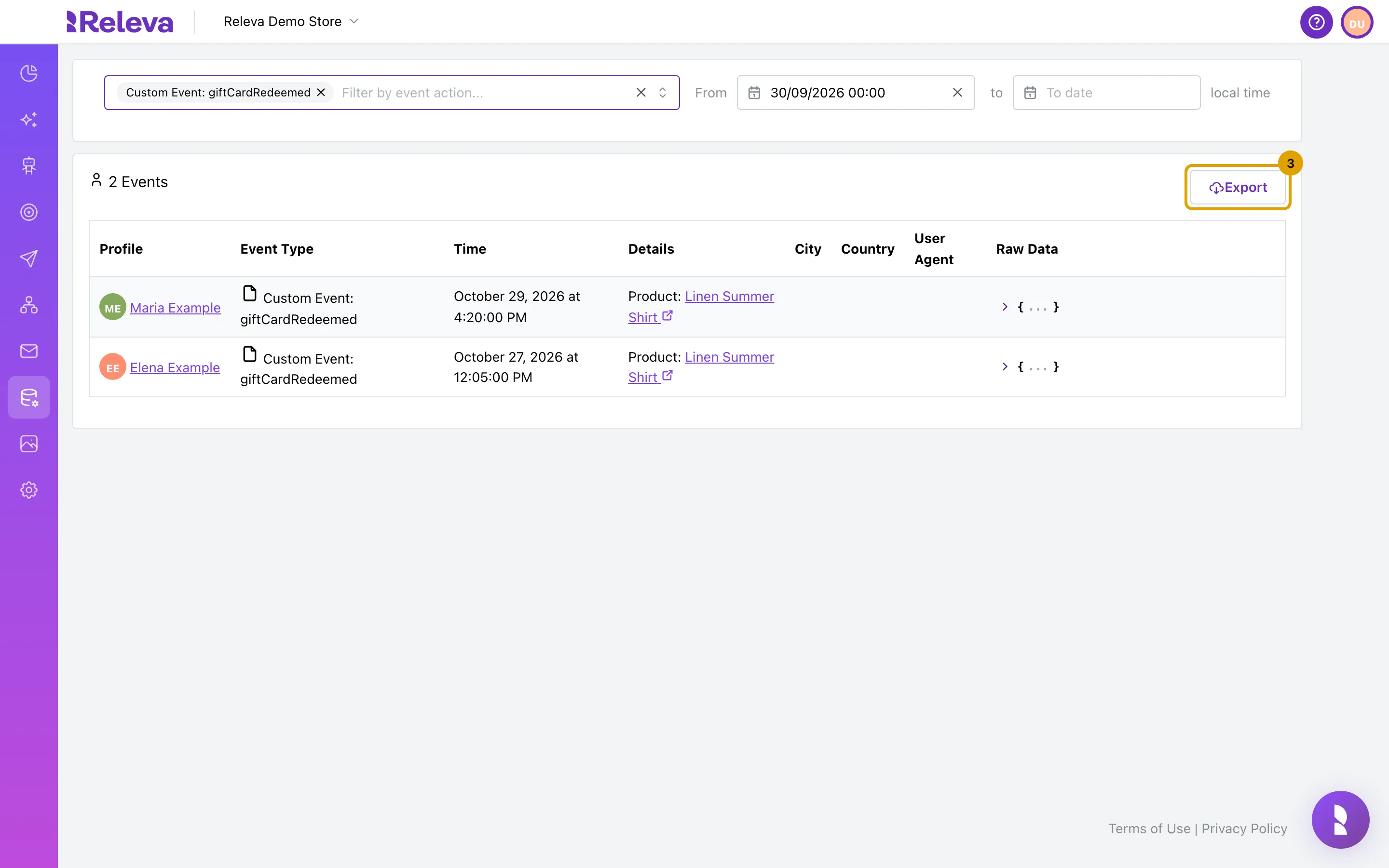
Section titled “Before you start”- The filtered list shows at least one event. The Export button only appears when the list is not empty.
- You can receive e-mail at the address you log in with. The download link goes to that address.
- You know which event custom fields you need as separate columns, if any.
-
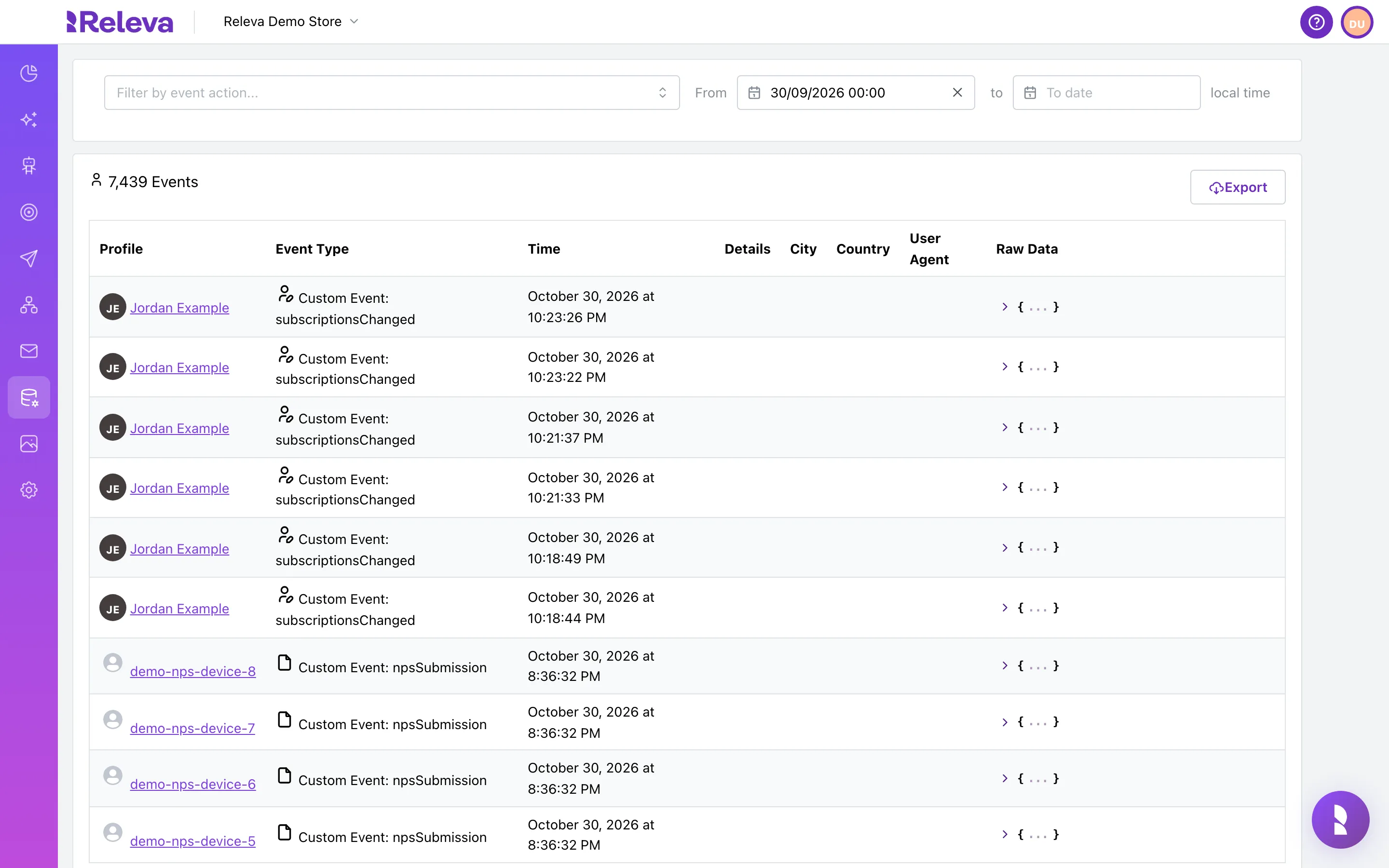
Go to Data Platform › Events.
-
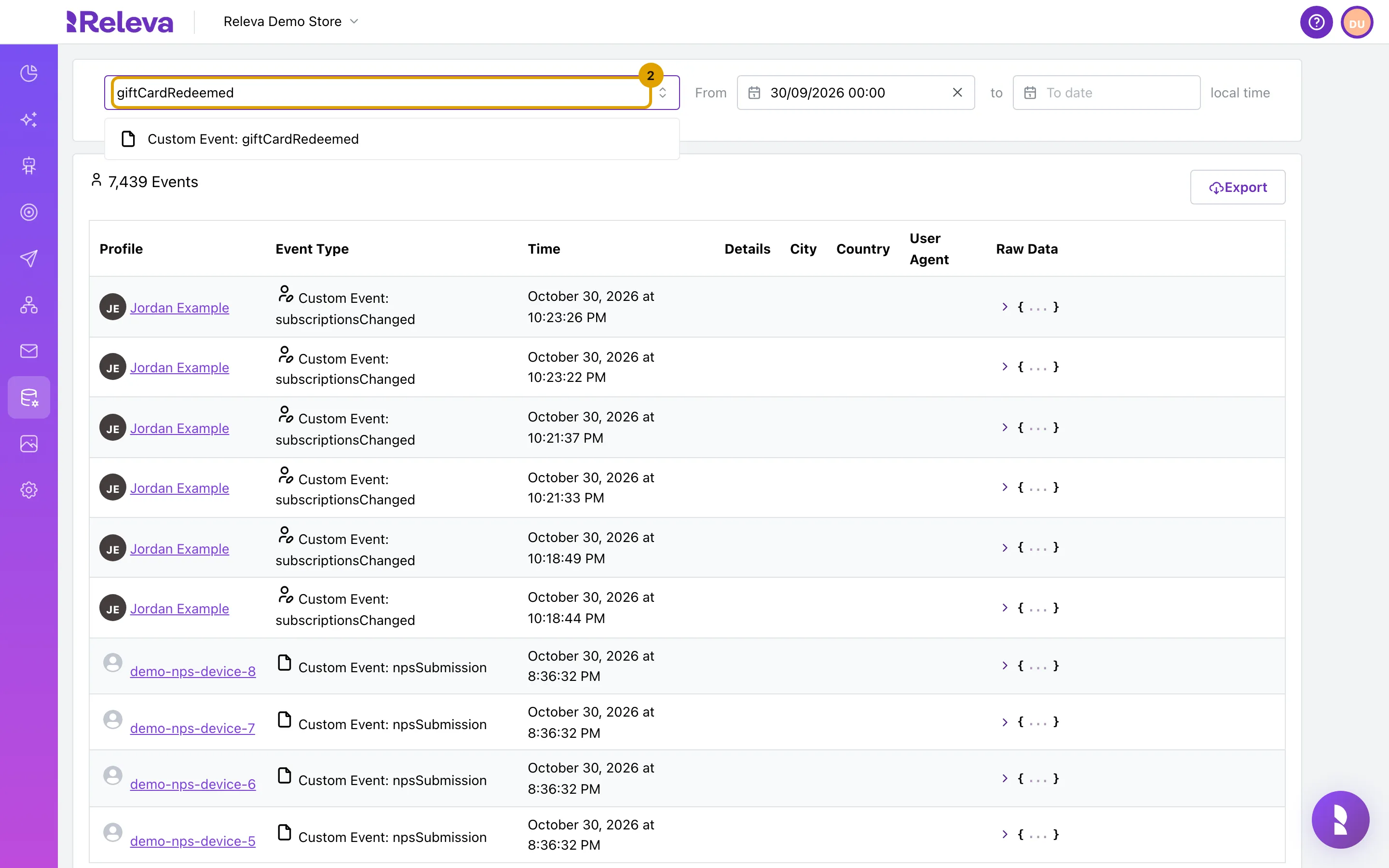
Optional. In Filter by event action…, type an event name and pick it. Set From and to to limit the time range.
Without a filter the export contains every event of the last 30 days. Clear From to export all history.
-
Select Export.
-
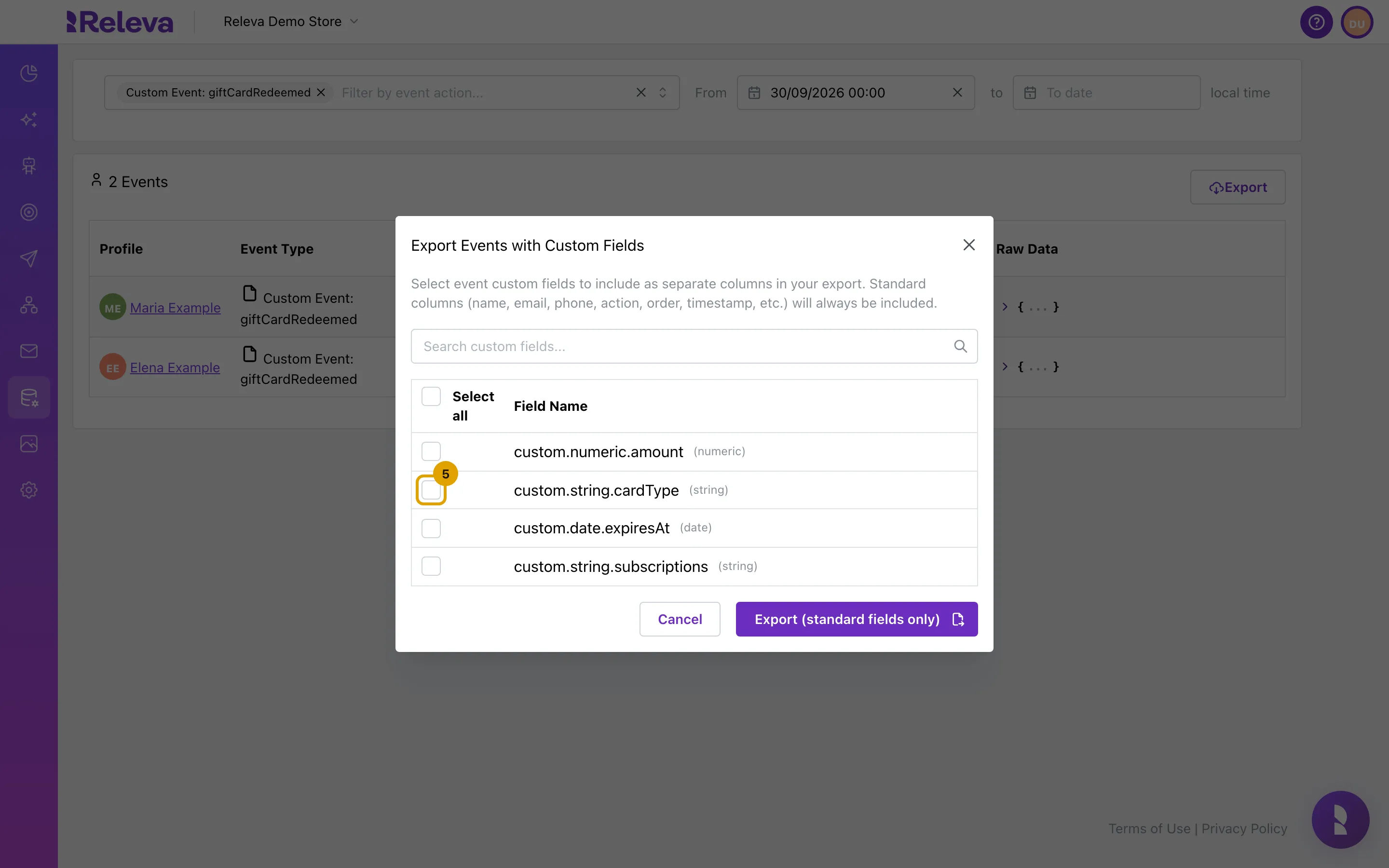
Export Events with Custom Fields lists the event custom fields you can add as extra columns.
The list shows every custom field (
custom.string.…,custom.numeric.…,custom.date.…) that any event of your shop has used. Use Search custom fields… to find one, or Select all. Standard columns (name, e-mail, phone, action, order, timestamp and others) are always included.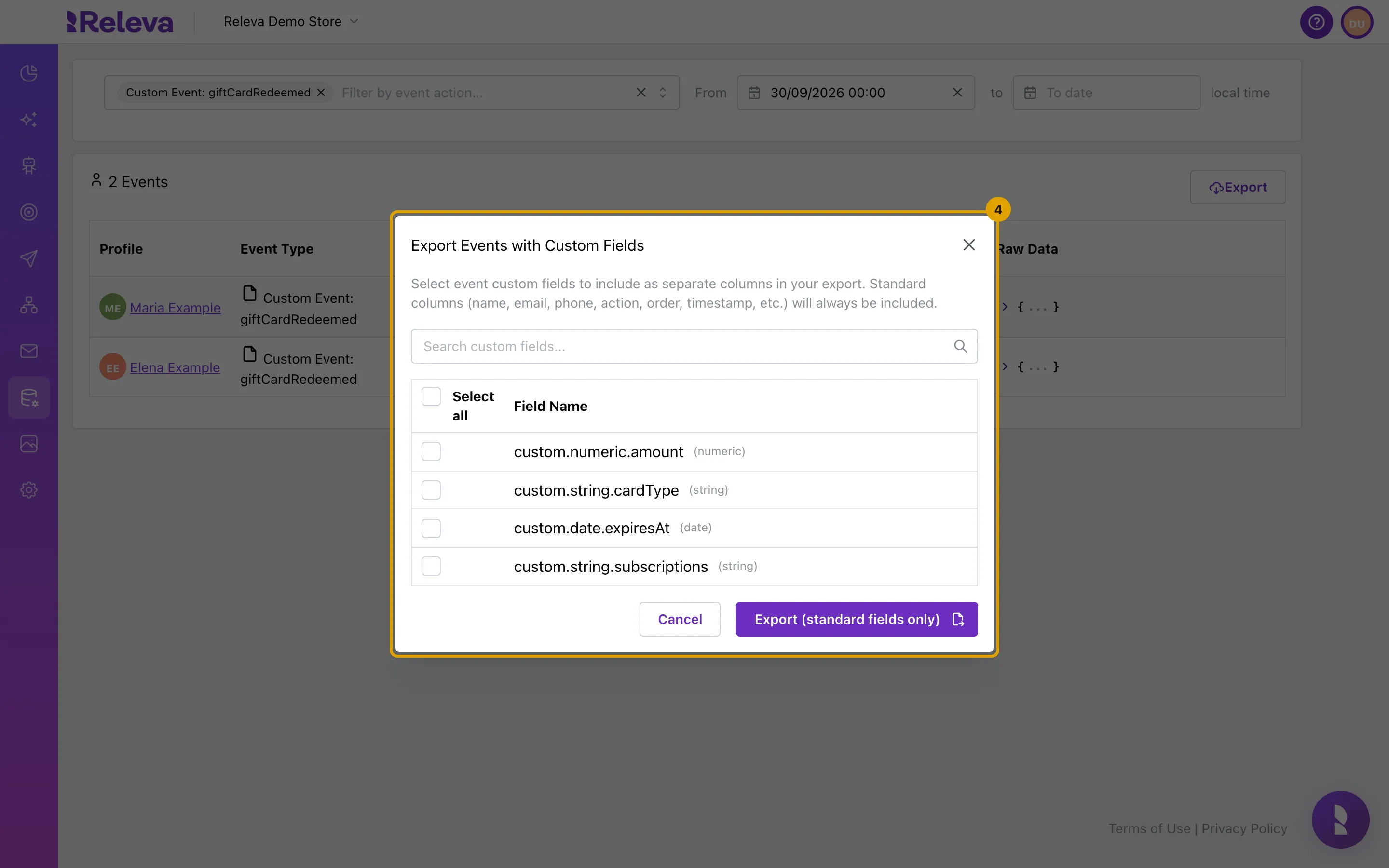
-
Select the custom fields you want as separate columns.
-
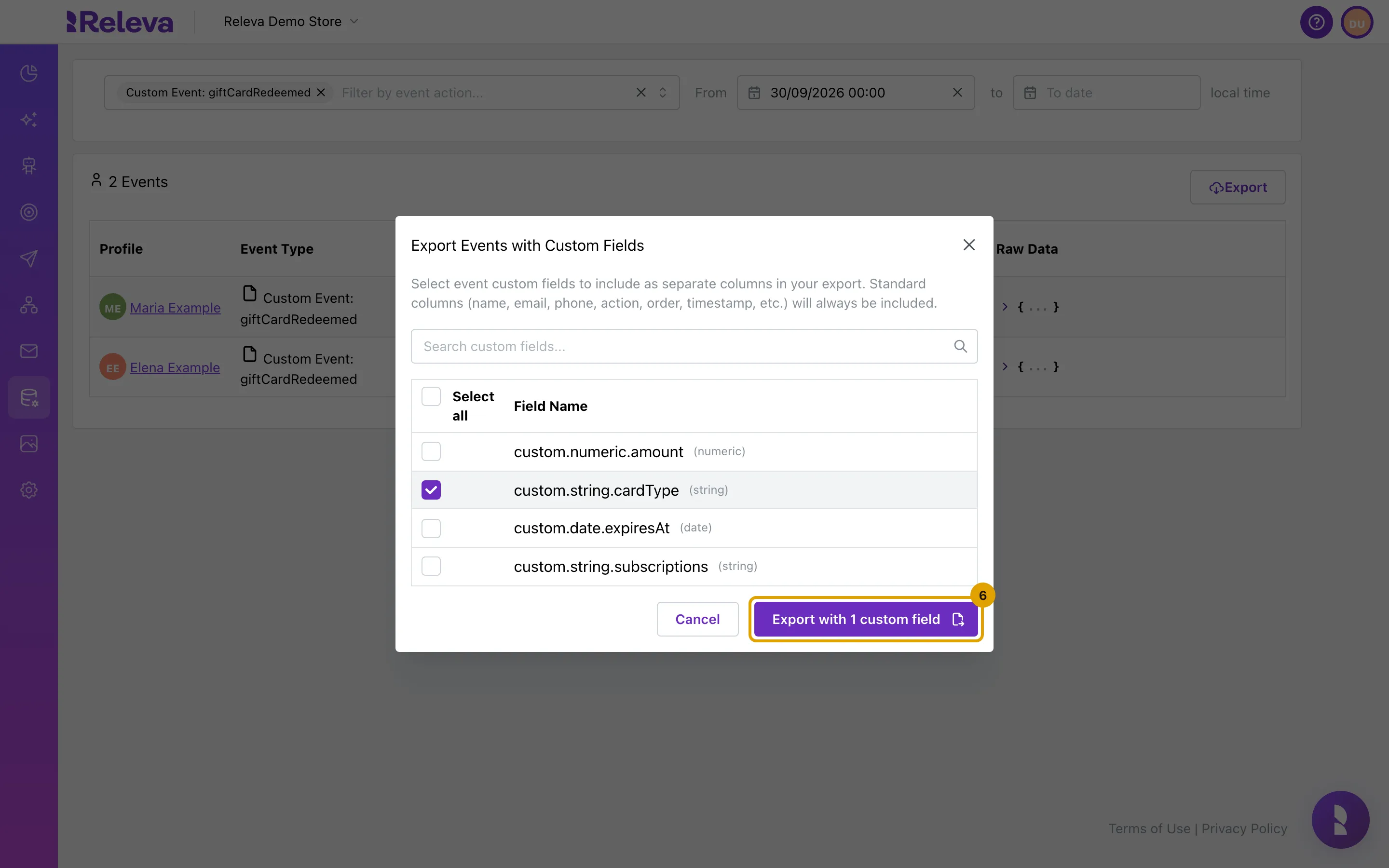
Select Export with 1 custom field (or Export (standard fields only) if you selected none). Releva e-mails you a download link.
The button names how many fields you selected. After you confirm, the button on the Events page reads Export scheduled. Please check your email for a download link.
Check it worked
Section titled “Check it worked”- The Export button is replaced by Export scheduled. Please check your email for a download link.
- An e-mail with a download link arrives at your login address once the file is ready.
- The file has one row per event in your filter and one extra column per custom field you selected.
Troubleshooting
Section titled “Troubleshooting”There is no Export button. The list is empty. Widen the filter: clear the event action, or clear From to include older events.
The modal says “No custom fields found for events. The export will include standard columns only.” No event of your shop has carried a custom field yet. You can still export the standard columns.
The export contains fewer events than the page title says. The export leaves out events of profiles that were deleted. The on-screen count includes them.
No e-mail arrived. The file is built in the background and can take a while for large ranges. Check your spam folder. The export is also listed with your shop’s other exports; ask your account owner if it is missing there.